gail

Why 360 Cameras Are Changing Virtual Reality Forever (And How to Pick the Right One)

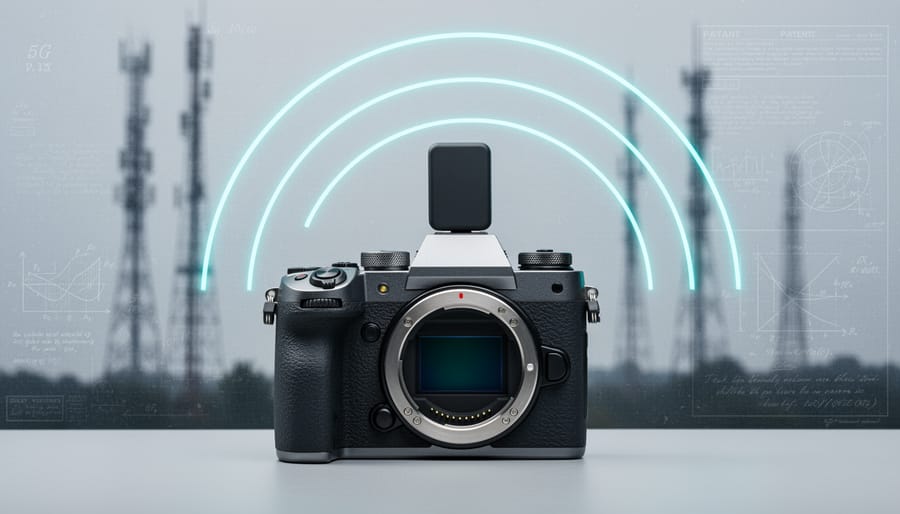
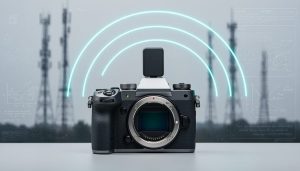
Understanding the relationship between 360 cameras and VR starts with recognizing how these cameras capture spherical footage that places viewers inside the scene rather than observing from outside. When you shoot with a 360 camera, you’re recording everything in all directions simultaneously using multiple wide-angle lenses, creating immersive content that viewers can explore by moving their head or device—exactly what virtual reality experiences demand.
The connection becomes powerful when you pair 360 footage with VR headsets. A standard video camera captures a flat frame you watch passively, but 360 cameras create …

Transform Your Home Into a Minimalist Photography Studio

Transform your living space into a minimalist photography studio by clearing a single surface—a windowsill, kitchen counter, or bedside table—and photographing one object against a plain backdrop. This immediate exercise reveals the core principle of minimalist photography: less visual information creates more emotional impact.
Your home already contains everything needed for compelling minimalist images. The soft, directional light filtering through bathroom windows at dawn eliminates harsh shadows that distract from your subject. White walls, bed sheets, or even poster board positioned behind simple objects like coffee cups, …

Why Lens Flare from the Sun Can Make or Break Your Photos

Position yourself with the sun just outside your frame’s edge to minimize direct light hitting your lens elements. Shield your lens with your hand, a lens hood, or any nearby object to create shade when shooting toward bright sunlight. Adjust your aperture to f/8 or smaller if you want to emphasize sunstars while managing flare, or shoot at wider apertures like f/2.8 to reduce internal reflections. Clean your lens and filter surfaces thoroughly, as fingerprints and dust particles amplify flare significantly.
Lens flare from the sun occurs when intense light scatters and reflects between the glass elements inside your lens, …

Why Premium Point-and-Shoots Still Beat Your Smartphone Camera

The smartphone in your pocket takes remarkably good photos, yet serious photographers continue investing $500 to $1,500 in premium point-and-shoot cameras. The reason? High-quality compacts deliver capabilities that phones simply can’t match: larger 1-inch sensors that capture substantially more light and detail, optical zoom lenses reaching 200mm or beyond without digital trickery, apertures as wide as f/1.8 for genuine background blur, and manual controls that give you creative authority over every exposure.
Understanding what separates a premium compact from a basic one requires looking beyond megapixel counts and zoom …

These Desert Animals Make Extraordinary Photography Subjects (If You Can Find Them)

Position yourself downwind before dawn with a 400mm or longer telephoto lens to capture bighorn sheep navigating rocky terrain—their golden-hour silhouettes against rust-colored canyon walls create portfolio-defining images. Switch to a 70-200mm with fast shutter speeds (minimum 1/1000s) for roadrunners, whose unpredictable sprints and ground-level hunting behavior demand quick reflexes and continuous autofocus tracking. Reserve twilight hours for kit foxes emerging from dens, where ISO 3200-6400 and wide apertures (f/2.8-f/4) become essential for freezing their curious expressions in fading light.
Desert wildlife photography …

How Virtual Reality Is Transforming the Way Films and Photos Are Made

Virtual reality has moved from science fiction novelty to essential production tool, fundamentally changing how photographers and cinematographers approach their craft. LED volume stages—massive curved screens displaying real-time virtual environments—now replace green screens on major film sets, allowing directors of photography to light scenes naturally while actors interact with believable surroundings. The Mandalorian popularized this approach, but the technology has become accessible enough that mid-tier production studios are building their own volumes.
Real-time rendering engines like Unreal Engine and Unity have …

These Camera Accessories Will Transform How You Shoot

Look beyond the standard tripod and lens filter—truly innovative camera accessories are redefining what’s possible behind the lens. While essential camera accessories form your foundation, the cutting edge of photography gear now includes AI-powered tracking systems, modular lighting solutions that fit in your pocket, and smartphone-integrated tools that bridge the gap between professional and mobile photography.
The photography landscape has shifted dramatically in recent years. What once required a …

How Hamamatsu Cameras Are Changing the Environmental Game in Scientific Imaging

When you’re selecting scientific cameras for research, industrial inspection, or specialized imaging applications, the manufacturer’s environmental commitment matters as much as sensor performance. Hamamatsu Photonics has built its reputation on precision imaging sensors that capture everything from high-speed industrial processes to faint bioluminescence in laboratory settings, but their approach to sustainable manufacturing reveals something equally important about how cutting-edge technology can coexist with environmental responsibility.
Unlike consumer camera brands focused primarily on megapixel counts and autofocus…

Why Your Smartphone Photos Look Different When Printed (And How CMYK Fixes It)

You’ve captured a stunning moment on your smartphone, the colors vibrant and perfect on your screen, only to receive prints that look muddy, dull, or completely off. This frustrating disconnect happens because your phone’s glowing screen uses light-based RGB colors (red, green, blue), while commercial printers rely on the 4 color printing process using CMYK inks (cyan, magenta, yellow, and black). Understanding this fundamental difference is the key to bridging the gap between what you see and what you get.
The 4 color printing process, also known as CMYK printing, works by layering tiny dots of these four ink colors in …

Why Your Flash Photos Look Better When You Take It Off the Camera

Position your flash anywhere beyond your camera’s hot shoe, and you’ve unlocked the single most transformative technique in modern photography. Off-camera flash separates adequate snapshots from compelling images by giving you complete control over light direction, quality, and mood—something your pop-up flash or on-camera speedlight can never achieve.
The difference is dramatic and immediate. Instead of that flat, harsh light that screams “amateur snapshot,” you can sculpt dimension across a portrait subject’s face, eliminate unflattering shadows under the eyes, or replicate the soft window light of …