By
By 
Understand that computer-generated imagery (CGI) refers to any visual content created using software and computational processes, from the dinosaurs in Jurassic Park to architectural renderings you might create in Blender or Cinema 4D. This definition becomes crucial now because a new category has emerged that’s fundamentally different: AI-generated imagery, where algorithms trained on millions of existing images produce new visuals through prompts rather than manual 3D modeling or digital painting.
Recognize the distinction between traditional CGI and AI-generated content by examining the creation process. When you build a CGI scene, you’re manually placing every element, adjusting lighting, and controlling textures through deliberate technical choices. AI generation, conversely, interprets text descriptions and synthesizes images based on patterns learned from training data, raising unprecedented questions about copyright ownership and usage rights that directly affect your business.
Know that current regulations treat these technologies differently across jurisdictions, with some countries granting copyright protection to traditional CGI works but denying it to AI-generated content lacking human authorship. The European Union’s AI Act and recent U.S. Copyright Office guidance have established that substantial human creative input determines protectability, meaning your role in the creation process now defines your legal rights more than ever before.
Grasp why this matters for your photography business: clients may request AI-generated images as cheaper alternatives, stock photo platforms are implementing new licensing categories, and your own workflow might incorporate these tools. Understanding where traditional CGI ends and AI generation begins protects your intellectual property, informs your service offerings, and ensures compliance with emerging regulations.
Computer-Generated Imagery: The Foundation You Need to Understand
How Traditional CGI Actually Works
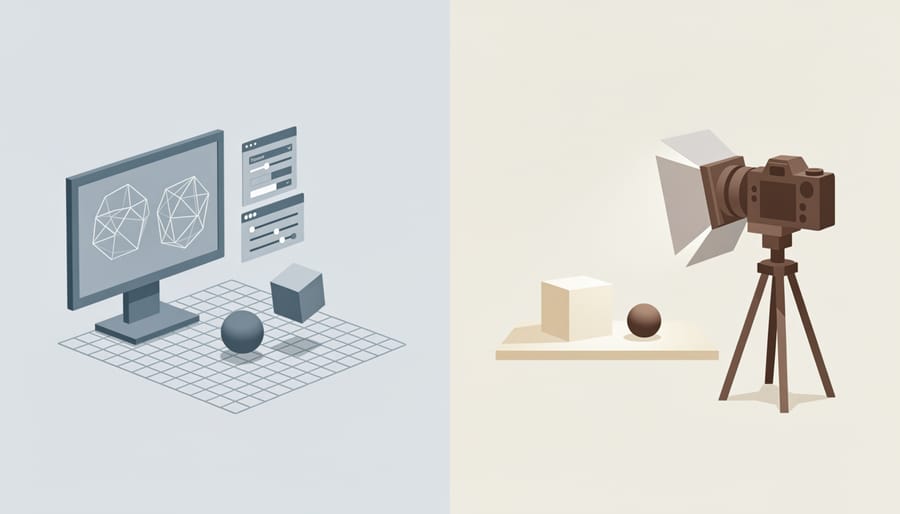
Think of traditional CGI as building a complete photography studio from scratch—except everything exists only in the digital realm. The process mirrors what you already do as a photographer, just with different tools.
It starts with modeling, which is like constructing your subject from clay. Artists create three-dimensional objects by manipulating digital polygons and shapes. Imagine sculpting a human face or building a car model, but instead of physical materials, you’re working with virtual geometry on a computer screen. This gives you complete control over every dimension and angle.
Next comes texturing, and this should feel familiar. Just as you carefully consider your subject’s clothing, skin tones, and surface qualities during a shoot, CGI artists apply digital materials to their models. They add colors, patterns, reflections, and surface details—essentially “dressing” the digital subject. Think of it as choosing wardrobe and makeup, but with the ability to change everything instantly.
Rendering is your exposure and development process combined. The software calculates how light interacts with every surface in the scene, factoring in shadows, reflections, and atmospheric effects. This is computationally intensive—a single frame might take hours to render, similar to how you’d carefully process a RAW file to bring out every detail.
Finally, compositing brings everything together, much like your post-processing workflow. Artists layer elements, adjust colors, add effects, and fine-tune the final image. The key difference? Every element—from the subject to the lighting to the environment—was intentionally created rather than captured from reality.
Where You’ve Already Seen CGI in Photography
You’ve likely encountered CGI in photography more times than you realize. That sleek car ad where every reflection looks impossibly perfect? There’s a good chance significant portions were computer-generated. The furniture catalog showing a sofa in dozens of room settings? Many retailers now use CGI to place products in virtual environments rather than building physical sets.
Major brands like IKEA have been transparent about their CGI use, with reports suggesting that up to 75% of their product images contain computer-generated elements. It’s not about cutting corners—it’s about creative control and efficiency. When you can adjust lighting, swap colors, or change backgrounds with a few clicks instead of reshooting an entire product, the advantages become clear.
In automotive photography, CGI has become standard practice. Manufacturers often create vehicles in 3D before physical prototypes exist, allowing marketing campaigns to launch alongside product reveals. The collaboration between traditional photographers and CGI artists has evolved into a seamless workflow where photographed elements blend with computer-generated components.
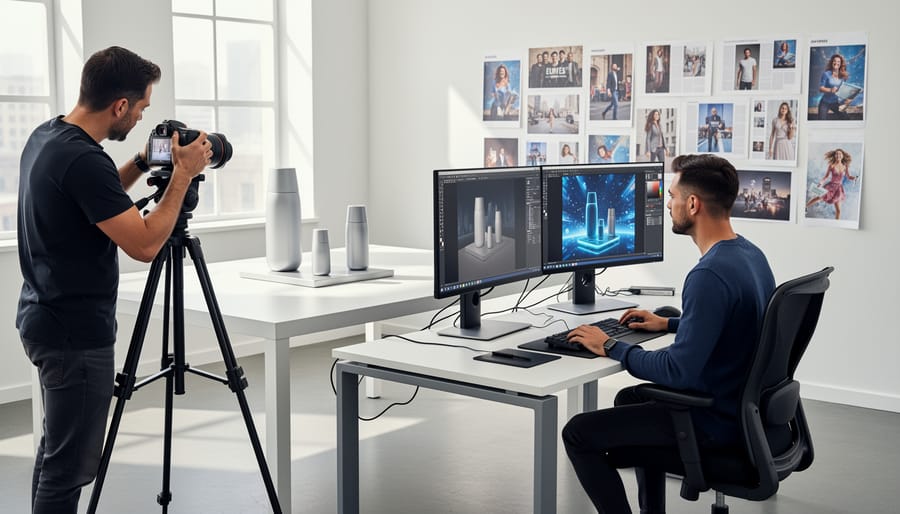
Product photography studios regularly combine real items with CGI backgrounds, reflections, or surrounding objects. A photographer might capture the hero product under controlled lighting, then hand it off to a CGI artist who composites it into various scenes. This hybrid approach preserves the authentic texture and detail of physical photography while gaining the flexibility of digital manipulation.
Even editorial and commercial photographers work with CGI teams to achieve impossible shots—combining multiple exposures, adding elements, or creating entirely synthetic environments that would be impractical or impossible to build physically.
AI-Generated Imagery: The New Kid on the Block
How AI Creates Images (Without the Technical Jargon)
Think of AI image generation like learning photography itself. When you first picked up a camera, you didn’t instinctively know how to compose a stunning landscape or capture perfect portrait lighting. You studied thousands of images, noticed patterns, experimented with techniques, and gradually developed your unique style.
AI learns images the same way. Developers feed these systems millions of photographs and artworks, much like you’ve studied countless images throughout your photography journey. The AI analyzes patterns in these training images: how shadows fall across faces, how colors blend in a sunset, what makes a composition feel balanced. It’s absorbing visual language the way you absorbed composition rules and lighting principles.
Here’s where it gets interesting. When you type a prompt like “golden hour portrait,” the AI isn’t copying any single photo from its training. Instead, it’s synthesizing everything it learned about golden hour lighting, portrait composition, and human features to create something new. It’s similar to how you might photograph a wedding using techniques you’ve learned from various sources, creating original work that reflects your accumulated knowledge rather than copying another photographer’s image.
The crucial difference? You consciously choose which photographers inspire you and can credit their influence. AI systems absorb training data without this awareness, which creates those complex rights questions we’re navigating today. Understanding this learning process helps clarify why AI-generated imagery sits in such legally murky territory.
The Real Difference Between CGI and AI Imagery
Understanding the distinction between traditional CGI and AI-generated imagery isn’t just academic anymore—it directly impacts your creative workflow, legal rights, and how you position yourself in the market.
Traditional CGI requires direct human control at every step. When a visual effects artist creates a photorealistic dragon, they’re modeling every scale, adjusting each light source, and keyframing every movement. It’s like being a sculptor and cinematographer rolled into one. You need specialized software skills—think Maya, Blender, or Cinema 4D—and often years of training to produce professional results. A single frame might take hours to render, and a complex scene could require weeks or months of dedicated work. But here’s the payoff: you have absolute creative control. Every pixel exists because you decided it should.
AI-generated imagery flips this model entirely. You provide text prompts or reference images, and the AI interprets your intent, drawing from patterns it learned during training. The skill set shifts from technical mastery to prompt engineering and curation. Instead of months, you might generate dozens of variations in minutes. A photographer could type “golden hour portrait with dramatic rim lighting” and receive usable results without touching 3D software.
The trade-off? You’re collaborating with an unpredictable partner. AI might surprise you with brilliant interpretations you never imagined, or frustrate you by missing the exact vision in your head. You can’t fine-tune a specific lighting angle the way you would in CGI software—you’re guiding rather than commanding.
For photographers, this matters practically. CGI gives you precision but demands time investment. AI offers speed and accessibility but requires accepting less granular control. Understanding where each tool fits in your creative process helps you choose the right approach for each project.
Why This Matters for Your Photography Business Right Now
The Client Conversations You Need to Be Ready For
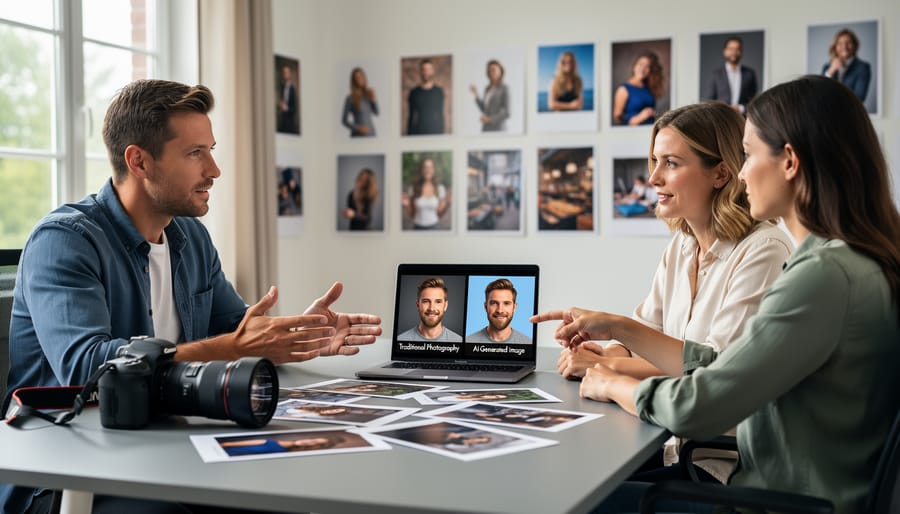
You’ll inevitably face moments when clients suggest replacing your photography services with AI-generated images. The conversation typically starts something like, “Why should we hire you when we can just use AI for a fraction of the cost?” Here’s how to navigate these discussions professionally while protecting your business.
First, acknowledge the technology openly. Don’t dismiss AI as inferior or temporary. Instead, explain that AI-generated imagery and photography serve different purposes. When a client needs authentic product shots, real human expressions, or specific lighting in an actual environment, photography remains irreplaceable. AI struggles with brand consistency, accurate product representation, and the nuanced details that build consumer trust.
Real-world example: A furniture retailer discovered their AI-generated room scenes showed physically impossible perspectives and lighting that couldn’t exist in reality. Customers noticed, and returns increased because products looked different than expected. They returned to professional photography.
However, there are scenarios where AI complements your work beautifully. If a client needs background variations for a product you’ve photographed, AI can generate multiple settings from your original shot. For concept presentations before a major shoot, AI mockups can help align everyone’s vision. Position yourself as someone who understands both tools and can recommend the right solution.
When discussing pricing, emphasize value over cost. Your photography includes licensing clarity, legal protection, and authentic imagery that performs in marketing campaigns. AI-generated content carries murky copyright questions and potential legal risks that many clients haven’t considered. You’re not just selling images, you’re providing peace of mind and measurable results that build their brand credibility.
How AI Tools Are Changing Post-Processing
AI tools are fundamentally transforming post-processing workflows in ways that would have seemed like science fiction just a few years ago. Unlike traditional editing techniques where you manually adjust sliders and apply filters, AI-powered tools can now understand the content of your images and make intelligent decisions based on that understanding.
Take Adobe’s Sensei-powered features in Lightroom and Photoshop, for example. The Content-Aware Fill tool doesn’t just clone nearby pixels anymore. It analyzes the entire scene, understands context, and generates realistic content that blends seamlessly with your image. When you remove a telephone pole from a landscape, the AI reconstructs the sky, clouds, or trees behind it rather than simply copying adjacent areas.
Topaz Labs has pushed this even further with tools like Gigapixel AI and Sharpen AI. These applications use neural networks trained on millions of images to genuinely enhance details rather than just applying sharpening algorithms. The difference is remarkable. Where traditional upscaling creates blurry or pixelated results, Gigapixel AI can intelligently predict and generate detail that looks natural.
Luminar AI represents another shift in thinking. Instead of providing hundreds of manual adjustments, it offers AI-driven features like sky replacement that automatically matches lighting and reflections, or portrait enhancement that recognizes facial features and applies natural-looking improvements. The tool understands what elements are in your photo and adjusts accordingly.
The key distinction here is intelligence versus automation. Traditional batch processing applies the same preset adjustments to multiple images. AI tools analyze each image individually, recognizing subjects, lighting conditions, and composition to make custom decisions for every photograph.
The Copyright Minefield: What Photographers Need to Know
Who Owns AI-Generated Images? (The Complicated Answer)
The legal landscape surrounding AI-generated images is, frankly, messier than a cluttered memory card. Unlike traditional CGI (where human artists maintain control throughout creation) or photography (where you press the shutter), AI-generated images exist in murky copyright territory that’s still being sorted out in courtrooms.
Here’s the fundamental issue: U.S. copyright law requires human authorship. The U.S. Copyright Office has made this crystal clear through several key decisions, most notably rejecting copyright registration for AI-generated artwork in the Théâtre D’opéra Spatial case. The artist, Jason Allen, created the piece using Midjourney and won a Colorado State Fair competition, but the Copyright Office ruled that because an AI system generated the actual pixels, human authorship was insufficient for copyright protection.
This creates a practical problem for photographers experimenting with AI tools. If you use Photoshop’s Generative Fill to remove a distracting element from your landscape photo, that’s likely still copyrightable because you made creative decisions and the AI served as a tool. But if you type a prompt into DALL-E or Stable Diffusion and let the AI generate an entire image, you probably can’t copyright the result.
Why does CGI get protection while AI imagery doesn’t? It comes down to control. When you create CGI in Blender or Cinema 4D, you’re making thousands of deliberate creative choices: lighting angles, texture details, camera positions. With AI generation, you’re providing direction, but the AI makes the actual creative execution decisions. It’s like hiring an assistant versus giving instructions to an autonomous creative entity.
The Steven Thaler case further reinforced this distinction when courts ruled his AI system couldn’t be listed as the author of its own creations. For working photographers, this means any commercial licensing agreements involving AI-generated images require careful consideration of what rights you can actually guarantee to clients.
Your Photography Copyright vs. AI Training Data
If you’re a photographer, you’ve likely wondered whether your images are being used to train AI systems without your knowledge or permission. It’s a legitimate concern, and you’re not alone in feeling uneasy about this practice.
Many AI image generators have trained their models on billions of images scraped from the internet, potentially including your work. When these systems analyze your photographs, they learn from your composition choices, lighting techniques, and creative vision to generate new images. While the AI doesn’t copy your photos directly, it essentially learns from your expertise without compensating you.
Several photographers and agencies have taken legal action. Getty Images filed a lawsuit against Stability AI in 2023, claiming copyright infringement on a massive scale. Individual photographers have also joined class-action lawsuits, arguing that AI training constitutes unauthorized use of their copyrighted work. These cases are still working through the courts, and the outcomes will likely shape future regulations.
So what can you do right now? Some AI companies offer opt-out mechanisms. Have I Been Trained allows you to search for your images in training datasets and submit opt-out requests. Spawning AI maintains a “Do Not Train” registry that some companies respect. However, effectiveness varies, and not all AI developers honor these requests.
Watermarking provides limited protection. While visible watermarks can identify your work, they don’t prevent scraping and can be cropped or removed. Invisible metadata often gets stripped during processing. Some photographers are experimenting with tools like Glaze and Nightshade, which subtly alter images to disrupt AI training without affecting human perception.
The reality is that complete protection remains challenging. Staying informed about ongoing lawsuits and advocating for stronger legal protections may be your most effective long-term strategy.
Current Regulations and What’s Coming Next
Disclosure Requirements You Should Know About
The regulatory landscape for AI-generated imagery is evolving rapidly, and staying informed helps you avoid potential legal pitfalls. Several states and countries have already introduced or are considering disclosure requirements for AI-generated content used commercially.
Currently, the European Union’s AI Act includes provisions requiring transparency when AI systems generate or manipulate content. In the United States, California and New York have proposed legislation mandating disclosure of synthetic media in certain commercial contexts, particularly in political advertising and entertainment.
For photographers working with mixed media projects, establishing clear documentation practices now will serve you well. When you combine traditional photography with AI-generated elements, keep detailed records of which components are AI-created versus photographed. A simple metadata system noting the percentage of AI involvement can protect you later.
Practical disclosure examples include adding statements like “This image contains AI-generated elements” in your licensing agreements or image descriptions. For client work, discuss AI usage upfront and include specific language in your contracts about any synthetic components.
Many stock photography platforms already require contributors to flag AI-generated or AI-enhanced content. Getty Images, for instance, prohibits purely AI-generated submissions but allows AI-enhanced photographs with proper disclosure. Following these industry standards, even when not legally required, demonstrates professionalism and builds client trust while positioning you ahead of likely future regulations.
What Professional Photography Organizations Are Doing
Professional photography organizations have moved quickly to address the challenges AI-generated imagery presents to their members. The American Society of Media Photographers (ASMP) has taken a particularly active role, publishing comprehensive guidelines that help photographers understand their rights when AI systems use their work as training data. They’ve also advocated strongly for legislation requiring clear labeling of AI-generated content, recognizing that transparency protects both photographers and consumers.
The Professional Photographers of America (PPA) has focused on education, offering workshops and resources that teach members how to adapt their businesses in this new landscape. They’ve emphasized that understanding the distinction between traditional computer-generated imagery and AI-generated content isn’t just academic—it directly impacts how photographers price their work, negotiate contracts, and protect their intellectual property.
Several organizations have joined forces to lobby for stronger copyright protections. For instance, they’re pushing for regulations that would require AI companies to obtain explicit consent before using copyrighted photographs in training datasets. These efforts have already influenced policy discussions in the European Union and several U.S. states.
What’s encouraging is that these organizations aren’t simply fighting against technology—they’re helping photographers navigate it intelligently, ensuring the profession adapts while maintaining ethical standards and protecting creative rights.
Practical Steps to Protect Your Work and Stay Competitive
Contract Clauses You Need to Add Today
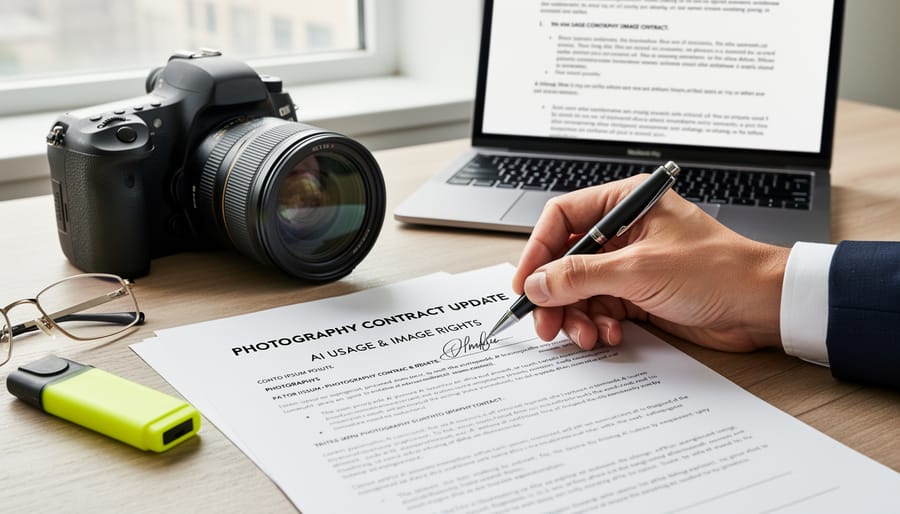
As AI-generated imagery becomes more prevalent, protecting your work requires updating your contracts with specific language. Here’s what you need to add right now to safeguard your business.
Start with a clear AI usage clause that explicitly states whether clients can use AI to modify, replicate, or train algorithms on your delivered images. For example: “Client agrees not to use delivered images for machine learning, AI training datasets, or as reference material for AI image generation without written consent and additional compensation.”
Include a computer-generated imagery disclosure clause requiring clients to inform you if they plan to combine your photographs with AI-generated elements. This protects you from liability issues and ensures proper attribution. Real-world example: a wedding photographer discovered their images were merged with AI-generated backgrounds and sold as stock photography without their knowledge.
Add training data restrictions that prevent clients from uploading your images to AI platforms. Simple language works best: “Images may not be submitted to AI image generators, style transfer applications, or machine learning systems that analyze or reproduce photographic techniques.”
Don’t forget derivative works protection. Specify that AI-generated variations of your photographs remain your intellectual property unless explicitly licensed. This prevents clients from creating endless AI variations that compete with your original work.
Finally, include a termination clause allowing you to end the contract if clients violate these AI-specific terms. This gives you legal recourse when boundaries are crossed, protecting both your creative rights and business interests in this rapidly evolving landscape.
How to Position Your Photography in an AI World
As AI-generated imagery becomes increasingly sophisticated, photographers have a unique opportunity to double down on what makes their work irreplaceable: the human element. Your most powerful differentiator isn’t competing with AI on technical perfection, but rather emphasizing what algorithms can’t replicate.
Start by showcasing your physical presence and access. When you photograph a wedding, concert, or breaking news event, you’re capturing something that actually happened in real time. That authenticity carries weight that no prompt-engineered image can match. Consider watermarking your work with phrases like “photographed on location” or including behind-the-scenes content that proves you were there. This documentation becomes part of your value proposition.
Real moments contain imperfections that tell stories. That unexpected expression when someone laughs genuinely, the way light catches dust particles at a specific time of day, or the unplanned interaction between subjects—these organic elements give your work emotional resonance. Highlight these authentic moments in your portfolio descriptions and client communications.
Your unique perspective is another competitive advantage. Two photographers at the same event will produce entirely different bodies of work because of their individual artistic vision, timing decisions, and relationship-building skills. Develop a recognizable style and voice in your imagery that reflects your worldview.
Finally, be transparent about your process. In an era where viewers question image authenticity, your willingness to share metadata, raw files, or process videos builds trust. Consider offering “authenticity certificates” for commercial clients who need verifiable human-created content for their campaigns. This positions you as the solution to AI-related credibility concerns rather than a victim of technological change.
Understanding the definitions of both traditional CGI and AI-generated imagery isn’t just academic exercise—it’s becoming essential knowledge for navigating your career as a photographer in today’s rapidly changing landscape. As regulations continue to develop around image disclosure and attribution, knowing these distinctions will help you protect your work, make informed decisions about your creative process, and communicate effectively with clients about what you’re delivering.
The emergence of AI-generated imagery doesn’t signal the end of photography as we know it. Instead, consider this moment similar to when digital photography first arrived and many predicted the death of traditional film work. Photography didn’t end—it evolved. The medium expanded to include new tools while traditional skills remained valuable and relevant. Today’s shift is simply another chapter in that ongoing story.
As a photographer, your path forward involves three practical steps. First, stay educated about the technical differences between CGI, AI-generated imagery, and traditional photography. Second, monitor regulatory developments in your region and within the platforms where you share or sell your work. Third, actively participate in conversations about fair regulations—whether through professional organizations, social media, or direct advocacy with policymakers.
The photographers who will thrive in this new environment are those who embrace learning, remain adaptable, and understand that their creative vision and technical expertise remain irreplaceable, regardless of which tools become available. Your unique perspective and artistic choices are what truly matter, and no algorithm can replicate that human element.

 By
By