Pack a 35mm for street scenes and environmental portraits, a 50mm as your versatile workhorse for everyday moments, and an 85mm for compelling portraits and compressed perspectives. This three-lens combination covers roughly 90% of travel photography scenarios while keeping your bag light enough to actually enjoy your trip.
The case for traveling with three prime lenses instead of zooms comes down to a simple equation: better image quality and wider apertures versus convenience. Prime lenses force you to move with your feet, which often leads to more thoughtful compositions and better images. They’re typically sharper, faster …
How Camera Brands Actually Win Your Heart (Before You Even Touch Their Products)
Every time you consider buying a new camera body, lens, or accessory, you’re experiencing imaging marketing in action—and it’s far more sophisticated than you might realize. Camera manufacturers don’t just sell products; they sell dreams of sharper images, creative freedom, and professional credibility. Understanding these tactics transforms you from a passive consumer into an informed decision-maker who recognizes when genuine innovation meets clever psychological manipulation.
Imaging marketing operates differently from other consumer electronics sectors. While smartphone companies race for megapixels and …
Your Photography Gear Is Dying in Storage (Here’s How to Save It)
Store camera bodies and lenses in climate-controlled spaces with consistent temperature between 60-75°F and humidity levels around 40-50% to prevent mold growth and electronic component degradation. Use silica gel packets in your storage containers, replacing them every three months or when they change color to indicate moisture saturation.
Organize gear in padded, impact-resistant cases with custom foam inserts that hold each item securely in place, preventing equipment from shifting during storage and causing internal damage. This approach to …
Why Your Photography Business Needs an Automated Phone System (Before You Lose Another Client)
Missing a client’s booking inquiry while you’re mid-shoot can cost you hundreds or thousands in lost revenue. For photography businesses, the challenge isn’t just answering calls—it’s maintaining that personal connection your brand depends on while you’re behind the camera, editing, or meeting with clients.
An automated phone system acts as your virtual receptionist, handling routine inquiries 24/7 without the overhead of hiring staff. When Sarah Martinez, a wedding photographer in Austin, implemented a basic system, she captured 37% more inquiries during evening hours when she was previously …
Why HDR Photography Falls Apart in Post-Processing (And How RAW Development Fixes It)
Shoot in RAW format and disable your camera’s built-in HDR mode—the compressed files and baked-in processing limit your ability to recover shadow and highlight detail during post-processing. Your camera’s sensor already captures far more dynamic range than a standard JPEG reveals, and proper RAW development unlocks this hidden information without the artificial halos and oversaturated colors that plague automated HDR tools.
Select the right camera profile in your RAW converter before adjusting exposure sliders. Adobe Standard, Camera Standard, and manufacturer-specific profiles interpret your sensor data differently, …
Your Smartphone Photos Are Tracking You (Here’s How to Stop It)
Check your smartphone’s photo settings right now and disable location tagging (GPS/EXIF data) to prevent every image you capture from broadcasting exactly where you live, work, and spend your time. Every photo you snap with your phone contains hidden metadata that reveals far more than the image itself—from your precise coordinates to the device model, camera settings, and timestamp. When you share these photos online, you’re potentially handing strangers a detailed map of your daily routine, and many photographers remain completely unaware of this invisible privacy risk.
The stakes extend beyond personal security. If …
Why Your RAW Photos Need Sidecar Files (And How to Manage Them)
You’ve just imported your photos and noticed unfamiliar XMP or XML files sitting next to your RAW images—these are sidecar files, and understanding them could save you hours of lost editing work.
Sidecar files are separate text documents that store all your editing instructions, metadata, and adjustments without touching your original image file. When you adjust exposure in Lightroom, add keywords, or apply color corrections, programs like Adobe Camera Raw, Capture One, and Photo Mechanic save these changes to a sidecar rather than embedding them into your RAW file. Think of them as instruction manuals that tell your …
How to Pick an Action Camera That Actually Survives Your Adventures
Walk into any electronics store and you’ll face dozens of action cameras promising crystal-clear 4K footage, waterproof durability, and image stabilization—but which features actually matter for your adventures? The gap between marketing promises and real-world performance costs consumers hundreds of dollars annually in unsuitable purchases. Before dropping cash on the latest GoPro alternative or flagship model, you need to understand how frame rates affect slow-motion quality, why bitrate matters more than resolution for action shots, and whether electronic stabilization can handle your mountain biking trails or white-water rapids…
How AI Photo Analysis Is Changing What Your Camera Sees (Before You Even Press the Shutter)
Your camera is making dozens of split-second decisions before you even press the shutter button. Modern AI photo analysis technology identifies faces in the frame, predicts where a bird in flight will move next, recognizes that you’re shooting a sunset rather than a soccer game, and adjusts settings accordingly—all in the fraction of a second between half-pressing the trigger and capturing the image.
This isn’t some distant future scenario. If you’ve purchased a camera or smartphone in the past three years, you already own this technology. The question isn’t whether AI photo analysis exists in your gear, …
Why Your VR Photos Look Terrible (And How FPE Fixes Them)
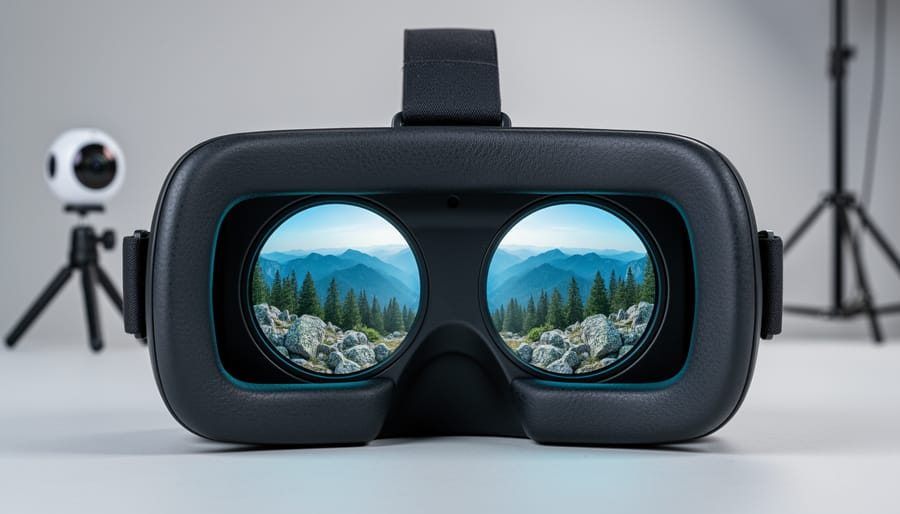
Virtual reality photography faces a critical bottleneck: 360-degree images and videos generate massive file sizes that strain bandwidth, slow loading times, and compromise the immersive experience viewers expect. A single high-quality 8K stereoscopic 360 image can exceed 50MB, making real-time streaming nearly impossible and frustrating users with buffering delays. Foveated Progressive Encoding (FPE) solves this problem by matching how human vision actually works in VR headsets.
FPE dramatically reduces file sizes by encoding different regions of a 360 image at varying quality levels. The center of your field of view receives full …