By
By 
Missing a client’s booking inquiry while you’re mid-shoot can cost you hundreds or thousands in lost revenue. For photography businesses, the challenge isn’t just answering calls—it’s maintaining that personal connection your brand depends on while you’re behind the camera, editing, or meeting with clients.
An automated phone system acts as your virtual receptionist, handling routine inquiries 24/7 without the overhead of hiring staff. When Sarah Martinez, a wedding photographer in Austin, implemented a basic system, she captured 37% more inquiries during evening hours when she was previously unavailable. These systems can route urgent booking requests to your cell phone, capture contact information for follow-up, and even schedule consultations automatically.
The misconception that automation feels impersonal stems from poorly implemented systems. Modern solutions let you record personalized greetings in your own voice, create menu options tailored to your specific services (weddings, portraits, commercial work), and intelligently transfer calls when clients need that human touch. You’re not replacing yourself—you’re ensuring no opportunity slips through the cracks when you can’t physically pick up the phone.
The decision isn’t whether to automate, but how much. Even a simple voicemail-to-email setup prevents missed opportunities. More sophisticated systems integrate with scheduling software, send automated SMS confirmations, and track which marketing campaigns drive calls. The right system scales with your business, starting simple and growing as your needs evolve.
The Real Cost of Missing Client Calls
Picture this: You’re on location shooting a golden-hour session when your phone buzzes. It’s a potential client calling about booking their wedding – worth $3,500 to your business. But you can’t answer. You’re adjusting lights, directing poses, and capturing fleeting moments. By the time you call back three hours later, they’ve already booked another photographer.
This scenario plays out in photography businesses daily, and the numbers are sobering. Research shows that 80% of callers who reach voicemail won’t leave a message, and 67% of potential clients will move on to the next photographer within just one hour of their initial attempt to reach you. When you’re deep in the zone editing a batch of images or finally taking a much-needed day off, every missed ring could be money walking out the door.
Let’s talk real costs. If you miss just two client calls per week – valued conservatively at $1,000 each – that’s $104,000 in annual lost revenue. For many photographers, that’s not just profit; it’s the difference between thriving and barely surviving.
The work-life balance challenge makes this worse. You can’t answer calls during client sessions without appearing unprofessional. You can’t be glued to your phone during family dinner. And when you’re traveling to destination shoots or leading workshops, time zones and busy schedules create a perfect storm for missed opportunities.
The frustrating part? Many of these callers are ready-to-book clients, not just tire-kickers. They’ve already viewed your portfolio online, checked your reviews, and decided you’re their photographer. They’re calling to confirm availability and pricing details – questions that seem simple but require immediate responses in today’s competitive market.
This is where streamlining your studio operations becomes critical to protecting your revenue stream and maintaining the professional image you’ve worked hard to build.
What an Automated Phone System Actually Does for Photographers
Call Routing and Professional Greetings
One of the most powerful features of an automated phone system is intelligent call routing—essentially teaching your system to act like a knowledgeable receptionist who instantly knows where to direct each caller. For photographers, this means creating pathways based on the services you offer.
When someone calls inquiring about wedding photography, your system can route them to a menu option with pricing information, availability for their date, or directly to voicemail with prompts that capture essential details like wedding date, venue, and guest count. Portrait clients might hear about session types and package options, while commercial inquiries could be directed to a different message emphasizing your corporate portfolio and turnaround times.
The key to making this work is your greeting. It needs to sound authentically you, not like a corporate call center. Here’s an example: “Hi, you’ve reached Sarah Mitchell Photography! I’m probably out capturing someone’s special moments right now, but I’d love to help you. Press 1 for wedding photography, press 2 for family portraits, or press 3 for all other inquiries. If you know your party’s extension, you can dial it anytime.”
Notice how it acknowledges why you’re unavailable in photographer-specific terms rather than a generic “away from my desk” message. Another approach for solo photographers: “Thanks for calling Brooklyn Light Studio. I’m James, and I’m either on a shoot or in the editing cave. Leave your name, the type of session you’re interested in, and your preferred contact method after the beep, and I’ll get back to you within 24 hours.”
The greeting should reflect your brand personality—whether that’s warm and playful, elegant and refined, or bold and editorial.
Appointment Scheduling Without the Back-and-Forth
One of the most time-consuming aspects of running a photography business isn’t taking photos—it’s the endless email chains trying to nail down a simple consultation time. You know the drill: “Are you free Tuesday?” “No, how about Thursday?” “Thursday doesn’t work, what about next week?” Before you know it, you’ve exchanged ten messages just to schedule a thirty-minute conversation.
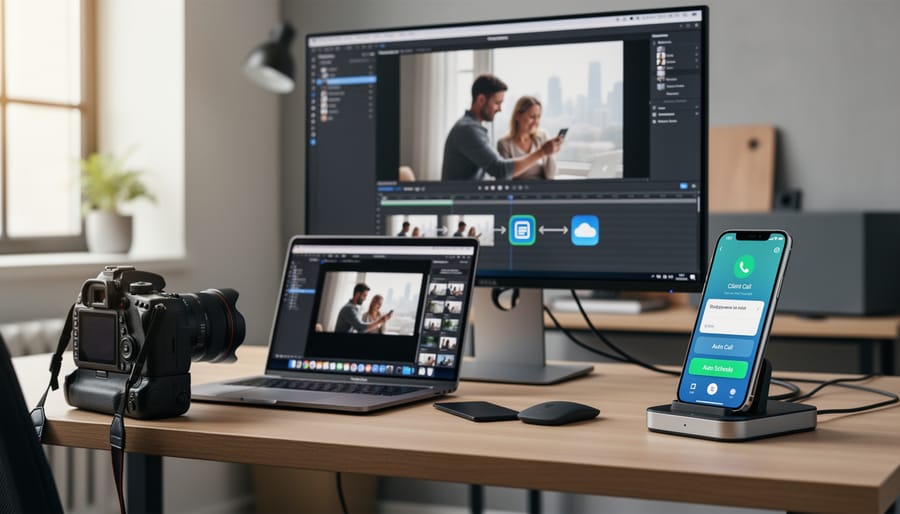
Modern automated phone systems integrate directly with your calendar software, whether you use Google Calendar, Outlook, or specialized scheduling tools like Calendly. When a potential client calls, the system can check your real-time availability and let them book a consultation slot on the spot. They simply say when they’d prefer to meet, and the system confirms what’s available based on your actual schedule.
Take Sarah, a wedding photographer in Portland who implemented this feature last year. Before automation, booking a single consultation averaged twelve email exchanges over three days. Now? Zero. When brides call inquiring about her services, they can schedule their consultation during that very first call. The system sends automatic calendar invites to both parties, includes her studio address, and even sends a reminder text the day before.
The beauty of this integration is that you maintain complete control. You set your available hours, block off shooting days, and the system respects those boundaries. It’s like having a receptionist who knows your schedule perfectly but never needs a lunch break. For Sarah, this single feature recovered about eight hours per week previously spent coordinating schedules—time she now invests in actual photography work.
After-Hours and Emergency Handling
Not all phone calls are created equal, and your automated system needs to recognize that. A bride calling at 9 PM the night before her wedding because she’s worried about rain forecasts requires a completely different response than someone asking about your portrait packages on a Tuesday afternoon.
Start by creating time-based routing rules. During business hours, your system can collect detailed information and promise callbacks within a few hours. After 5 PM or on weekends, the messaging shifts. Your greeting might say: “You’ve reached Aperture Studios outside our regular hours. If you’re calling about an event happening within the next 48 hours, press 1 for urgent assistance. For general inquiries, press 2 to leave a message.”
That urgent line should connect to you or a trusted assistant, or at minimum, trigger an immediate text notification to your phone. I learned this the hard way when a groom’s suit emergency went to voicemail and I didn’t see it until the next morning.
For routine after-hours calls, your system can still provide value without requiring your immediate attention. Have it share your pricing PDF link via text, direct people to your online booking calendar, or even play a brief audio message: “Thanks for your interest in newborn photography. Most families invest between $800 and $1,500 for a complete session and album. I’ll personally call you back tomorrow morning between 9 and 11 AM.”
The key is transparency. Let callers know exactly when they’ll hear from you, then deliver on that promise. This builds trust even when you’re not physically available.
Choosing the Right System for Your Photography Business
Essential Features Every Photographer Should Look For
When you’re behind the camera or editing in post-production, the last thing you want is to miss that call from a bride finalizing her wedding package or a corporate client ready to book a product shoot. The right automated phone system becomes your invisible assistant, and certain features make all the difference for photographers specifically.
Mobile app access tops the list because your business doesn’t stop when you leave the studio. Picture this: you’re scouting a location for an engagement session, and a potential client calls. With a robust mobile app, you can manage calls, check voicemails, and adjust your availability settings right from your phone. You stay connected without being tethered to a desk, which is essential when so much of photography happens in the field.
Call recording for client conversations is genuinely invaluable. How many times has a client mentioned they want “soft, dreamy lighting” or “something edgy and urban” during an initial call, only for you to second-guess those details weeks later? Recording consultations means you can revisit those conversations to ensure you’re delivering exactly what was discussed. It also protects you if there’s ever a dispute about package details or pricing that was agreed upon.
Voicemail-to-text transcription saves surprising amounts of time. Instead of playing through five voicemails to find the one from the client who needs to reschedule, you can quickly scan transcripts while you’re between shots or during a lunch break. You’ll catch the essential details without interrupting your creative flow.
Finally, integration with studio management software or CRM systems keeps everything centralized. When your phone system automatically logs calls and creates contact records, you’re building a database of client interactions without manual data entry. This integration means fewer administrative headaches and more time doing what you actually love.
Budget Considerations: From Solo Shooters to Studio Operations
Let’s talk real numbers, because we all know that every dollar counts when you’re building a photography business.
For solo photographers or those just starting out, basic automated phone systems start around $20-30 monthly. At this tier, you’ll typically get call forwarding, voicemail transcription, and simple appointment scheduling. It’s enough to stop missing those mid-shoot calls that could become next month’s bookings.
Mid-range options, running $50-100 monthly, add features like multiple phone numbers (think separate lines for weddings versus headshots), custom call routing based on time of day, and integrations with your existing calendar system. These work beautifully for established photographers juggling multiple revenue streams.
Studio operations with teams often invest $150-300 monthly for enterprise features: call analytics, team extensions, CRM integration, and priority support. When you’re coordinating multiple photographers and handling dozens of inquiries weekly, these tools become essential infrastructure.
Here’s the math that matters: imagine you’re shooting a wedding and miss a call from a potential client. That inquiry goes to a competitor who answers immediately. If that lost booking would have netted you $2,500, and your phone system costs $40 monthly, just one saved booking pays for an entire year of service.
Most photographers I’ve spoken with report recouping their investment within the first month. One portrait photographer told me she landed three family sessions in her first week using automation, simply because clients could book immediately rather than playing phone tag for days.
The key is matching your investment to your current volume. Start with basic features and scale up as your business grows. You’re not locked into massive contracts, and the best providers offer month-to-month flexibility that respects how seasonal photography income can be.
Popular Systems That Work Well for Creative Businesses
Several phone systems have earned strong reputations among creative professionals who need reliable automation without sacrificing their studio’s personality.
Ruby Receptionists stands out for photographers who want the best of both worlds: automation combined with real human backup. Their system handles routine scheduling and inquiries automatically, but routes complex questions or VIP clients to live receptionists who are trained specifically for your business. A wedding photographer in Portland shared how Ruby helped her capture 30% more bookings by ensuring every inquiry received a response within minutes, even during shoots. This hybrid approach works particularly well for high-end portrait studios where personal connection matters most.
Grasshopper appeals to solo photographers and small studios operating on tighter budgets. It provides professional call forwarding, voicemail transcription sent directly to your email, and custom greetings that make a one-person operation sound more established. The system shines for photographers who primarily work in the field since calls automatically route to your mobile device, and transcriptions let you quickly assess which inquiries need immediate attention versus follow-up later.
Phone.com offers solid middle-ground functionality with features like appointment scheduling integration and automated text responses. Commercial photographers particularly appreciate its ability to handle multiple departments, routing product photography inquiries differently than headshot requests. The visual voicemail feature helps busy creatives triage messages during tight production schedules without listening to every recording.
Each system addresses the core challenge photographers face: staying accessible to potential clients while maintaining focus on creative work that actually generates revenue.
Setting Up Your System Without Losing Your Personal Touch
Here’s the reality: you didn’t become a photographer to sound like a corporate call center. Your clients choose you because of your unique vision and personal approach, and the last thing you want is an automated system that makes your business feel cold and disconnected.
The good news? Automation doesn’t have to mean sacrificing your personality. Think of your phone system as an extension of your brand, not a replacement for human connection.
Start by scripting your greetings in your own voice. If you typically greet clients with warmth and humor, let that shine through. Instead of “Thank you for calling,” try “Hey there! Thanks so much for reaching out about capturing your special moments.” Record these messages yourself when possible. Hearing an actual human voice, especially yours, immediately creates connection.
Be thoughtful about your menu options. Rather than overwhelming callers with six choices, offer two or three pathways that mirror real conversations. For wedding photographers, this might be “Press 1 if you’re planning a wedding” or “Press 2 for portrait sessions.” Keep it simple and natural, like you’re guiding someone through your professional photography website.
Personalize your hold messages with genuine value. Instead of generic music, share quick photography tips, showcase recent work, or explain your process. One portrait photographer I know uses her hold time to describe what clients can expect during their session, turning waiting time into relationship-building.
Set your system to recognize repeat callers. Many platforms can identify returning clients and route them differently or greet them by name. This technology reinforces the personal relationships central to effective client retention strategies.
Most importantly, always provide an easy escape route to reach a real person. Your automated system should handle routine inquiries efficiently, but urgent matters or emotional clients need human attention. Program your system to detect certain keywords or offer a “speak to someone now” option.
Remember, automation should free you to be more present with clients when it matters, not replace those meaningful interactions entirely.
Real Photographers, Real Results
Sarah Chen, a wedding photographer in Vancouver, used to dread Saturday ceremonies for one reason that had nothing to do with bridezillas or unpredictable weather. While she was capturing first looks and exchange of vows, potential clients were calling her number and hanging up when they reached voicemail. “I was losing bookings to competitors who answered their phones,” Sarah explains. “Couples don’t leave messages anymore—they just move to the next photographer on their list.”
After implementing an automated phone system, Sarah’s inquiry response rate jumped by 60 percent. Now when brides call during shoots, they hear a warm greeting, can check her availability through an interactive calendar, and even book consultation calls. The system texts her a summary after each inquiry, so she follows up personally within hours. “The automation handles the logistics while I stay present with my couples on their biggest day. It’s the perfect balance,” she says. This kind of efficiency complements other marketing strategies that help photography businesses grow.
Marcus Rivera shoots newborn and family portraits in Austin, and his clients are busy parents coordinating schedules between work, school, and naptime. Phone tag was eating up hours of his week. “I’d call a mom at 2 PM, she’d call back at 4 PM when I was in a session, and we’d go back and forth for days just trying to book a simple sitting,” Marcus recalls.
His automated system now offers clients self-service scheduling that syncs with his calendar. Parents can book, reschedule, or confirm appointments 24/7 without a single phone call. For those who prefer speaking to someone, the system routes calls based on inquiry type. Simple questions get answered by the automation, while complex creative consultations ring through to Marcus. “I reclaimed probably eight hours a week that I now spend either shooting or with my family,” he notes.
Commercial photographer Jade Thompson found corporate clients expected immediate responses and professional communication workflows. Her automated system sends proposal links, handles contract signatures, and provides project updates through integrated SMS. “Fortune 500 companies don’t want to chase down a sole proprietor,” Jade says. “The system makes my one-person operation feel enterprise-level, which has directly led to larger contracts.”
Common Mistakes to Avoid When Implementing Your System
Setting up an automated phone system is exciting, but I’ve seen plenty of photography business owners stumble into some easily avoidable traps. Let me walk you through the most common pitfalls so you don’t have to learn these lessons the hard way.
First, resist the temptation to over-automate everything. Yes, automation saves time, but your clients chose you partly because they connected with your personality. If someone calls to book their wedding and has to navigate through five menu options before reaching anything helpful, they might just hang up and call the next photographer. Keep it simple: maybe just two or three options like “Book a session,” “Existing clients,” and “Speak to someone.”
Another trap is creating menu systems that sound like you’re running a corporate call center rather than a creative studio. I once called a portrait photographer who had seven different menu options, including separate choices for “maternity” and “newborn” sessions. That’s way too granular for a phone system. Group similar services together and make decisions easy.
Here’s something many photographers forget: update your greeting seasonally. Nothing says “unprofessional” quite like a greeting in January that mentions your holiday mini-session special from December. Set a calendar reminder to refresh your message at least quarterly, or whenever your offerings change.
Don’t fall into the “set it and forget it” mentality with voicemails either. Check them daily, even if you think most inquiries come through email. I’ve heard stories of photographers losing bookings simply because they didn’t realize clients had left urgent messages.
Finally, and this is crucial: actually call your own number and experience what clients hear. Navigate through your menu options. Does it feel welcoming? Is it intuitive? Can you reach a human quickly if needed? This simple test can reveal confusing instructions or technical glitches before they cost you business.
Here’s the truth: implementing an automated phone system isn’t about making yourself less available to clients. It’s actually about being more present for the work you love while ensuring you never miss a valuable opportunity. Think of it this way—when you’re behind the camera capturing that perfect golden hour portrait or meticulously editing a wedding gallery, you’re doing what you do best. An automated system handles the initial contact professionally, captures essential information, and lets you respond when you can give clients your full attention.
Take a moment to honestly assess your current situation. How many calls do you think you’ve missed in the past month while you were shooting, meeting with clients, or simply living your life? Each missed call could represent a wedding booking, a portrait session, or a commercial project. The opportunity cost adds up quickly.
The good news is that taking the first step toward automation doesn’t require a massive investment or technical expertise. Start by reviewing your call patterns, identifying your busiest times, and exploring solutions that align with your budget and business size. Many photographers find that even basic automation dramatically reduces their stress while increasing their booking rate. Your creative work deserves your full focus—let technology handle the rest.





 By
By