By
By 
Your camera’s RAW files are swelling your hard drives, cloud storage costs are climbing every month, and file transfers still crawl at frustrating speeds. Zstandard—often shortened to Zstd—is a compression algorithm that’s quietly revolutionizing how photographers store and move their massive image libraries, offering dramatically better compression ratios than the industry-standard ZIP format while maintaining blazing-fast decompression speeds.
Think of Zstandard as the modern alternative to compression methods that haven’t meaningfully evolved in decades. Developed by Facebook (now Meta) engineer Yann Collet in 2015, this open-source technology compresses your photography archives 20-30% smaller than traditional methods, yet extracts files up to five times faster. For photographers drowning in terabytes of images, this translates directly to reduced storage expenses and quicker access to archived projects.
The real advantage emerges in photography workflows where speed and efficiency matter. Backing up a wedding shoot that would typically take 45 minutes might complete in 15. That cloud sync eating your evening? It finishes before dinner. Zstandard achieves this through adaptive compression that intelligently balances file size reduction against processing speed, adjustable to match whether you prioritize maximum space savings or lightning-quick access.
Major software companies have already integrated Zstandard into their platforms—Facebook uses it for database compression, Linux kernel developers adopted it for system operations, and file archiving tools increasingly support it as a native format. For photographers, the question isn’t whether Zstandard represents superior technology, but whether the time has come to integrate it into your personal workflow.
What Zstandard Actually Is (Without the Technical Jargon)
How It Compares to What You’re Already Using
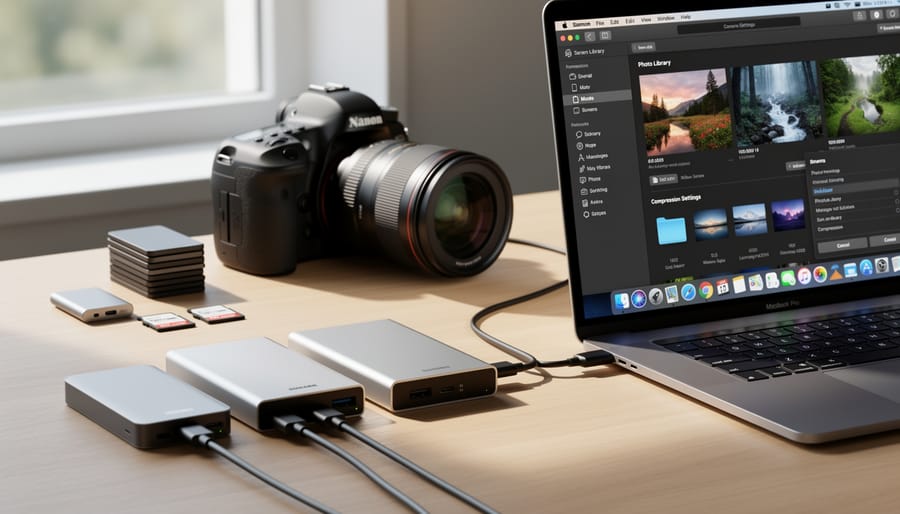
If you’re like most photographers, you’re probably already using ZIP or GZIP compression when archiving files, or relying on JPEG’s built-in compression for everyday sharing. So where does Zstandard fit into this landscape?
Let’s start with a practical scenario. Imagine you’ve just finished a portrait session and have 500 RAW files totaling 25GB. With traditional GZIP compression, you might reduce that to about 22GB—a modest 12% savings—but the compression process takes roughly 8-10 minutes on a modern computer. Switch to Zstandard at comparable compression settings, and you’ll achieve similar or slightly better compression ratios in just 2-3 minutes. That’s where Zstandard shines: it offers speed without sacrificing efficiency.
Compared to ZIP, which many photographers use for client deliveries, Zstandard typically provides 10-20% better compression ratios. For a 5GB folder of edited JPEGs, ZIP might compress it to 4.8GB, while Zstandard could bring it down to 4.5GB. That difference compounds quickly when you’re managing terabytes of archives.
The real advantage becomes apparent when you’re working with mixed file types. Photography workflows often involve RAW files, JPEGs, catalogs, and sidecar files all bundled together. Zstandard adapts intelligently to these different data types, maintaining consistent performance across your entire backup.
Speed matters during transfers too. When uploading to cloud storage or sending files to clients, Zstandard’s faster decompression means recipients can access their images sooner. While GZIP might take 5 minutes to decompress that 25GB archive, Zstandard handles it in under 2 minutes.
The sweet spot? Zstandard gives you GZIP-level or better compression with speeds closer to simple ZIP archives, making it ideal for photographers who value both storage efficiency and time savings.
Where You’re Already Encountering Zstandard (You Just Didn’t Know It)
Camera Manufacturers Making the Switch
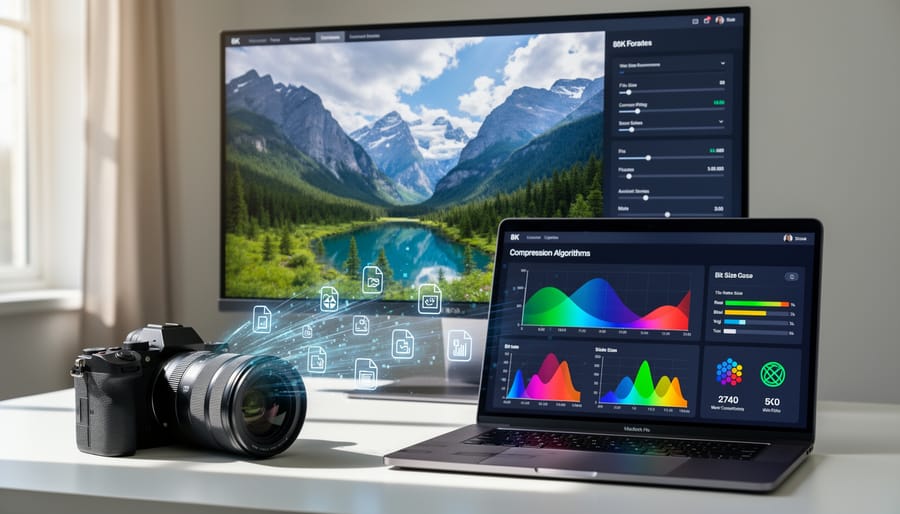
While Zstandard isn’t yet universally adopted across the industry, several camera manufacturers have begun exploring or implementing this compression technology in meaningful ways.
Currently, most mainstream adoption happens behind the scenes rather than as a headline feature. Some manufacturers are integrating Zstandard into their proprietary software ecosystems—think image transfer applications, cloud backup services, and desktop editing suites—rather than directly into camera bodies. This makes sense as a testing ground, allowing companies to evaluate performance before committing to hardware implementation.
On the firmware side, we’re seeing interesting developments. Certain mirrorless cameras from forward-thinking brands have started including Zstandard compression for internal buffer management and faster burst shooting performance. While these implementations aren’t always advertised prominently, they’re quietly improving how cameras handle data internally. Keep an eye on firmware updates from your manufacturer—compression improvements often arrive through software updates rather than requiring new hardware.
The cinema camera segment is showing particularly strong interest. Several high-end video-focused manufacturers are testing Zstandard for compressed RAW video formats, where the balance between file size and quality becomes even more critical than in still photography.
What does this mean practically? If you’re shopping for new gear, it’s worth asking whether upcoming models will support Zstandard natively. As storage demands continue growing with higher resolution sensors, manufacturers who embrace efficient compression technologies will likely deliver better overall shooting experiences.
Photo Editing and Management Software
The photography software landscape is gradually embracing Zstandard compression, though adoption remains uneven across different platforms. Understanding which tools support this technology can help you make informed decisions about your workflow and long-term data management strategy.
Adobe’s Creative Cloud ecosystem has been exploring Zstandard implementation, particularly in its catalog and cache systems. While direct user-facing support varies by application version, the underlying architecture increasingly leverages this compression for temporary files and certain asset types. This means faster catalog loads in Lightroom Classic and more efficient background processing, even if you’re not consciously choosing Zstandard as an export option. However, standard image exports still default to traditional formats like JPEG and TIFF.
Capture One has shown interest in modern compression technologies for its catalog management, recognizing that professional photographers often manage libraries containing hundreds of thousands of images. The practical benefit here is noticeably faster catalog opening times and reduced storage overhead for adjustment layers and preview caches.
Beyond the major players, open-source tools like digiKam and darktable have been quicker to implement Zstandard support, particularly for database compression and sidecar files. These applications appeal to photographers who prioritize technical flexibility and want cutting-edge features without subscription costs.
For backup workflows, the real-world impact becomes clear: if your catalog and preview files compress with Zstandard instead of traditional methods, you’re looking at 20-30% space savings on backup drives and cloud storage. This translates to real money saved on storage subscriptions and faster backup completion times, especially important when you’re working against tight deadlines or unreliable internet connections during travel assignments.
The Real-World Benefits for Photographers
Faster Backups and Transfers
Let’s talk real numbers. Say you’re backing up a wedding shoot with 2,000 RAW files totaling 50GB. Using traditional ZIP compression, you might wait 25-30 minutes for that backup to complete. Switch to Zstandard, and you’re looking at closer to 12-15 minutes for similar compression ratios. That’s time you could spend culling images or, honestly, just grabbing a coffee without anxiety.
Here’s another scenario: you need to send a client 500 edited JPEGs from their portrait session, around 3GB total. With standard compression methods, creating that archive might take 5-7 minutes before you even start uploading. Zstandard can compress that same batch in under 3 minutes, getting files to your client faster and freeing you up for the next task.
For photographers managing extensive photo libraries, the cumulative savings add up quickly. If you’re backing up your catalog weekly, those saved minutes translate to hours over a year. Professional shooters handling daily backups of 20-30GB sessions will notice even more dramatic improvements. The decompression speed also matters when you need to access archived projects—Zstandard unpacks files noticeably faster than older formats, meaning less waiting when clients request images from past shoots.
Storage Space Savings Without Quality Loss
For photographers drowning in storage costs, Zstandard offers real relief without the traditional compression trade-off. Let’s put this in perspective with actual numbers.
A typical 45-megapixel RAW file from a modern camera weighs around 50MB. With lossless Zstandard compression, you can expect 10-20% space savings—that same file shrinks to roughly 42MB. This might not sound dramatic for a single image, but multiply that across a professional shoot. A wedding photographer capturing 3,000 images saves approximately 24GB per event. Over a year with 30 weddings, that’s 720GB reclaimed without touching a single pixel.
The cost implications become even clearer with storage solutions. That 720GB savings means one fewer 1TB hard drive purchase, saving $50-80 annually. For cloud storage subscribers paying $10 monthly for 2TB, reducing your footprint by 25% through compression could delay upgrading to the next tier for years.
Amateur photographers with growing libraries see similar benefits. A hobbyist with 10,000 RAW files totaling 500GB could free up 75GB—enough space for another 1,500 images or several 4K video projects.
The beauty of Zstandard lies in its lossless nature. Unlike JPEG compression that discards data permanently, you can decompress these files anytime and recover the identical original. Your image quality, dynamic range, and editing flexibility remain completely untouched while your wallet breathes easier.

Better Performance in Your Editing Workflow
Here’s where Zstandard really shines in your day-to-day photography work: speed. When you’re importing hundreds or thousands of images from a shoot, those precious minutes spent waiting for catalog generation can feel like hours. Zstandard compression significantly reduces the time it takes to load your photo library, sometimes cutting wait times by 30-40% compared to older compression methods.
Think about your typical editing session. You open your catalog, browse through thumbnails, generate previews for the keepers, and jump between images while making adjustments. Each of these actions involves reading compressed data from your drive. With Zstandard’s fast decompression speeds, you’ll notice snappier thumbnail rendering and quicker transitions between images. This becomes especially noticeable when working with large RAW files from modern high-resolution cameras.
For photographers who work with smart previews or embedded previews in applications like Lightroom Classic, Zstandard compression means these preview files are both smaller and faster to access. You get the dual benefit of saving storage space while maintaining the responsive feel you need when culling through a wedding shoot or selecting portfolio images. The difference might seem subtle at first, but over hours of editing work, these speed improvements reduce frustration and help you maintain creative momentum.
The Limitations You Should Know About
Before you rush to convert your entire photo archive to Zstandard, let’s talk about the bumps in the road you might encounter. While this compression format shows tremendous promise, it’s still relatively new to the photography world, and that youth comes with growing pains.
The biggest hurdle? Software support remains inconsistent. Many popular photo editing applications and digital asset management systems don’t natively recognize Zstandard-compressed files yet. Adobe Lightroom Classic, for instance, won’t open a Zstandard-compressed TIFF without additional plugins or workarounds. Some RAW processors simply don’t know what to do with these files. This means you might find yourself constantly decompressing images before editing, which defeats much of the workflow efficiency you were hoping to gain.
Client compatibility presents another real-world challenge. Imagine delivering a batch of compressed images to a client who can’t open them because their systems lack Zstandard support. You’ll spend time explaining, troubleshooting, or ultimately recompressing everything into traditional formats. That’s not a great look professionally, and it eats into your billable hours.
Operating system integration is also uneven. While modern Linux distributions generally handle Zstandard well, Windows and macOS support varies depending on your version and installed utilities. Your backup software might not support it either, potentially complicating your disaster recovery plans.
There are also situations where traditional formats simply make more sense. If you’re working with JPEGs for web delivery, the additional compression benefit of Zstandard becomes minimal and adds unnecessary complexity. For archival purposes spanning decades, the proven longevity of ZIP and standard TIFF formats offers peace of mind that a newer format can’t quite match yet.
The bottom line: Zstandard works brilliantly in controlled environments where you control the entire workflow, but cross-platform collaboration and long-term compatibility require careful consideration.
How to Start Using Zstandard in Your Photography Workflow
Tools and Software You’ll Need
Getting started with Zstandard compression doesn’t require a steep learning curve or expensive software investments. Whether you’re working on Windows, macOS, or Linux, there are excellent options available for every skill level and budget.
For Windows users, PeaZip is a fantastic free option that supports Zstandard compression natively. This open-source file archiver handles hundreds of formats and integrates seamlessly into Windows Explorer, letting you compress and decompress files with a simple right-click. Another solid choice is 7-Zip ZS, a modified version of the popular 7-Zip that includes Zstandard support. Both tools are completely free and offer straightforward interfaces that won’t overwhelm newcomers.
Mac users have several accessible options too. The Keka compression utility supports Zstandard and maintains the clean, intuitive design Mac users expect. It’s available through the Mac App Store for a small donation or free from the developer’s website. Command-line enthusiasts on any platform can install the official zstd tool through package managers like Homebrew on macOS or apt on Linux distributions.
For photographers managing large image libraries, Adobe Camera Raw in recent versions of Photoshop now supports reading DNG files compressed with Zstandard, though you’ll still need separate tools for general file compression. Many backup solutions like Restic and Borg have also integrated Zstandard support, making it easier to compress photo archives automatically.
Professional photographers working with network-attached storage should verify that their NAS operating systems support Zstandard. Most modern systems from Synology and QNAP include this capability in recent firmware updates, allowing transparent compression of stored files without additional software installations.
Best Practices for Transitioning Your Archive
Moving to a new compression format for your photo archive shouldn’t feel like a high-wire act without a safety net. The key to a successful Zstandard transition is approaching it methodically, with multiple safeguards in place.
Start with the golden rule: never compress or modify your only copy of anything. Before experimenting with Zstandard compression, ensure you have a complete backup of your photo library on a separate drive or cloud storage. This isn’t just about having insurance during the transition—it’s basic archival hygiene that should already be part of your workflow.
Begin your Zstandard journey with a small test batch. Select perhaps 100-200 images from a completed project that you’ve already backed up elsewhere. Compress these files using your chosen tool and verify them immediately by decompressing and checking the images. Compare file sizes, note the time required, and most importantly, confirm that the images are pixel-perfect matches to the originals. Many compression tools include verification features that automatically check file integrity.
Once you’re comfortable with the process, adopt a parallel approach for several months. Keep your existing archive intact while creating compressed Zstandard versions alongside it. Yes, this temporarily requires more storage space, but it gives you confidence that your new system works reliably before you commit fully.
Document your compression settings and folder structure. Create a simple text file explaining which compression level you used and why—future you will appreciate this roadmap. Consider compressing by project or year rather than your entire archive at once, allowing you to monitor and adjust as you learn what works best for your specific needs.
What’s Coming Next for Zstandard in Photography
The photography industry has historically been slow to adopt new compression formats—it took years for JPEG 2000 to gain traction, and it still hasn’t replaced standard JPEG in most cameras. However, Zstandard’s trajectory looks different. Major tech companies like Facebook, Microsoft, and Apple have already integrated it into their systems, and that enterprise-level adoption typically trickles down to consumer applications.
Within the next two to three years, we’ll likely see camera manufacturers begin testing Zstandard compression for in-camera processing, particularly for burst mode sequences and video files where storage efficiency matters most. Adobe and other software developers are already exploring integration possibilities, which means your editing workflow could benefit even before camera manufacturers catch up.
The real tipping point will come when cloud storage providers offer Zstandard support with transparent compression and decompression. Imagine uploading your day’s shoot and having it automatically compressed by 20-30% without any quality loss or extra steps on your end. Several providers are already piloting these features.
For photographers, the question isn’t whether Zstandard will become relevant, but when. Similar to emerging camera technology, early adopters who understand and implement Zstandard now will have a competitive advantage in workflow efficiency and storage cost management.
Start preparing by familiarizing yourself with basic compression concepts and keeping an eye on camera industry trends around file formats. Test Zstandard with your archive files now, so you’re comfortable when it becomes more widespread. The transition won’t happen overnight, but photographers who stay informed will adapt more smoothly when industry-wide adoption accelerates.
So, should you care about Zstandard right now? The answer depends on your specific situation as a photographer.
If you’re a high-volume professional dealing with thousands of RAW files monthly, Zstandard deserves your attention today. The combination of faster compression speeds and better storage efficiency can translate to real cost savings on cloud storage and noticeably faster backup times. Professionals working with remote teams will especially benefit from quicker file transfers without sacrificing image quality. Consider running a pilot test with one month’s worth of work to measure the actual time and space savings in your workflow.
For hobbyists and occasional photographers, the honest answer is you can wait. While Zstandard offers clear advantages, the current ecosystem requires some technical comfort to implement effectively. If you’re shooting a few hundred photos monthly and your existing backup system works fine, there’s no urgent need to switch. However, keep an eye on software updates from your favorite photo management tools, as native Zstandard support will make adoption effortless when it arrives.
Regardless of your profile, here are practical next steps: First, check if your operating system and backup software already support Zstandard compression. Second, test it with a small batch of non-critical images to understand the process. Third, compare compression results against your current method using actual files from your library. Finally, calculate whether the time investment in switching workflows justifies the benefits you’ll gain. Remember, the best compression solution is always the one you’ll actually use consistently.





 By
By