By
By 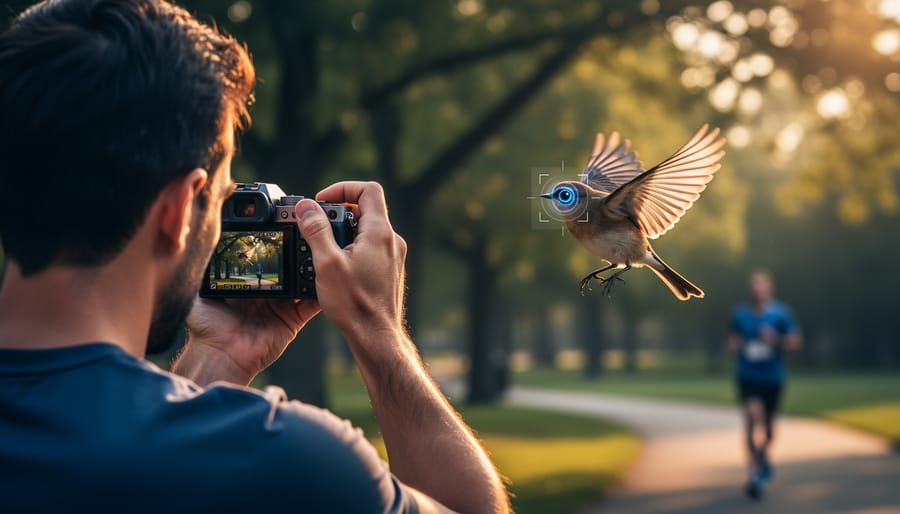
Your camera is making dozens of split-second decisions before you even press the shutter button. Modern AI photo analysis technology identifies faces in the frame, predicts where a bird in flight will move next, recognizes that you’re shooting a sunset rather than a soccer game, and adjusts settings accordingly—all in the fraction of a second between half-pressing the trigger and capturing the image.
This isn’t some distant future scenario. If you’ve purchased a camera or smartphone in the past three years, you already own this technology. The question isn’t whether AI photo analysis exists in your gear, but whether you understand what it’s actually doing and how to harness it effectively.
AI photo analysis operates through specialized processors that examine your scene before and during capture. These systems detect subjects (pets, people, vehicles, birds), track movement patterns, identify challenging lighting conditions, and automatically optimize focus points and exposure settings. Unlike the basic autofocus systems of previous generations that simply looked for contrast or detected generic faces, modern AI distinguishes between an eye and a button, predicts erratic subject movement, and even recognizes compositional elements worth prioritizing.
The practical impact transforms everyday shooting scenarios. Wedding photographers capture sharper images of unpredictable children. Wildlife enthusiasts freeze hummingbirds mid-flight without manual focus adjustments. Portrait shooters achieve consistent eye sharpness even when subjects move unexpectedly. Sports photographers track athletes through cluttered backgrounds with unprecedented accuracy.
Understanding this technology helps you make smarter purchasing decisions, configure your existing equipment properly, and recognize when AI assistance genuinely improves results versus when it creates limitations. This guide demystifies the terminology, examines real-world performance across camera systems, and provides practical configuration advice for maximizing these intelligent features.
What AI Photo Analysis Actually Means for Your Photography
The Difference Between AI Filters and Real-Time Analysis
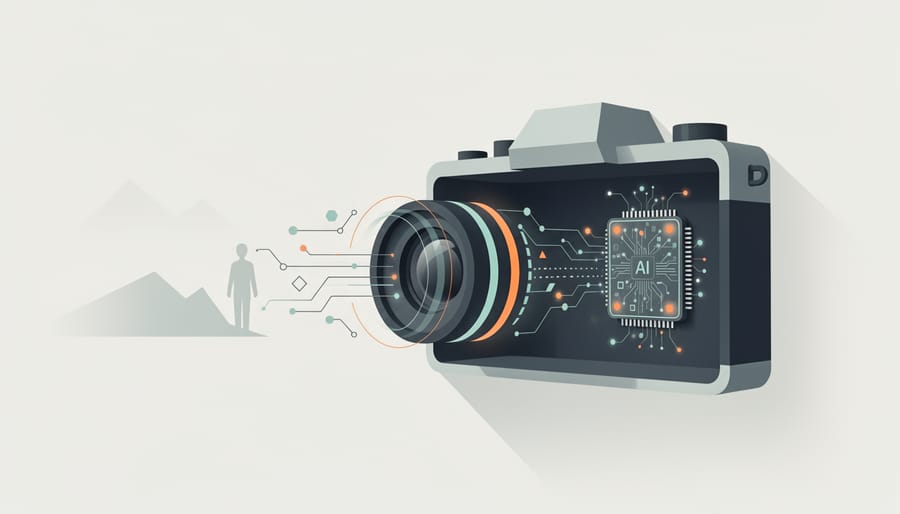
There’s a lot of confusion about what AI photography is, and much of it stems from mixing up two completely different technologies. When most people hear “AI photo analysis,” they think of those fun Instagram filters that give you dog ears or smooth your skin. But what’s happening inside your camera is fundamentally different.
Those social media filters are post-processing effects applied after the photo is taken. They’re analyzing a finished image and adding modifications on top. Real-time AI analysis in cameras, however, is actively working during the shooting process, often before the shutter even fires. Your camera’s AI is constantly evaluating the scene, identifying subjects, predicting movement, and adjusting focus and exposure settings in milliseconds.
Think of it this way: AI photography software on your phone is like adding makeup in a photo editor afterward. In-camera AI analysis is like having an assistant beside you who instantly tells you where to point, when to shoot, and which settings to adjust based on what they see happening right now.
The processing happens on dedicated chips inside the camera body, analyzing data from the sensor at incredible speeds. Modern mirrorless cameras can identify subjects, recognize eye positions, and track movement across the frame up to 120 times per second. That’s real-time intelligence helping you capture the moment, not digital decoration added later.
How Your Camera ‘Sees’ with AI
Think of your camera’s AI processing chip as a highly trained assistant who’s looked at millions of photographs and learned to recognize patterns. When you point your camera at a scene, this digital assistant springs into action, analyzing what it sees in roughly the same time it takes you to blink.
The technology behind this instant recognition is called a neural network, which works similarly to how your own brain processes visual information. Just as you can instantly tell the difference between a person’s face and a landscape without consciously thinking about it, the camera’s neural network has been trained on countless images to identify subjects, scenes, and situations.
Here’s what happens in those crucial milliseconds: The camera breaks down your scene into tiny segments, examining elements like colors, shapes, edges, and textures. It’s looking for telltale patterns that match what it’s learned. Is there a person-shaped cluster of data with skin tones and facial features? That’s probably a portrait subject requiring fast autofocus and specific exposure settings. Does the frame contain horizontal lines, blue tones at the top, and green below? Likely a landscape calling for greater depth of field.
The real magic happens in how these systems make decisions. Rather than following rigid rules, neural networks evaluate probabilities. Your camera might determine there’s a 95% chance you’re photographing a bird in flight, triggering faster shutter speeds and continuous autofocus tracking. If it detects a sunset with 90% confidence, it might preserve highlight detail in the sky while lifting shadows in the foreground.
This decision-making process repeats continuously, adapting to changes in your scene dozens of times per second, all before your finger even fully presses the shutter button.
The Real-World Benefits You’ll Actually Notice
Never Lose Focus on Moving Subjects Again
We’ve all experienced that sinking feeling when reviewing photos after an exciting moment—only to find our main subject is a blurry mess. Whether you’re photographing your child’s soccer game, a bird in flight, or a car racing past, keeping moving subjects in sharp focus has traditionally required significant skill and practice. AI photo analysis is changing this equation dramatically.
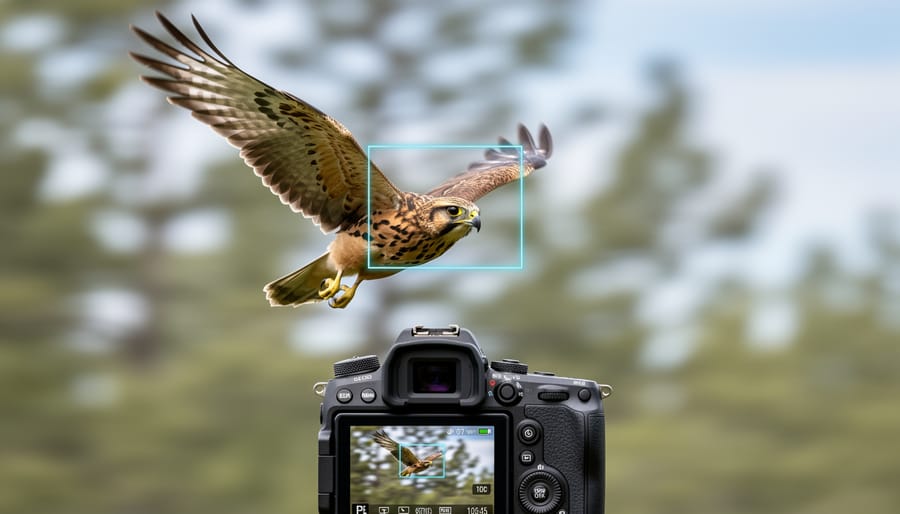
Modern cameras equipped with AI subject tracking can identify and lock onto specific types of subjects—humans, animals, birds, vehicles, even airplanes—and maintain focus as they move through the frame. Unlike traditional autofocus systems that simply track contrast or phase-detection points, AI-powered systems actually recognize what they’re looking at. When photographing a Great Blue Heron taking flight from a pond, for example, the camera doesn’t just track motion; it identifies the bird’s eye and prioritizes maintaining focus on it, even as the bird twists and turns.
This technology shines particularly in challenging real-world scenarios. Imagine shooting a basketball game where players constantly cross between your lens and your subject. Traditional autofocus often gets confused and shifts to whoever jumps in front. AI tracking, however, recognizes your intended subject and sticks with them through the chaos. The same applies to wildlife photography—when that elk suddenly bolts through dense forest, AI tracking anticipates movement patterns and adjusts faster than manual techniques ever could.
These AI camera tricks essentially give you a significantly higher keeper rate, meaning more sharp shots and fewer missed moments that can never be recaptured.
Exposure That Adapts to What Matters
Traditional cameras meter light across the entire frame, calculating a balanced exposure based on overall brightness. This works fine for evenly lit scenes, but it falls apart when what you actually care about exists in challenging lighting conditions. AI-powered exposure systems fundamentally change this approach by identifying what matters in your composition and prioritizing those elements.
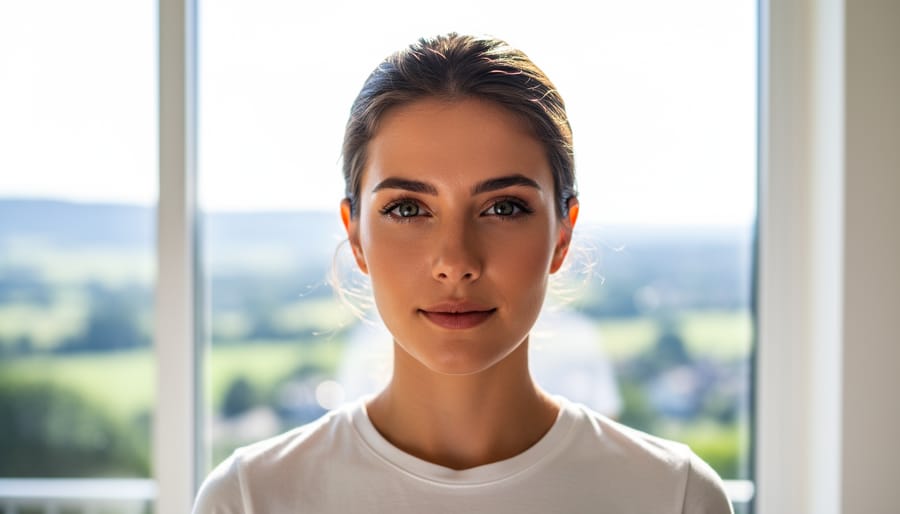
Think about photographing a person standing in front of a bright window. Conventional metering sees that brilliant backlight and darkens the overall exposure, leaving your subject’s face underexposed or in silhouette. AI photo analysis recognizes the face as the primary subject, understands that it’s backlit, and adjusts exposure specifically to properly illuminate those skin tones, even if it means slightly overexposing the background. The result is a properly exposed subject without needing fill flash or extensive post-processing.
This selective intelligence proves invaluable in high-contrast situations. Imagine capturing a musician on a spotlit stage surrounded by darkness, or a landscape where the foreground subject sits in shadow while the sky blazes with sunset colors. The AI doesn’t just average the bright and dark areas together; it identifies which element deserves priority and exposes accordingly.
Sony’s Real-time Tracking and Canon’s EOS iTR AF X systems demonstrate this capability particularly well in real-world shooting. The camera continuously analyzes the scene, adjusting exposure as your subject moves through different lighting conditions, maintaining consistent skin tones or subject brightness even when transitioning from shade to direct sunlight.
Composition Assistance Without Feeling Robotic
One of the most practical applications of AI photo analysis is real-time compositional guidance, and the good news is that it doesn’t have to turn you into a robotic rule-follower. Modern cameras and apps use AI to overlay compositional grids like the rule of thirds, golden ratio spirals, and diagonal leading lines directly onto your viewfinder or screen. Beyond static grids, AI can detect horizon lines and flag when they’re tilted, helping you level landscapes before you even press the shutter.
What makes these systems genuinely helpful rather than restrictive is their teaching potential. When you’re starting out, seeing a golden ratio overlay positioned over your subject helps internalize why certain compositions feel balanced. Sony’s newer mirrorless cameras, for example, can analyze your scene and suggest alternative framing by highlighting areas where visual weight could improve. You’re free to ignore these suggestions entirely, but they serve as a helpful second opinion when you’re experimenting.
The key distinction here is assistance versus automation. AI compositional tools show you options based on established visual principles, but the creative decision remains yours. Think of it like having a knowledgeable friend looking over your shoulder, pointing out possibilities you might have missed. Over time, you’ll find yourself naturally applying these principles without needing the overlays, which is exactly how effective teaching should work. The technology accelerates your learning curve without replacing your artistic judgment, making it especially valuable for photographers who want to develop their eye while capturing great shots today.
AI Photo Analysis Features Already in Your Camera (Or Your Next One)
Entry-Level to Mid-Range Cameras
AI features that were once flagship exclusives have rapidly trickled down to cameras in the $500-$2000 range, making sophisticated photo analysis accessible to enthusiast photographers. If you’re shopping in this sweet spot, you’ll find surprisingly capable AI tools that can genuinely improve your hit rate.
Canon’s EOS R10 and R50 (both under $1,000) include subject detection for people, animals, and vehicles. The system locks onto eyes with impressive tenacity, even when your subject turns away briefly. In real-world use, this means more keepers when photographing energetic kids or pets that won’t sit still. Nikon’s Z fc and Z50 offer similar eye-detection capabilities, though they perform best in good lighting conditions.
Sony’s a6400 (around $900) punches above its weight class with Real-time Tracking that follows subjects across the frame, analyzing color, pattern, and face data simultaneously. It’s the same underlying technology found in Sony’s professional bodies, just with a slightly smaller buffer. For wildlife or sports photography on a budget, this feature alone justifies the investment.
Fujifilm’s X-S10 takes a different approach, incorporating face detection that recognizes specific individuals when pre-registered. This works wonderfully for wedding photographers who want to prioritize the couple in group shots, or parents wanting to ensure their children stay in focus during chaotic family gatherings.
The practical takeaway? Today’s mid-range cameras deliver AI performance that would have seemed impossible five years ago. You’re getting genuinely useful computational assistance without breaking the bank.
Professional and High-End Systems
Flagship cameras from Canon, Sony, and Nikon pack the most sophisticated AI photo analysis systems available today. These professional-grade bodies feature dedicated processors working alongside traditional imaging engines, delivering real-time subject recognition that can track everything from motorsports to wildlife with remarkable accuracy. For instance, the latest mirrorless flagships can identify and track a bird’s eye even when it’s partially obscured by branches, maintaining focus through rapid movement and challenging lighting conditions.
The processing power difference is substantial. Professional bodies often feature neural processing units that handle up to 60 calculations per second for subject detection, compared to 20-30 calculations in mid-range models. This translates to faster recognition, more reliable tracking, and the ability to identify numerous subjects simultaneously. These capabilities represent significant future camera innovations becoming mainstream today.
But do professionals actually need this level of AI sophistication? For sports and wildlife photographers working in high-pressure situations, absolutely. The difference between capturing a game-winning moment and missing it entirely often comes down to autofocus reliability. However, portrait, landscape, and studio photographers may find mid-range AI capabilities perfectly adequate for their needs.
The honest truth is that professional AI features shine brightest in fast-action scenarios where split-second focus decisions matter. If your work doesn’t regularly involve unpredictable subject movement, you’re likely paying for capabilities you won’t fully utilize.
Smartphone AI vs. Dedicated Camera AI
Smartphone AI and dedicated camera AI serve fundamentally different purposes, though both analyze images intelligently. Your phone excels at computational photography—taking the photo you captured and transforming it through multi-frame processing, HDR stacking, and aggressive enhancement. It’s essentially post-processing that happens instantly. Think of how your iPhone or Pixel merges multiple exposures in challenging light or sharpens details you didn’t actually capture.
Dedicated cameras with AI focus on real-time analysis during shooting. They track subjects, predict movement, and adjust focus instantaneously—essential for fast action like wildlife or sports. The Sony A1, for example, recognizes bird eyes and maintains focus as they dart unpredictably. This happens before you press the shutter, not after.
Smartphones win for convenience and sharing-ready results straight out of the camera. Their AI creates impressive images from modest sensors. But dedicated cameras excel when capturing the decisive moment matters more than beautifying it afterward. Professional sports photographers need the split-second tracking accuracy that only real-time AI provides.
The choice depends on your priorities: smartphones for effortless great-looking photos, dedicated cameras when precision timing and authentic capture are non-negotiable. They’re genuinely different tools solving different problems.
When AI Photo Analysis Gets It Wrong (And How to Override It)
Creative Situations Where You Want Full Control
Sometimes the “imperfect” shot is exactly what you’re after, but AI photo analysis can work against your creative vision by automatically correcting what it perceives as mistakes. Consider long-exposure photography where you intentionally want motion blur to convey movement—AI stabilization might interpret this as camera shake and apply unwanted corrections. Similarly, intentional lens flares, dramatic silhouettes with blown-out backgrounds, or moody underexposed images can trigger AI adjustments that flatten your artistic choices.
When shooting high-key or low-key portraits, AI face detection often tries to “rescue” the image by brightening shadows or toning down highlights, undermining the dramatic lighting you carefully set up. Street photographers pursuing gritty, high-contrast documentary styles frequently find AI scene optimization adding unwanted vibrancy or smoothness.
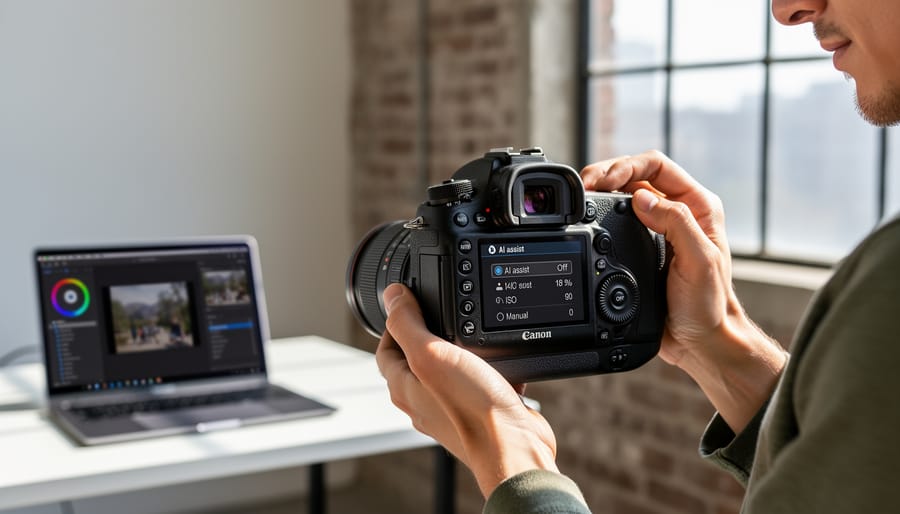
The solution? Most cameras with AI features allow you to disable specific functions through custom menus. Look for options labeled “Scene Recognition,” “Auto Subject Detection,” or “Intelligent Auto” and switch them off. Some systems let you create custom shooting modes that bypass AI processing entirely. For post-processing, shoot in RAW format to preserve unprocessed sensor data, giving you complete control over the final image without AI interpretation influencing your creative decisions from the start.
Edge Cases AI Still Can’t Handle Well
Despite impressive advances, AI photo analysis still stumbles over certain scenarios. Extremely harsh lighting conditions—think direct midday sun creating severe shadows or backlit subjects—often confuse algorithms trained primarily on well-exposed images. You’ll notice this when your camera’s AI struggles to lock focus or misidentifies subjects in these challenging situations.
Abstract photography and unconventional compositions present another hurdle. If you’re photographing reflections, intentional motion blur, or experimental work that doesn’t fit standard categories like “portrait” or “landscape,” AI systems often default to generic settings. Similarly, niche photography types such as astrophotography, macro work with unusual subjects, or infrared photography rarely benefit from AI scene detection since these weren’t well-represented in training datasets.
For practical workarounds, keep manual mode skills sharp—they’re your safety net. When shooting in extreme conditions, switch to manual focus and exposure rather than fighting the AI. For specialized photography, look for cameras that let you create custom presets you can quickly access. Some photographers find success by deliberately choosing a scene mode that’s “close enough” to trick the AI into useful parameters. For instance, selecting “sunset mode” for certain low-light situations can yield better results than letting the camera guess. Remember, AI is a tool to assist your vision, not replace your creative judgment.
Making AI Work for Your Photography Style
Settings Worth Customizing from Day One
Getting your camera’s AI features working optimally requires tweaking a few key settings right out of the box. Start by diving into your camera’s subject detection menu and enabling the specific detection types most relevant to your photography. If you shoot wildlife, activate animal eye detection. Portrait photographers should turn on human face and eye priority. Many cameras let you customize the priority order when multiple subjects appear in frame, which prevents the system from jumping between your main subject and background elements.
Next, adjust your AF area mode to work harmoniously with AI detection. Most photographers find that pairing AI subject detection with a wide or zone AF area produces the best results, allowing the system to hunt intelligently across the frame rather than being confined to a single point. However, if you frequently shoot through obstacles like foliage or fencing, consider switching to a smaller zone to prevent the AI from latching onto foreground distractions.
Don’t overlook continuous shooting settings either. Enable pre-burst or pre-shot assist if available, as this feature uses AI to start capturing frames slightly before you fully depress the shutter, ensuring you don’t miss peak action moments. Finally, spend time in your display settings to enable on-screen subject recognition indicators. These colored boxes or markers show you in real-time what the AI is tracking, giving you immediate feedback about whether the system is locked onto your intended subject.
Using AI as a Learning Tool, Not a Crutch
The key to benefiting from AI photo analysis is treating it as a teacher rather than a replacement for learning. Professional photographers often use these camera automation features strategically—they’ll shoot important assignments in full manual mode to maintain complete creative control, but review the AI’s suggestions afterward to see what the system would have done differently. This comparison builds intuition over time.
Consider adopting a practice routine where you intentionally disable AI features for personal projects, then turn them back on to analyze the differences. Wedding photographer Maria Chen does this regularly: “I shoot a portrait session manually, then reshoot the same setup with AI assistance enabled. Comparing the results has taught me more about exposure compensation than any workshop.”
Start by letting AI handle technical safety nets like focus tracking while you concentrate on composition and timing. As your confidence grows, gradually reclaim more manual control. The goal isn’t to avoid AI entirely—it’s to understand photography well enough that you’re making informed choices about when automation genuinely helps versus when you’re simply avoiding learning fundamental skills.
AI photo analysis isn’t going to replace the artistic decisions that make your work distinctly yours. What it does offer is a remarkably capable assistant that handles technical heavy lifting while you’re in the moment, freeing you to focus on composition, timing, and the story you’re telling through your lens. Think of it as having a technical consultant working alongside you, one that gets faster and more capable with each camera generation.
The technology we’ve covered is already in cameras you can buy today, and it’s genuinely useful rather than just marketing fluff. Whether you’re tracking a running child at a family gathering, ensuring sharp focus on a bird’s eye during a fleeting encounter, or quickly sorting through thousands of vacation photos, these AI-powered features solve real problems photographers face daily.
Looking ahead, expect AI analysis to become more personalized. We’re likely to see cameras that learn your specific shooting preferences, suggest compositions based on your style, and offer even more sophisticated subject recognition. Some manufacturers are already experimenting with AI that can predict the decisive moment before it happens, pre-capturing frames to ensure you never miss the shot.
Here’s my advice: if you’re considering a camera upgrade, spend time testing AI features with your typical subjects before committing. Many retailers offer trial periods, and some manufacturers provide firmware updates that add AI capabilities to existing models. Start by experimenting with subject detection and eye autofocus, as these offer the most immediate practical benefits. Don’t feel pressured to use every AI feature; enable what genuinely improves your workflow and ignore the rest. The goal is enhancing your creative process, not complicating it.
 By
By