By
By 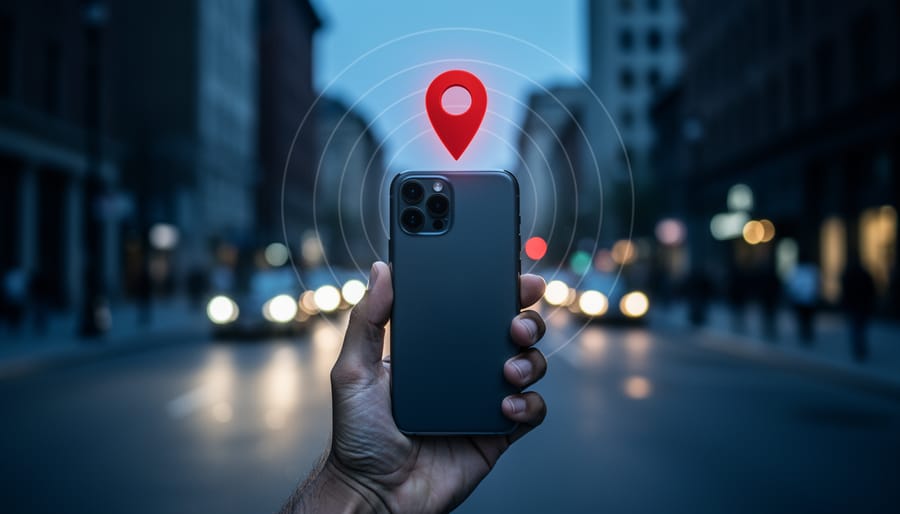
Check your smartphone’s photo settings right now and disable location tagging (GPS/EXIF data) to prevent every image you capture from broadcasting exactly where you live, work, and spend your time. Every photo you snap with your phone contains hidden metadata that reveals far more than the image itself—from your precise coordinates to the device model, camera settings, and timestamp. When you share these photos online, you’re potentially handing strangers a detailed map of your daily routine, and many photographers remain completely unaware of this invisible privacy risk.
The stakes extend beyond personal security. If you’re applying smartphone photography tips to capture street scenes or candid moments, you’re also responsible for protecting your subjects’ privacy—a legal and ethical obligation that varies dramatically by jurisdiction. Some regions require explicit consent before photographing individuals in public spaces, while others maintain more permissive frameworks. The intersection of smartphone convenience and privacy protection has created a complex landscape where a single shared image could expose you to legal liability or compromise someone’s safety.
Understanding these risks isn’t about abandoning smartphone photography—it’s about making informed choices. Modern phones offer unprecedented creative capabilities, but they also function as sophisticated data collection devices that track and store information about every photo you take. By learning how your device handles photographic data, you’ll protect yourself and your subjects while maintaining the creative freedom that makes smartphone photography so appealing.
The Hidden Data Your Camera Captures
GPS Location: The Biggest Privacy Risk
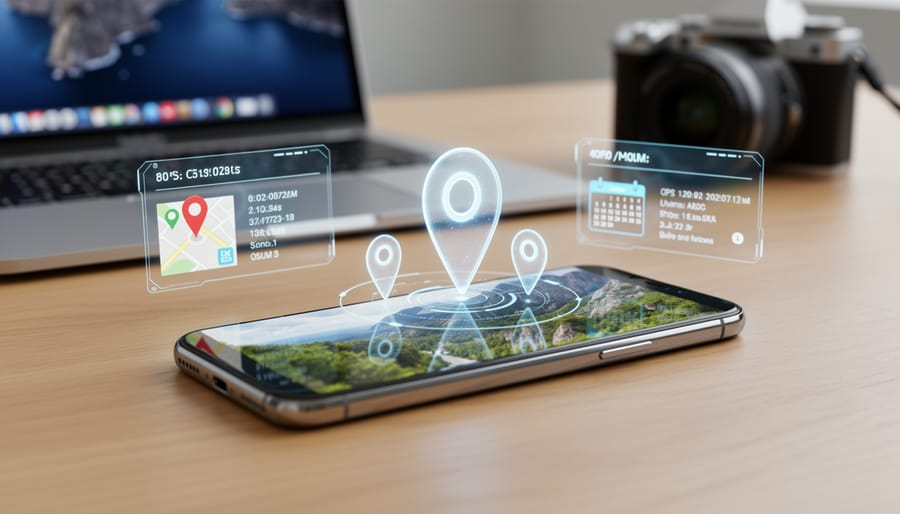
Your smartphone embeds GPS coordinates into every photo you take by default, creating what’s called EXIF data. This metadata reveals the exact latitude and longitude where each image was captured—often accurate to within a few meters. While this feature helps you organize vacation photos, it also creates serious privacy vulnerabilities that many photographers don’t realize exist.
Consider what happened to John McAfee, the software pioneer who was located by journalists in 2012 after they unknowingly published a photo with embedded GPS data. More concerning are the documented cases of domestic violence survivors being tracked down by abusers through location data in shared photos. Stalkers have used this information from social media posts to identify home addresses, workplaces, and daily routines.
The problem extends beyond the initial share. When you post a photo to social media, many platforms strip EXIF data from images displayed on their sites. However, the original file you uploaded often retains this information in their databases. If there’s ever a data breach or if someone downloads your image through third-party tools, that location data can resurface years later.
Even deleting a post doesn’t necessarily remove the metadata from archived versions or copies already downloaded by others. Professional photographers face additional risks when sharing portfolio images that include shots of their home studios or frequently visited locations. Understanding how this data works is the first step toward protecting yourself and your subjects from unwanted tracking.
Device Information and What It Reveals
Your smartphone itself leaves distinctive fingerprints in every photo you take. The device model information embedded in your images reveals not just which phone you own, but potentially your economic status and purchasing habits. For instance, if your photos consistently show you’re using the latest flagship model, it creates a profile of someone who upgrades regularly and has disposable income.
Serial numbers and unique device identifiers are particularly revealing. These act like a digital signature linking all your photos together, even if you share them across different platforms under different usernames. Someone collecting this data could theoretically track your movements, habits, and routines by correlating photos you’ve posted over time.
Camera settings tell their own story about your photography habits. Frequent night mode usage might indicate you work late hours or enjoy nightlife. Consistently wide-angle shots versus zoomed images, filter preferences, and editing patterns all paint a picture of your daily life and interests. Combined with other metadata like timestamps and locations, these seemingly innocent technical details can reveal far more about your lifestyle than you might realize. This is why understanding what your device shares is the first step toward protecting your privacy.
Where Your Privacy Is Most Vulnerable
Social Media Platforms: Friends and Foes
Not all social media platforms treat your photo metadata equally, and understanding these differences can help you make informed decisions about where and how you share your images.
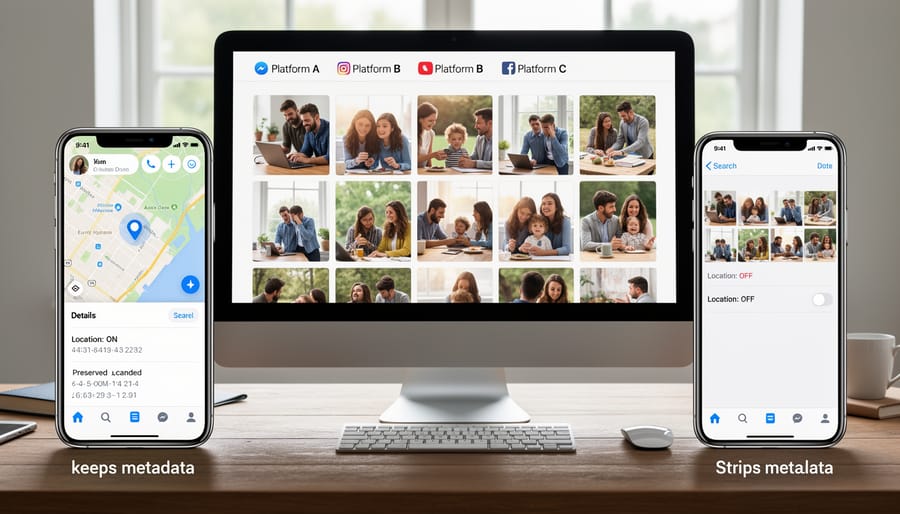
Instagram automatically strips most EXIF data, including GPS coordinates, from photos you upload. When you share that stunning sunset shot, your followers won’t be able to see where you captured it or what camera settings you used. This represents a privacy-positive approach, though it does remove information that photography enthusiasts often find valuable for learning purposes.
Facebook takes a similar stance, removing GPS data and most technical information from uploaded images. However, the platform does retain this data on its servers for its own purposes, even though it’s not visible to other users. This is an important distinction: stripped doesn’t always mean deleted.
Twitter, now X, also removes EXIF data including location information from photos shared on the platform. This happens automatically during the upload process, providing a baseline level of privacy protection for users.
The situation becomes murkier with messaging platforms. WhatsApp, for instance, offers two sharing methods: photos sent through the camera interface have metadata stripped, but images shared as documents retain all their original EXIF data, including GPS coordinates. This creates a potential privacy pitfall if you’re not paying attention to which sharing method you’re using.
Before uploading to any platform, consider manually reviewing and removing sensitive metadata using your phone’s built-in tools or third-party applications. This gives you control regardless of the platform’s policies, which can change without notice.
Cloud Storage Services and Auto-Sync
Cloud storage services have revolutionized how we manage our photo libraries, but they come with privacy trade-offs that photographers need to understand. When you enable auto-sync on services like Google Photos, iCloud, or Dropbox, you’re not just backing up your images—you’re potentially sharing detailed information about your life with these platforms.
Here’s what happens behind the scenes: Most major cloud services automatically analyze your photos using artificial intelligence. Google Photos, for instance, uses facial recognition to identify people, groups photos by location, and even recognizes objects like “sunset” or “birthday cake.” While incredibly convenient for searching your library, this means the service is creating a detailed profile of your social connections, travel patterns, and daily activities.
Apple’s iCloud employs on-device processing for some features, which offers better privacy than server-side analysis, but your photos still live on their servers. Dropbox and similar services may not perform as much AI analysis, but your images remain accessible to the company and potentially to government agencies with proper legal requests.
The facial recognition component deserves special attention. These systems can identify not just you, but everyone who appears in your photos—including people who never consented to having their biometric data processed. This raises ethical questions, especially for professional photographers who might upload client sessions.
Consider what auto-sync means practically: Every photo you take instantly leaves your device. That embarrassing failed shot, the sensitive document you photographed, or images containing proprietary information from a commercial shoot all get uploaded automatically. Many photographers have discovered too late that they’ve inadvertently backed up confidential work or personal moments they never intended to share.
Legal Considerations Every Photographer Should Know
Street Photography and Public Spaces
Understanding your legal standing when photographing in public spaces can save you from uncomfortable confrontations and potential legal issues. Generally, in most jurisdictions, you have the right to photograph anything visible from a public space, including people. However, this doesn’t mean anything goes.
The crucial distinction lies between personal and commercial use. Snapping street photography for your portfolio or social media typically falls under protected activity. But if you plan to sell those images or use them in advertising, you’ll need model releases from identifiable individuals. This becomes even more important with smartphones, which make it easier than ever to capture candid moments and share them instantly.
Here’s a practical example: photographing a street musician performing in a plaza is generally fine for personal use. However, using that same image to promote a music app requires the musician’s written consent.
Keep in mind that privacy expectations differ by location. While sidewalks are fair game, pointing your smartphone camera into private property, through windows, or in places where people have reasonable privacy expectations like restrooms or changing areas crosses legal and ethical boundaries. When in doubt, ask for permission. Most people appreciate the courtesy, and it often leads to better, more relaxed photographs anyway.
The Ethics of Photographing People
While laws set the baseline, ethical photography often requires going further. Consider the dignity and agency of your subjects, especially those who cannot easily advocate for themselves.
Children deserve special consideration. Even in public spaces, photographing kids without parental consent feels intrusive to many families. Before clicking the shutter, ask yourself: would I want someone photographing my child this way? A playground might be legally public, but parents rightfully expect their children won’t end up in strangers’ photo collections.
Vulnerable populations—including unhoused individuals, people experiencing mental health crises, or those in distressing situations—often appear in street photography. Just because someone is visible doesn’t make them fair game. That powerful image of human struggle has a real person behind it who may lack the resources to object or control how their image spreads online.
Cultural sensitivity matters too. Some religious communities and indigenous groups have deeply held beliefs about photography. Research before photographing in sacred spaces, ceremonies, or traditional communities. What seems like innocent documentation to you might violate profound cultural values.
The smartphone’s silent shutter and instant sharing capabilities make it easy to forget we’re dealing with real people. Before posting that candid shot, pause and consider: does sharing this image respect the subject’s humanity and dignity? Ethics isn’t about what you can legally get away with—it’s about who you choose to be as a photographer.
Taking Control: Practical Privacy Protection Steps
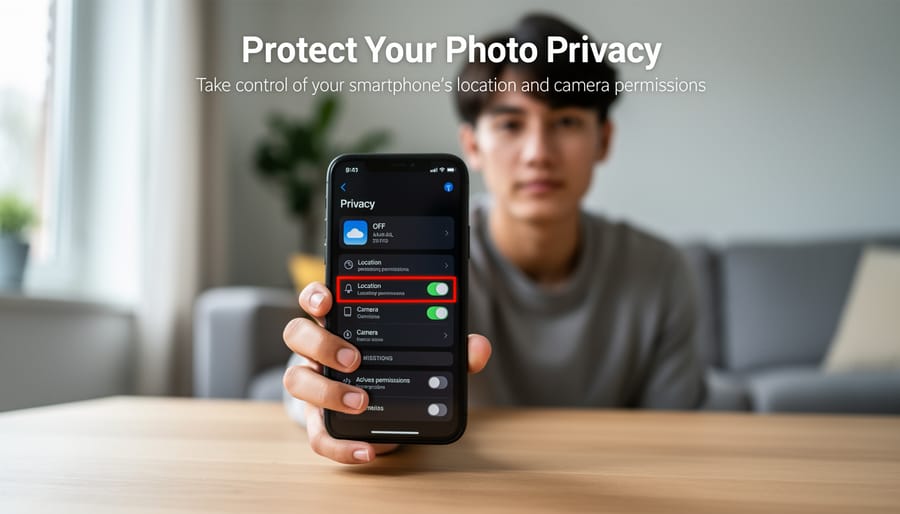
Disable Location Tagging Before You Shoot
The good news is that disabling location tagging is straightforward once you know where to look. Both iOS and Android give you control over GPS data embedded in your photos, though the settings live in slightly different places on each platform.
For iPhone users, open your Settings app and scroll down to Privacy & Security, then tap Location Services. Scroll through the list until you find Camera, then tap it. You’ll see three options: Never, Ask Next Time or When I Share, and While Using the App. Select Never to completely disable GPS tagging for all photos. This ensures no location data gets written into your image files from the start.
Android users should open Settings, then navigate to Location (or Privacy, depending on your phone’s manufacturer). Tap App Permissions, then find Camera in the list. Toggle the location permission off. Keep in mind that Android manufacturers like Samsung, Google, and OnePlus sometimes organize these menus differently, so you might need to explore your specific phone’s settings structure.
Third-party camera apps require separate attention. Apps like Halide, ProCamera, or Open Camera typically have their own location settings buried in their preferences menus. I recommend checking each app individually since they won’t automatically follow your system-wide settings. Most professional camera apps actually include a quick toggle in their shooting interface, which is handy if you occasionally want location data for landscape photography trips but not for everyday shots.
Remember that disabling location tagging is a preventive measure. It won’t strip metadata from photos you’ve already taken, so you’ll need additional steps to clean those files before sharing them online.
Review and Manage App Permissions
Your smartphone’s camera app is powerful, but many apps request access to features beyond what they actually need to function. Start by reviewing your app permissions regularly—at least quarterly is a good practice. On iOS, navigate to Settings > Privacy & Security, then check each category like Camera, Photos, and Location Services. Android users can find similar options under Settings > Privacy > Permission Manager.
Here’s a practical approach: if a social media app requests constant location access, ask yourself whether it truly needs this for its core function, or if “While Using the App” would suffice. Photo editing apps need access to your photo library, naturally, but do they really need your location or microphone? Similarly, while exploring essential camera features on your phone, be mindful of third-party camera apps requesting excessive permissions.
Remove permissions from apps you rarely use, and completely delete those you no longer need. Many photographers are surprised to discover dozens of apps with photo library access they granted years ago and forgot about. Remember, limiting permissions doesn’t just protect your privacy—it can also improve your phone’s battery life and performance.
Stripping Metadata Before Sharing
Before sharing photos online, removing metadata is simpler than you might think. For quick fixes on iPhone, use the built-in Shortcuts app to create a “Remove EXIF Data” workflow that strips location and camera information with one tap. Android users can rely on Photo Metadata Remover, a free app that processes images individually or in batches.
For comprehensive cleaning across platforms, ExifTool stands as the industry standard. While it requires command-line knowledge, the desktop version offers a user-friendly interface. Simply drag photos into the application, select which metadata fields to remove, and export clean copies. Alternatively, ImageOptim for Mac and Windows automatically strips metadata while compressing files.
Social media platforms like Facebook and Instagram remove some EXIF data automatically, but don’t rely solely on this protection. Twitter, however, preserves location data if geotagging was enabled when shooting. Take control by cleaning metadata yourself before uploading anywhere, ensuring your home address, camera serial numbers, and shooting locations remain private.
Advanced Privacy Strategies for Serious Photographers
Workflow Best Practices
Building privacy into your photography workflow starts the moment you press the shutter button. Begin by disabling location services in your camera app for sensitive subjects, or strip this data later before sharing. When you transfer images to your computer, create a systematic approach that prioritizes privacy at each step.
Desktop software like Adobe Lightroom, Capture One, or free tools like digiKam give you granular control over metadata. During import, configure your software to automatically remove GPS coordinates and other identifying information from copies destined for social media or client delivery. Keep your original files with full metadata in a secure, backed-up location for your records.
Before export, establish a checklist: verify metadata removal, check image backgrounds for reflections or identifying details, and consider whether faces need blurring. Many desktop applications offer export presets that automatically strip metadata while optimizing file size. Create separate presets for different purposes like web sharing versus archival storage.
The key is making privacy checks habitual rather than optional. As you organize your photos, flag images requiring extra privacy attention. This systematic approach protects both you and your subjects while maintaining an efficient workflow.
When to Keep Metadata (And Why)
Not every photo needs its metadata stripped. If you’re a professional photographer, that EXIF data serves as your digital fingerprint, proving you created the image. Copyright disputes often hinge on metadata timestamps and camera information, making it invaluable evidence in court or when dealing with unauthorized use of your work.
Professional authentication is another compelling reason. When submitting images to stock agencies, publications, or competitions, metadata validates your work’s authenticity. Photo editors often check EXIF data to verify an image hasn’t been heavily manipulated or to confirm shooting conditions match your claims.
For personal organization, keeping metadata helps manage large photo libraries. Those GPS coordinates remind you where you captured that stunning sunset, while camera settings teach you what worked (and what didn’t) technically. Many photographers review their EXIF data to improve their craft, studying which aperture settings or focal lengths produced their best results.
The key is intentional sharing. Keep full metadata in your personal archives and professional portfolios, but strip it before posting vacation photos to social media. Think of metadata like your home address: necessary on legal documents and business correspondence, but not something you’d broadcast publicly without good reason.
Protecting Others: Ethical Considerations When Photographing
When you’re capturing moments with your smartphone, remember that your subjects have privacy rights too. This goes beyond just legal considerations—it’s about being a thoughtful, ethical photographer who respects the dignity and comfort of the people you photograph.
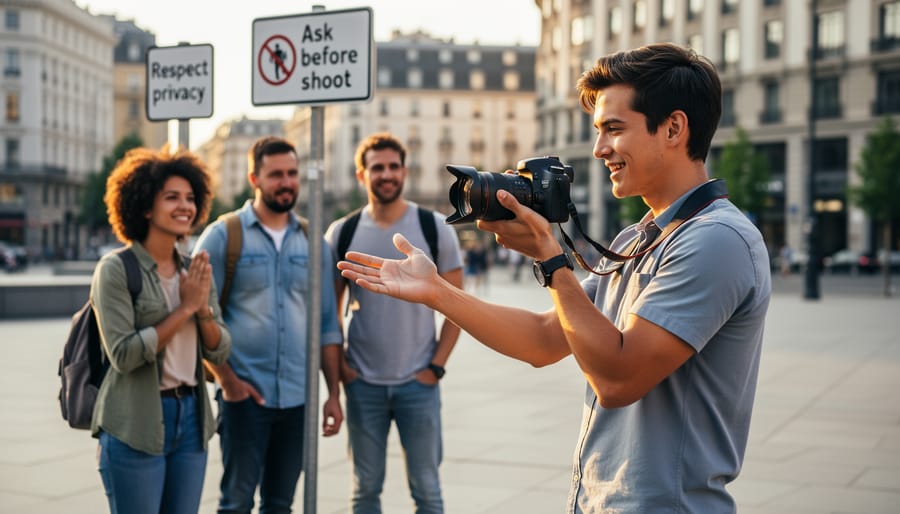
Let’s start with the golden rule: when in doubt, ask for permission. This is especially important when photographing individuals in situations where they have a reasonable expectation of privacy. For example, that candid shot of someone at an outdoor café might seem harmless, but imagine how you’d feel if a stranger posted your photo online without asking. A simple “Do you mind if I take your picture?” goes a long way and often leads to better, more relaxed portraits anyway.
Vulnerable populations deserve extra consideration. Children are a primary concern—many schools, playgrounds, and family events have strict photography policies. Even in public spaces, photographing someone else’s child without parental consent is both ethically questionable and potentially illegal in many jurisdictions. Similarly, be mindful when photographing homeless individuals, people in distress, or those in medical settings. These situations may provide compelling smartphone photography opportunities, but exploitation concerns outweigh artistic merit.
Here’s a real scenario: You’re at a busy street festival and capture a crowd shot. While photographing public gatherings is generally acceptable, problems arise when you isolate individuals or use their image commercially. The best practice? If someone becomes the focal point of your image, obtain their consent before sharing or publishing.
Consider also the context of your photographs. An image taken at a political rally, religious ceremony, or LGBTQ+ event could have serious consequences for subjects in certain situations. Geographic location matters too—what’s acceptable in one culture may be offensive in another.
Your smartphone is an incredible tool for capturing life’s moments, and protecting your privacy doesn’t mean you need to give up the joy of photography. As we’ve explored, the intersection of smartphone photography and privacy involves layers of metadata, location data, and sharing practices that many photographers overlook. The good news? Small, proactive steps make a significant difference.
Whether you’re improving your phone photos as a beginner or refining your mobile photography workflow as a seasoned shooter, building privacy-conscious habits protects both you and your subjects. Taking a few minutes to adjust your camera settings, review app permissions, and strip metadata before sharing can prevent unintended exposure of sensitive information.
Remember, the technology landscape and privacy regulations continue to evolve. New features emerge, laws change, and best practices adapt accordingly. Stay curious and informed about updates to your device’s privacy settings and the platforms where you share your work. By remaining vigilant and treating privacy as an ongoing practice rather than a one-time fix, you’ll enjoy the creative freedom smartphone photography offers while maintaining control over your personal information. Your awareness today shapes a more secure photographic journey tomorrow.



 By
By