By
By 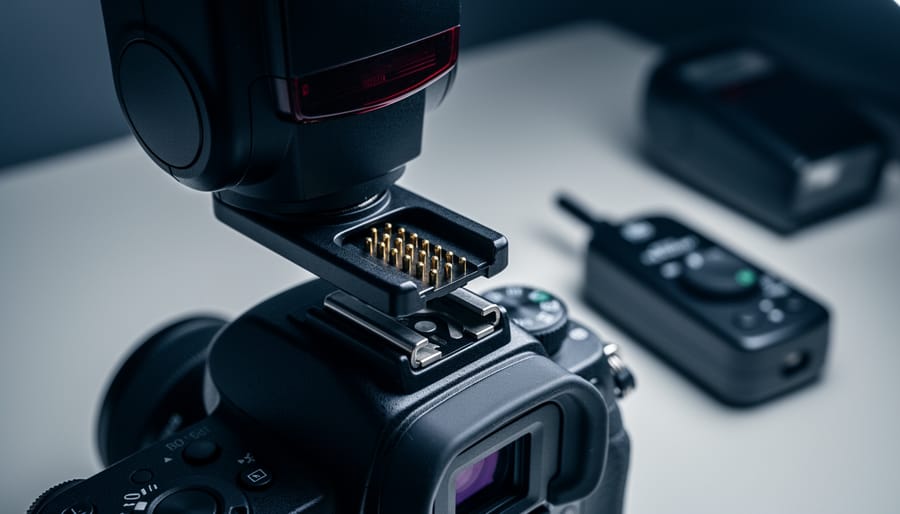
Your camera’s flash hot shoe is more than just a metal bracket—it’s a sophisticated communication hub that can make or break your lighting setup. When you slide a flash onto that shoe and power it on, invisible electronic conversations determine whether you’ll get full TTL metering, high-speed sync capabilities, or just basic manual triggering.
The frustration hits hard when you invest in a new flash only to discover it won’t fire at faster shutter speeds, or worse, displays cryptic error messages. Maybe you’re standing at a wedding ceremony, and your off-brand speedlight suddenly refuses to communicate with your camera body. These aren’t random failures—they’re compatibility issues rooted in proprietary communication protocols that camera manufacturers deliberately keep closed.
Understanding the hot shoe ecosystem isn’t about memorizing technical specifications. It’s about knowing why your Canon flash won’t work on a Nikon body, what you’re actually sacrificing when you choose that budget-friendly third-party option, and how to build a lighting system that won’t leave you stranded during critical shoots.
The reality is simple: hot shoe compatibility directly impacts your creative options. TTL metering adapts flash power automatically as you change composition. High-speed sync lets you shoot wide open in daylight. Radio triggering enables multi-light setups. Each feature depends on your flash and camera speaking the same electronic language, and mismatches create limitations that no amount of post-processing can fix.
What Is a Hot Shoe and Why Does It Matter?
The Anatomy of a Hot Shoe
At first glance, a hot shoe looks deceptively simple—a metal bracket on top of your camera that resembles a squared-off letter “U.” But look closer, and you’ll see it’s actually a sophisticated communication hub packed into a space about the size of your thumbnail.
The most obvious component is the central contact pin, located at the very back of the shoe’s channel. This is the workhorse that’s been around since the earliest hot shoe designs—it provides the basic trigger signal that tells your flash “fire now!” Think of it as the flash equivalent of a doorbell button.
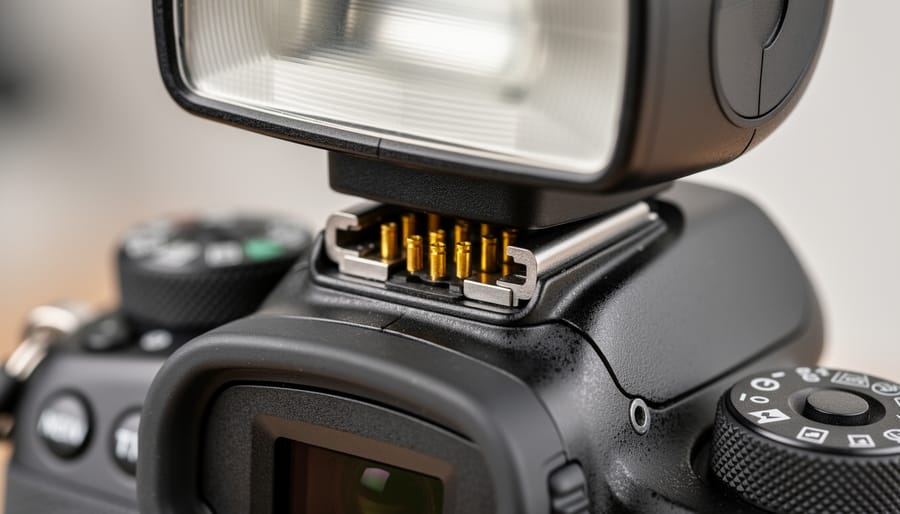
Surrounding this central pin, you’ll find a series of smaller additional communication pins arranged along the sides and base of the hot shoe. The number and arrangement of these pins varies between camera manufacturers, which is precisely why that Canon flash won’t talk properly to your Nikon camera. These pins are where the real magic happens—they carry the bidirectional data that enables TTL metering, high-speed sync commands, flash zoom settings, and even firmware updates.
If you’ve ever wondered why some flashes have elaborate metal contacts on their mounting foot while budget models only have a simple center pin, now you know. Those extra pins determine whether you’re getting basic manual flash triggering or the full suite of modern flash automation features.
Hot Shoe vs Cold Shoe: More Than Just a Name
Despite sounding like temperature references, hot shoes and cold shoes describe electrical functionality. A hot shoe contains electrical contacts that enable two-way communication between your camera and flash. When you mount a flash on a hot shoe, the camera can trigger the flash, communicate settings like aperture and ISO for TTL metering, and enable advanced features like high-speed sync.
A cold shoe, by contrast, is simply a mechanical mounting bracket with no electrical contacts. Think of it as a glorified shelf for your flash. You’ll find cold shoes on light stands, video rigs, or as auxiliary mounts on camera cages. They’re perfect for holding flashes that you’ll trigger remotely via optical slaves or radio transmitters.
Here’s a practical example: Your camera’s built-in hot shoe is where you’d mount your primary flash for TTL automation and instant communication. Meanwhile, those cold shoe mounts on your off-camera bracket are ideal for positioning slave flashes that receive wireless triggers. You can’t achieve TTL communication through a cold shoe, so if you’re mounting directly to a cold shoe mount, you’ll need to set your flash to manual mode and adjust power levels yourself. Understanding this distinction helps you avoid the frustrating moment of wondering why your flash won’t fire when it’s sitting in a cold shoe without a wireless trigger attached.
Understanding TTL and HSS: The Brain Behind the Flash
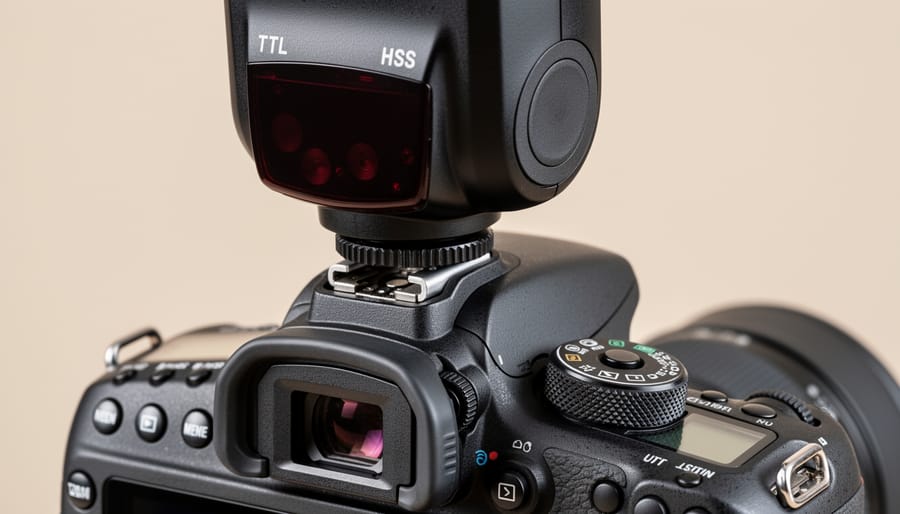
TTL Explained: Your Flash’s Auto Mode That Actually Works
TTL, or Through-The-Lens metering, is essentially your flash’s smart mode that measures the actual light reaching your camera’s sensor and adjusts power output accordingly. Think of it as the autofocus equivalent for flash photography, where your camera and flash work together in real-time to nail the exposure.
Here’s how it works: when you press the shutter, your flash fires a brief pre-flash (so quick you won’t notice it) that bounces off your subject. Your camera’s metering system reads this reflected light, calculates the required power output, and then fires the main flash at the correct intensity. All of this happens in milliseconds.
TTL becomes absolutely invaluable in fast-moving situations. Wedding photographers rely on it heavily during ceremony coverage, where subjects constantly move between bright windows and shadowy corners. You simply don’t have time to dial in manual flash settings when the couple walks down the aisle. Similarly, event photographers working crowded venues benefit immensely, as TTL adjusts automatically when someone unexpectedly steps between you and your subject, changing the flash-to-subject distance.
Documentary and photojournalism work also demands TTL’s speed. When capturing candid moments, stopping to adjust flash power means missing the shot entirely.
That said, TTL isn’t perfect. It can be fooled by highly reflective surfaces or subjects wearing predominantly black or white clothing. Your camera might overcompensate, resulting in over or underexposed images. For controlled studio work or scenarios where lighting remains consistent, many photographers prefer manual flash control. But for unpredictable, dynamic shooting environments, TTL remains an indispensable tool that keeps you focused on composition and timing rather than technical calculations.
HSS Demystified: Breaking the Sync Speed Barrier
Traditional flash sync speed limits typically cap out around 1/200th or 1/250th of a second, which poses a real problem when you’re shooting outdoors in bright conditions. Imagine trying to photograph a wedding portrait at noon with the sun blazing overhead. You want that beautiful shallow depth of field with your lens wide open, but your shutter speed needs to be much faster than 1/250th to achieve proper exposure. Without High-Speed Sync, you’re stuck with a choice: use a smaller aperture and lose that dreamy background blur, or overexpose your image.
HSS solves this by changing how the flash fires. Instead of one powerful burst, HSS rapidly pulses the flash while your camera’s shutter curtains travel across the sensor. This allows you to shoot at speeds like 1/2000th or even 1/8000th of a second while still using flash. Think of it like painting with light rather than hitting the scene with one big splash.
The practical benefit is tremendous for outdoor portrait work. You can now overpower harsh midday sun, create dramatic lighting effects, and maintain that coveted f/1.4 background separation. A bride standing in direct sunlight at 1/4000th, f/2.0? No problem with HSS.
The tradeoff is reduced flash power since the energy is spread across multiple pulses rather than concentrated in one burst. This means you’ll need to position your flash closer to your subject or use more powerful flash units for larger shooting distances.
The Compatibility Minefield: Why Not All Hot Shoes Are Created Equal
Brand-Specific Protocols: The Canon, Nikon, Sony Divide
If you’ve ever wondered why your Canon flash won’t fire on your friend’s Sony camera, you’re not alone. The three major camera manufacturers—Canon, Nikon, and Sony—each use proprietary communication protocols in their hot shoes, creating what many photographers call “walled gardens” of compatibility.
Canon uses its E-TTL II protocol (Evaluative Through-The-Lens metering), which communicates specific exposure data through a series of electronic contacts arranged in a particular configuration. Nikon employs i-TTL (intelligent Through-The-Lens), which uses a different contact layout and communication language. Sony, after acquiring Minolta’s camera division, initially used the older Minolta protocol before developing its own system for mirrorless cameras.
These proprietary systems aren’t just about different physical pin configurations—though that’s certainly part of the puzzle. The real barrier lies in the digital “conversation” between camera and flash. When you half-press your shutter button, your camera sends pre-flash signals to gather exposure information. Each manufacturer uses different timing sequences, voltage levels, and data structures for this exchange. It’s like trying to have a conversation where everyone speaks a different language using different alphabets.
This explains many cross-brand compatibility issues photographers encounter. While the center contact for basic flash trigger is universal, advanced features like TTL metering and high-speed sync require the camera and flash to speak the same proprietary language.
Manufacturers argue these protocols enable optimized performance and innovation specific to their camera systems. Critics, however, see it as a strategy to lock customers into buying brand-specific accessories. For photographers, it means carefully considering flash investments when choosing or switching camera systems.
What Happens When You Mix and Match
Let’s talk about what really happens when you mount that third-party Godox or Yongnuo flash on your Canon, or use an old Canon flash on your shiny new mirrorless body.
The good news? Basic manual flash typically works across brands. Mount almost any flash with a standard hot shoe, set it to manual mode, and you’ll get light. The center pin triggers the flash, and that’s universal. It’s the electronic equivalent of yelling “fire!” – pretty hard to misunderstand.
Where things get interesting is with the advanced features. TTL metering often breaks entirely when mixing brands because cameras and flashes use proprietary communication protocols. Your Canon camera is essentially speaking a different language than your Nikon flash. The result? The flash fires at full power or doesn’t fire at all, leaving you with blown-out subjects or complete darkness.
High-Speed Sync becomes a gamble. I’ve seen photographers lose HSS capability when using older flashes on newer bodies, even within the same brand family. Third-party manufacturers like Godox address this by creating brand-specific versions, but firmware updates can sometimes break compatibility.
Here’s a real-world example: My colleague bought a used Canon 580EX II for his EOS R6. Manual mode worked perfectly, but TTL was erratic, occasionally firing at odd power levels. The flash firmware was outdated and incompatible with the newer camera’s communication system.
Safety-wise, voltage is the biggest concern. Older flashes, particularly vintage units, can send dangerous voltage through the hot shoe and potentially fry your camera’s electronics. Always check trigger voltage before mounting unfamiliar flashes, especially anything manufactured before 2000. Modern flashes typically use safe low-voltage triggers, but vintage equipment can exceed 200 volts.
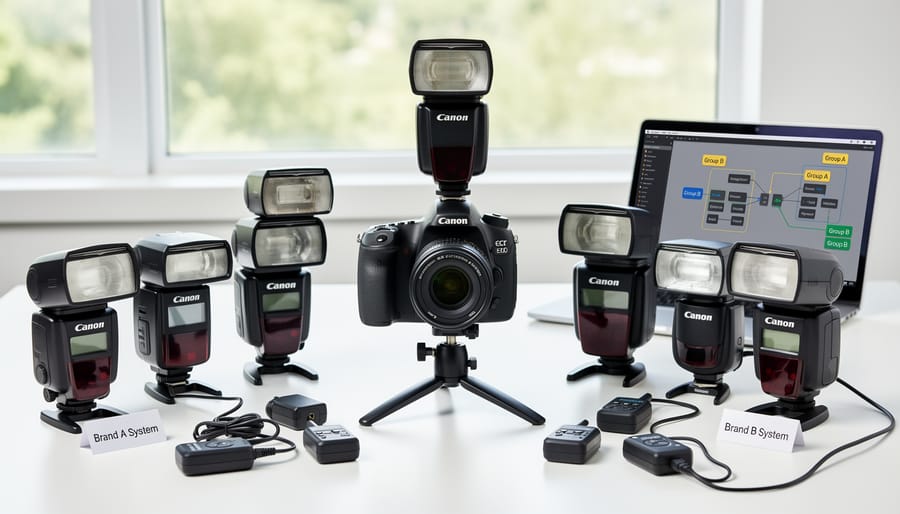
First-Party vs Third-Party Flash Systems: Making the Right Choice
The Native Advantage: When to Stick With Your Camera Brand
Despite the appeal of third-party options, your camera manufacturer’s native flashes deliver specific advantages that can make or break certain shoots. Understanding when that native integration matters most helps you make smarter investment decisions.
High-speed sync (HSS) performance represents the clearest divide. While many third-party flashes advertise HSS compatibility, native flashes typically execute it more reliably across your camera’s entire shutter speed range. Wedding photographers shooting wide open in bright conditions depend on this flawless HSS execution—there’s no room for misfires when capturing once-in-a-lifetime moments. Canon’s RT system and Nikon’s radio-controlled Creative Lighting System demonstrate this reliability advantage, maintaining consistent communication even when pushing shutter speeds to 1/8000.
Firmware updates present another critical consideration. Camera manufacturers regularly release updates that enhance autofocus systems, color science, or metering algorithms. Native flashes receive corresponding updates ensuring continued compatibility, while third-party options sometimes lag behind or lose functionality entirely after major camera updates. Professional event photographers, who might upgrade camera bodies every few years, appreciate this long-term ecosystem stability.
Complex multi-flash setups benefit enormously from native systems. When you’re orchestrating five or six speedlights with different power ratios, grouped control, and zone lighting assignments, the seamless interface of native flashes through your camera menu eliminates frustrating troubleshooting mid-shoot. Fashion and commercial photographers working under time pressure find this integration invaluable—they’re adjusting lighting ratios between takes, not wrestling with compatibility issues.
The premium you pay for native flashes essentially buys peace of mind when professional reputation and income depend on flawless technical execution.
Third-Party Winners: Budget and Feature Alternatives
You don’t have to stick with first-party flashes to get reliable TTL and high-speed sync performance. Several third-party manufacturers have cracked the communication protocols and offer feature-rich alternatives that work seamlessly with major camera systems, often at significantly lower price points.
Godox has emerged as the category leader here. Their V1 round-head flash and TT685 series have earned reputations for dependable TTL performance across Canon, Nikon, Sony, Fujifilm, and other systems. Real-world users consistently report that these flashes communicate reliably with their cameras, and the TTL metering proves accurate in most shooting scenarios. What makes Godox particularly appealing is their cross-brand wireless system. If you shoot multiple camera brands or anticipate switching systems, their X2T triggers and AD200 strobes work across platforms with just a firmware update.
Flashpoint, sold exclusively through Adorama, is actually rebranded Godox equipment with US-based warranty support. Many photographers prefer this route for the added peace of mind, especially when relying on flash gear for paid work.
Nissin offers another solid option, particularly their Di700A and MG80 Pro models. These flashes tend to be slightly pricier than Godox but include thoughtful design touches like air-cooling systems and intuitive interfaces. Users report excellent color consistency and build quality that rivals first-party options.
One important caveat: third-party flashes occasionally lag behind when camera manufacturers release new bodies. You might wait a few months for firmware updates that ensure compatibility with the latest camera models. Also, while TTL and HSS generally work well, some advanced features like optical wireless communication or specific creative modes may not translate perfectly from the camera manufacturer’s proprietary system. Still, for the majority of shooting situations, these alternatives deliver professional results without the premium price tag.
Radio Triggers and Wireless Systems: Expanding Your Flash Ecosystem
How Wireless Triggers Change the Compatibility Game
When you take your flash off-camera, things get more complicated. The physical hot shoe connection is gone, so you need a way to communicate wirelessly between your camera and flash while maintaining those advanced features we discussed earlier.
Here’s where compatibility becomes even more critical. Different manufacturers use proprietary wireless communication systems that only work within their ecosystems. Canon uses its built-in wireless system for compatible Speedlites, while Nikon offers Advanced Wireless Lighting with its Creative Lighting System flashes. Sony employs radio-controlled wireless flash communication in newer models. These systems maintain full TTL and HSS functionality wirelessly, but only with compatible equipment from the same brand.
Third-party manufacturers like Godox have built their own wireless ecosystems that work across multiple camera brands. For example, Godox’s 2.4G X system requires matching transmitters and receivers: an X2T trigger for Canon cameras communicates with Godox flashes, maintaining TTL and HSS. However, you’ll need the Sony-specific version if you switch camera systems.
The practical takeaway? When building an off-camera flash setup, ensure your wireless triggers, receivers, and flashes all speak the same language. A Canon flash won’t communicate wirelessly with Nikon triggers, even if you use adapters. This is why many professionals choose one ecosystem and stick with it, or opt for universal third-party systems that offer cross-compatibility from the start.
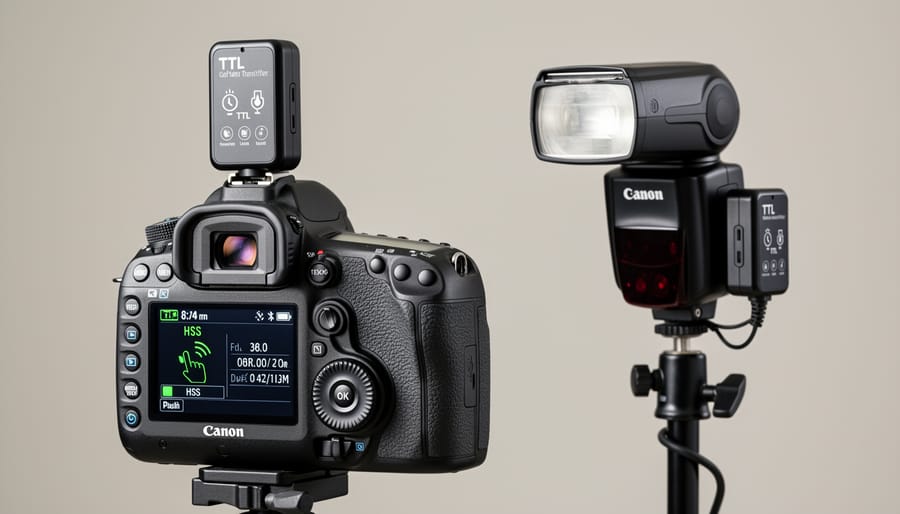
Building a Multi-Flash Setup That Actually Talks to Each Other
Building a reliable multi-flash setup starts with one simple rule: stick with one communication system. Mixing radio triggers with optical slaves, or combining incompatible brands, creates chaos during shoots when you need reliability most.
Start by choosing your primary trigger system. Radio triggers like PocketWizard or Godox’s X-system offer the most flexibility, working through walls and in bright sunlight where optical triggers fail. If you’re using Canon or Nikon’s built-in wireless system, understand that it requires line-of-sight and struggles outdoors.
Here’s the practical approach: invest in one trigger brand and expand from there. If you buy a Godox trigger, stick with Godox flashes or compatible receivers. Yes, you can mix brands using additional receivers, but each added component introduces potential failure points.
Test your setup before important shoots. Fire all flashes simultaneously to confirm communication. Check your trigger’s channel and group settings, as interference from nearby photographers can cause misfires. Keep spare batteries in your bag because dead trigger batteries are the number-one cause of “my flash stopped working” panic.
Remember, the most expensive flashes won’t help if they can’t receive the signal. A cohesive system with mid-range gear beats mismatched premium equipment every time.
Troubleshooting Common Hot Shoe Compatibility Issues
My Flash Fires But TTL Doesn’t Work
When your flash fires but TTL metering isn’t working, you’re dealing with what I call a “half-handshake” situation. The basic trigger signal is getting through those center sync contacts, but the additional communication pins aren’t doing their job. This is frustratingly common when mixing brands or using older third-party flashes with newer camera bodies.
First, check your flash mode settings. Many flashes default to manual mode, and it’s easy to overlook this simple fix. Look for an M or TTL indicator on your flash’s LCD screen. If you see M, switch it to TTL mode through the flash menu.
If the mode is already set to TTL, you’re likely facing a compatibility gap. The camera and flash speak different dialects of the TTL language, similar to camera connectivity issues with external displays. Update your flash firmware if available, as manufacturers often release updates to improve cross-compatibility. Clean those hot shoe contacts with isopropyl alcohol and a microfiber cloth, since even minor corrosion disrupts digital communication while still allowing basic firing signals through.
If problems persist, you may need to accept manual flash operation or invest in a compatible flash unit for your specific camera system.
Physical Connection Problems: Cleaning and Maintenance
Before blaming compatibility issues, check for something surprisingly common: dirty contacts. The metal pins in your camera’s hot shoe and on your flash can accumulate oxidation, dust, and oil from handling, creating an invisible barrier that prevents proper communication. I’ve seen photographers chase expensive compatibility solutions when the real culprit was simply grime.
Clean your hot shoe contacts every few months using a pencil eraser or specialized contact cleaner. Gently rub the metal contacts on both the camera and flash, then wipe away any residue with a lint-free cloth. Avoid harsh chemicals that might damage protective coatings. For stubborn oxidation, isopropyl alcohol on a cotton swab works well, but let everything dry completely before reconnecting.
Regular maintenance matters too. Keep your hot shoe covered when not in use—most cameras include a protective cap for this reason. This prevents pocket lint and environmental contaminants from building up. If you shoot outdoors frequently, inspect contacts after beach or dusty locations.
Physical connection problems often mimic compatibility issues, causing intermittent TTL failures or complete communication loss. A quick cleaning might save you hours of troubleshooting and unnecessary equipment purchases.
Future-Proofing Your Flash Investment
When you’re investing in flash gear, thinking ahead can save you hundreds of dollars and countless headaches down the road. Just like making smart equipment investments in other areas of photography, your flash purchases should consider where your photography journey might take you.
Start by evaluating your camera upgrade path. If you’re shooting Canon and eyeing that RF-mount body in a few years, understand that your flash investment will likely carry forward seamlessly. Canon, Nikon, and Sony have historically maintained hot shoe compatibility across generations, though communication protocols evolve. Third-party flashes may require firmware updates when new cameras launch, and some manufacturers are better than others at providing these updates promptly.
Consider building a mixed system strategically. A flagship brand-name speedlight with full TTL and HSS capabilities makes sense as your primary on-camera flash, while budget third-party units work perfectly well as manual-mode off-camera lights. This approach gives you reliability where it matters most while keeping costs manageable for your lighting setup.
Pay attention to radio trigger compatibility too. If you’re investing in a radio trigger system for off-camera flash, choose one with broad adoption and regular firmware updates. Popular options like Godox X-series or Profoto Air have proven their longevity and cross-brand compatibility.
Finally, resist the temptation to buy proprietary accessories that lock you into a single ecosystem. Universal modifiers, standard light stands, and common mounting systems ensure your lighting gear remains useful regardless of which camera or flash brand you eventually choose. Your creative vision shouldn’t be limited by equipment compatibility issues five years from now.
Building a reliable flash ecosystem doesn’t have to be complicated once you understand the fundamentals of hot shoe compatibility. The key takeaway is simple: TTL and HSS are brand-specific communication protocols that require your flash and camera to speak the same language. While proprietary flashes guarantee full functionality, third-party options have evolved significantly and often deliver excellent performance at lower price points, though compatibility isn’t always guaranteed across every camera model.
Before making any significant investment, test your equipment combinations whenever possible. Many camera stores offer rental programs or generous return policies that let you verify compatibility in real-world shooting conditions. Pay attention to firmware updates from both camera and flash manufacturers, as these can introduce new features or occasionally create unexpected compatibility issues.
Remember that your flash ecosystem should grow with your needs, not limit them. Start with one reliable unit that matches your primary shooting style, then expand strategically. Document what works in your specific setup, including firmware versions and any quirks you discover. This creates a valuable reference as you add equipment.
The frustration of incompatible gear is avoidable with informed planning. Trust your research, test before committing to expensive purchases, and don’t hesitate to reach out to manufacturer support teams with specific compatibility questions. Your perfect flash system is within reach.




 By
By