By
By 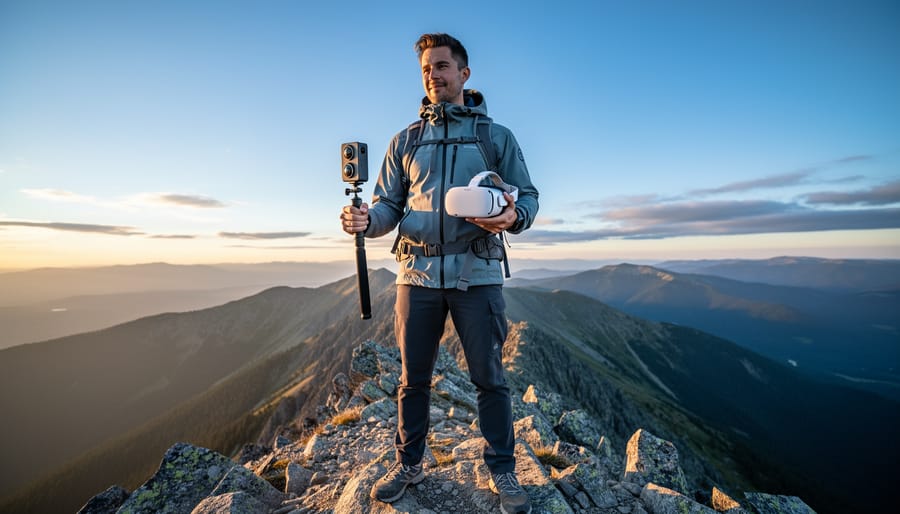
Understanding the relationship between 360 cameras and VR starts with recognizing how these cameras capture spherical footage that places viewers inside the scene rather than observing from outside. When you shoot with a 360 camera, you’re recording everything in all directions simultaneously using multiple wide-angle lenses, creating immersive content that viewers can explore by moving their head or device—exactly what virtual reality experiences demand.
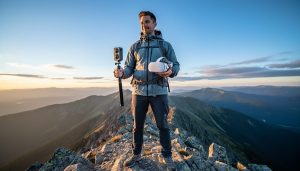
The connection becomes powerful when you pair 360 footage with VR headsets. A standard video camera captures a flat frame you watch passively, but 360 cameras create spatial experiences where you control the viewing angle. Think of filming a mountain summit: traditional cameras show one perspective, while 360 cameras let viewers look around the entire panoramic vista, down at their feet, or up at the sky, replicating the feeling of actually standing there.
Most modern 360 cameras automatically stitch together footage from their multiple lenses, outputting files compatible with VR platforms like YouTube VR, Oculus, or PlayStation VR. You don’t need complex post-production skills to create viewable VR content anymore. Camera models like the Insta360 X3 or GoPro Max handle the technical heavy lifting, letting you focus on capturing compelling scenes.
Whether you’re documenting travel adventures, creating real estate walkthroughs, or producing professional VR experiences, 360 cameras serve as your gateway into immersive content creation. The technology has matured beyond early experimental phases into practical tools that deliver genuine value for both casual creators and serious professionals exploring spatial storytelling.
What Makes 360 Cameras Different from Traditional Cameras
The Tech Behind Spherical Capture
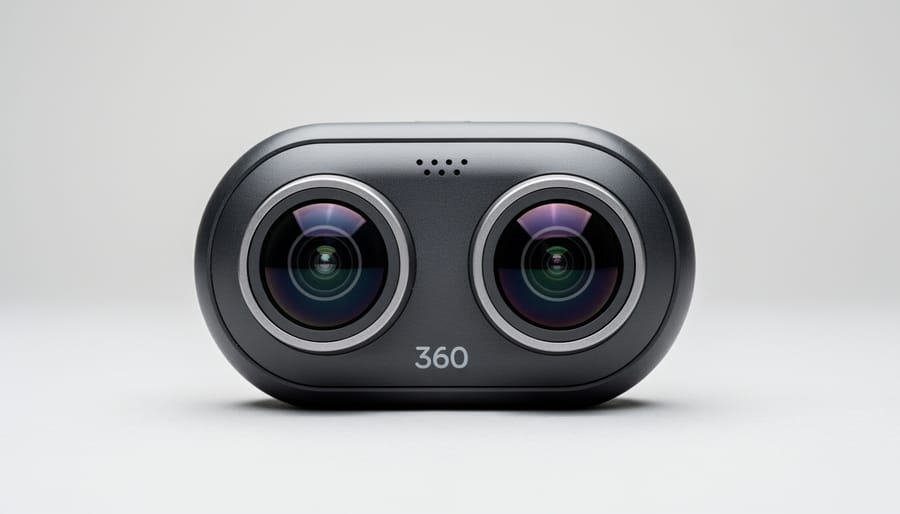
Think of a 360 camera like having eyes on all sides of your head at once. Most 360 cameras achieve this panoramic vision using two or more ultra-wide fisheye lenses positioned back-to-back, each capturing roughly 200 degrees of view. These overlapping fields create what’s called a “stitch zone” where the images meet.
Here’s where the magic happens: specialized software algorithms analyze these overlapping areas, identifying matching details between the lenses’ views. Imagine two friends taking photos from opposite sides of a room and then trying to blend them into one continuous image. The camera does this automatically, thousands of times per second for video, aligning colors, brightness, and perspective to create a seamless sphere of imagery.
The quality of this stitching process separates great 360 cameras from mediocre ones. High-end models use advanced processing to minimize visible seam lines, even when objects pass through the stitch zone. Some cameras handle this processing internally, while others offload it to your smartphone or computer afterward.
The sensor size in each lens matters too. Larger sensors capture more light and detail, much like how your pupils dilate in dim conditions. This becomes crucial when your footage will be viewed in a VR headset, where users can zoom into any section of the sphere. Poor image quality that might be acceptable on a phone screen becomes glaringly obvious when magnified across your entire field of view.
360 Content vs. VR-Ready Footage
Here’s an important distinction that often trips people up: not all 360-degree footage is automatically VR-ready. While your 360 camera captures a full spherical view, creating truly immersive VR content requires meeting specific technical standards that go beyond basic 360 recording.
The primary difference lies in resolution and stereoscopic capabilities. Standard 360 content can be viewed on flat screens or basic VR headsets, but it’s essentially a wraparound video you can pan through. VR-optimized footage, however, needs significantly higher resolution because the image gets stretched across your entire field of view. Think of it this way: a 4K resolution that looks sharp on a monitor becomes pixelated when wrapped around a sphere and viewed through a headset. For true VR quality, you’re looking at minimum 5.7K resolution, with professional applications often requiring 8K or higher.
Stereoscopic 3D is the other critical factor. VR-ready cameras use dual-lens systems to capture slightly different perspectives for each eye, creating genuine depth perception. This mimics how human vision works and makes the experience feel three-dimensional rather than flat. Cameras with single-lens setups produce monoscopic 360 content, which lacks that depth dimension.
Similar to optimizing action camera settings for specific scenarios, creating VR-ready footage requires careful attention to frame rates (minimum 60fps for smooth head movement), bitrate, and spatial audio recording. Your camera needs to capture at least 100 Mbps bitrate to maintain quality when viewers look around the scene.
Real-World Applications That Actually Matter
Virtual Tours and Real Estate
Real estate has been transformed by 360 cameras, offering potential buyers and renters an immersive way to explore properties without physically visiting them. When you capture a home using a 360 camera, you’re creating a complete visual record of each room that viewers can navigate on their smartphones, computers, or through VR headsets for a truly lifelike walkthrough experience.
The process is surprisingly straightforward. Real estate photographers position their 360 camera in the center of each room, capture the scene, and then use specialized software to stitch these images together into an interactive tour. Popular platforms like Matterport have built entire businesses around this technology, making it accessible even to individual agents and small agencies.
What makes these tours particularly powerful in VR is the sense of presence they create. When wearing a headset, you can look around as if you’re actually standing in the living room, peer into closets, and get an authentic feel for the space and flow of a property. This is especially valuable for international buyers, out-of-state relocators, or anyone wanting to narrow down their options before scheduling in-person visits.
Beyond residential real estate, hotels, wedding venues, and tourist destinations use 360 cameras to give potential customers realistic previews. The return on investment can be significant, with properties featuring virtual tours often receiving more inquiries and spending less time on the market.
Adventure and Travel Photography
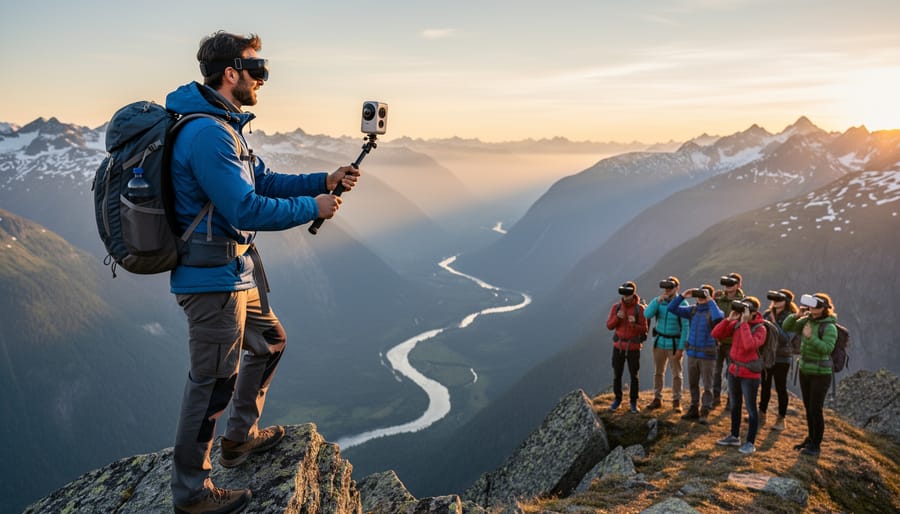
Adventure photographers are discovering that 360 cameras offer a completely new way to share their experiences. Instead of choosing a single framing for a mountain summit or waterfall, you can capture everything around you in one shot, letting viewers explore the scene as if they were standing right there with you.
Hikers and climbers are mounting these cameras on helmets and chest harnesses to document challenging ascents, creating immersive records that traditional action cameras simply can’t match. Mountain biker Sarah Chen from Colorado recently told us she uses her 360 camera to capture trail rides, allowing her social media followers to look around at the surrounding terrain while experiencing the speed of her descent.
Underwater adventurers have embraced waterproof 360 cameras for snorkeling and diving, capturing coral reefs and marine life in ways that give viewers the sense of floating alongside tropical fish. Travel vloggers are also finding creative uses, placing 360 cameras in unique spots like kayaks, bicycle handlebars, or even attached to backpacks while trekking through remote locations.
The beauty of these recordings is their versatility. You can share them as interactive videos on social media, upload them to YouTube’s VR platform, or view them later through a VR headset to relive the adventure with remarkable presence.
Professional VR Content Creation
Professional filmmakers and commercial creators have embraced 360 cameras as powerful storytelling tools that go far beyond novelty. Much like modern video cameras have evolved to meet creative demands, 360 cameras now deliver cinematic quality that works beautifully for VR experiences and immersive branded content.
Major brands are using 360 video to create compelling marketing campaigns that transport viewers directly into experiences. Travel companies showcase destinations where potential customers can virtually explore hotel rooms and surroundings before booking. Real estate developers offer immersive property tours that feel remarkably like being there in person. Automotive brands let customers sit in virtual driver’s seats to experience new models.
For narrative storytelling, directors are discovering that 360 cameras allow audiences to choose their own perspective within a scene, creating engagement levels traditional film cannot match. Documentary filmmakers use this technology to place viewers at the center of important stories, building empathy through presence.
The key to professional success lies in understanding that 360 content requires different planning than traditional video. You need to consider what’s happening in every direction simultaneously, carefully hide equipment, and design experiences that reward viewer exploration without causing disorientation.
The Most Important Features to Consider
Resolution and Image Quality
Here’s the thing about 360 cameras and VR: 4K resolution sounds impressive until you realize it’s being stretched across your entire field of view. Think of it this way—a traditional 4K video displays those 3840 x 2160 pixels on a flat screen in front of you. But with VR, those same pixels must cover a complete sphere around you. When you’re only viewing a portion of that sphere at any given moment through your VR headset, the effective resolution drops dramatically, often to less than 1080p per eye.
For truly immersive VR experiences, you’re looking at 5.7K as a practical minimum, with 8K being the sweet spot for professional content. This is where the debate gets interesting, because how sensor size impacts your final footage becomes crucial. Larger sensors capture more light and detail, but 360 cameras typically use multiple smaller sensors to keep the device compact. The stitching software then combines these images, and any quality loss during this process directly affects your VR viewing experience. Professional creators often shoot in the highest resolution available, knowing they’ll need that extra headroom when viewers zoom in or move their heads within the virtual space.
Stabilization and Stitching Quality
When you’re capturing footage for VR, two features make or break the viewing experience: stabilization and stitching quality. Think about it—in traditional video, a little camera shake might be forgivable. But in VR, where viewers are immersed in your footage, shaky movement can trigger motion sickness within minutes. That’s why high-quality in-camera stabilization is non-negotiable for comfortable viewing.
Modern 360 cameras use sophisticated gimbal systems or electronic image stabilization to smooth out movements. The Insta360 X3, for example, uses FlowState stabilization that keeps horizons level even during action sports. This matters because VR headsets track head movements—if your base footage is already unstable, the combined motion becomes nauseating fast.
Stitching quality is equally critical. When a 360 camera combines multiple lens feeds into one spherical image, visible seams or misaligned objects ruin immersion. Premium cameras now handle this automatically with impressive results. Look for cameras that use AI-powered stitching algorithms and offer real-time preview, so you can check for stitching errors on location rather than discovering problems during post-production. Poor stitching particularly shows up along vertical lines like doorframes or moving subjects crossing between lenses—issues that destroy the illusion of being there.
Workflow and Software Compatibility
Editing 360-degree footage requires specialized software, but the good news is that most modern platforms support this content format. Major editing programs like Adobe Premiere Pro, Final Cut Pro, and DaVinci Resolve all handle 360 video, though you’ll need to enable specific plugins or workspace modes. Many 360 camera manufacturers also bundle proprietary software with their devices—Insta360 Studio and GoPro Player are excellent starting points that simplify the stitching process and offer intuitive reframing tools.
The complexity of post-processing workflows depends on your goals. Basic stitching and stabilization are usually automatic, handled by the camera or companion software. However, creating polished VR experiences requires additional steps: color correction across multiple lenses, removing unwanted elements like tripods or your own hand, and optimizing spatial audio for immersive playback.
Platform compatibility is generally strong. YouTube and Facebook natively support 360 uploads, while VR headsets from Meta, PlayStation, and HTC can play your content directly. Export formats matter here—most platforms prefer equirectangular projections at specific resolutions (typically 4K or higher). Expect a learning curve initially, but once you understand the spherical viewing concept, editing becomes surprisingly manageable.
Camera Categories and What They’re Best For
Entry-Level Consumer Options
If you’re curious about 360 photography and VR but don’t want to break the bank, several entry-level cameras offer a surprisingly fun introduction to immersive content creation. The Insta360 X3 and GoPro Max (around $400-500) sit at the top of this category, delivering genuinely shareable results for social media platforms like Facebook and YouTube that support 360 content.
These cameras excel at capturing spontaneous moments where traditional framing would miss the action. Think family gatherings, travel adventures, or action sports where you want everything in frame. The “shoot first, frame later” workflow feels liberating once you get used to it.
However, let’s be honest about limitations. While marketed for VR, the resolution feels noticeably soft when viewed in a headset compared to professional options. Battery life rarely exceeds an hour of continuous shooting, and stitching isn’t always perfect in challenging lighting. You’ll also need a decent smartphone for processing, as these cameras rely heavily on companion apps.
For casual creators wanting to experiment with immersive storytelling or add eye-catching content to their social feeds, these cameras deliver real value. Just don’t expect broadcast-quality VR experiences. They’re learning tools that happen to produce genuinely entertaining content along the way.
Enthusiast and Semi-Pro Models
If you’ve outgrown basic consumer models and want to build a serious VR portfolio, mid-range 360 cameras deliver the sweet spot between quality and affordability. Think of these as your stepping stone into professional-grade content creation without the eye-watering price tags.
The Insta360 X3 exemplifies this category perfectly. At around $450, it captures 5.7K video with excellent stabilization and includes features like invisible selfie stick removal that makes your footage look professionally edited straight out of the camera. Real-world creators use this for everything from real estate virtual tours to YouTube VR travel content. The touchscreen interface means you’re not fumbling through menus when inspiration strikes.
For those serious about resolution requirements, the GoPro MAX offers 5.6K capabilities with rugged waterproofing that consumer models can’t match. I’ve seen adventure photographers take this on kayaking trips and mountain climbs, knowing it’ll survive the journey.
These cameras typically include desktop editing software that’s actually usable, unlike the frustrating apps bundled with cheaper options. You’ll get manual controls over exposure and white balance, letting you adapt to challenging lighting situations rather than accepting whatever the auto mode decides. For hobbyists monetizing their content or building client portfolios, this tier provides genuinely shareable results.
Professional VR Production Rigs
For professional broadcast work, commercial VR experiences, and high-budget productions, serious players invest in multi-camera arrays that can cost $15,000 to $100,000 or more. These aren’t single cameras but synchronized systems of multiple high-resolution cameras working together.
The Nokia OZO (though discontinued, still used in many studios) and similar rigs like the Insta360 Titan combine eight or more 4K sensors to capture true stereoscopic 8K VR footage with minimal stitching artifacts. What justifies this massive investment? Primarily image quality that consumer cameras simply can’t match—higher dynamic range, better low-light performance, and professional-grade color science that holds up on cinema screens and premium VR headsets.
These systems also offer real-time monitoring, genlock synchronization for perfect frame alignment, and RAW recording capabilities that give post-production teams maximum flexibility. If you’re producing content for major brands, theme parks, or broadcast networks where image quality directly impacts your reputation and client retention, the investment pays for itself. However, for most content creators, even serious professionals, the jump from prosumer to these ultra-premium rigs rarely makes financial sense unless you’re consistently landing five-figure production contracts.
Common Pitfalls and How to Avoid Them
The Hidden Photographer Problem
Here’s the unavoidable truth about 360 cameras: you’re going to be in every single shot. Unless you’re working with a monopod or specialized rig, the camera captures everything around it, including the person holding it. This presents a unique challenge that traditional photographers never face.
The most common solution is the extended selfie stick approach. Since 360 cameras stitch together multiple images, the thin pole holding the camera often disappears in post-processing, creating the illusion of a floating camera. Position yourself directly below the camera to minimize your footprint in the final image.
Timing and remote triggers offer another workaround. Set your camera on a tripod, start the timer or use a smartphone app to trigger the shot, then quickly move to a less prominent position or even duck behind an object. Some photographers get creative by hiding behind furniture, trees, or other people in group shots.
For professional VR content, consider shooting in busy environments where you naturally blend into the crowd, or embrace your presence by making it part of the narrative. Some creators intentionally position themselves as guides within the virtual experience, turning this limitation into a storytelling advantage.
File Size and Storage Nightmares
Let’s be honest: 360 VR footage will devour your hard drive faster than you can say “immersive content.” A single minute of 5.7K 360-degree video can gobble up anywhere from 1 to 2 gigabytes, depending on your bitrate settings. Shoot an hour-long event? You’re looking at 60-120GB before you even start editing.
Here’s the reality check most beginners don’t anticipate: you’ll need at least three copies of everything. One on your working drive (preferably an SSD for smooth editing), one backup on an external hard drive, and ideally a cloud or off-site backup. That triples your storage needs instantly.
My advice? Budget for storage from day one. A 4TB external drive costs around $100 and should be considered essential equipment, not optional. For professionals shooting regularly, consider a NAS (network-attached storage) system. Also, invest in high-speed memory cards—Class 10 or UHS-3 minimum—because nothing kills the creative flow like waiting for footage to transfer.
Delete ruthlessly. Review your footage promptly and dump the unusable takes. Your future self will thank you when you’re not drowning in terabytes of forgotten test shots.
Lighting Challenges Nobody Talks About
Here’s the reality: when you’re shooting in 360 degrees, you’re capturing everything simultaneously, which means you can’t hide poorly lit areas just outside the frame. Uneven lighting becomes glaringly obvious in VR headsets, where viewers might focus on the darkest corner you forgot about.
The biggest challenge? Dynamic range. Your camera is simultaneously capturing the bright sky overhead and dark shadows below. Unlike traditional photography where you might use graduated filters or bracket exposures for specific angles, 360 cameras must handle this extreme range all at once.
Practical solutions start with shooting during golden hour when natural light is more balanced across all angles. Indoors, position multiple light sources around your scene rather than relying on a single overhead fixture. This creates more even illumination across the sphere. If you’re shooting outdoors with harsh sunlight, consider shaded locations or overcast days—clouds act as nature’s softbox.
For stationary shots, many 360 cameras offer HDR modes that blend multiple exposures automatically. Enable this feature when dealing with high-contrast scenes. Remember, what looks acceptable in a tiny preview screen might reveal harsh lighting transitions when experienced immersively in VR, so always check your footage in a headset before wrapping your shoot.
Getting Started Without Overwhelming Yourself
The beauty of diving into 360 photography for VR is that you don’t need to master everything at once. Think of it as learning to cook—you start with simple recipes before attempting a soufflé.
Begin with a single, straightforward project: capture a 360-degree tour of a familiar space, like your living room or backyard. This allows you to focus on the basics without the pressure of getting a perfect shot. Mount your camera on a sturdy tripod at chest height, and use the self-timer or smartphone app to trigger the shutter remotely. This eliminates camera shake and keeps you out of the frame.
Once you’ve captured your first 360 image, download the manufacturer’s app or software to stitch the footage together. Most consumer-grade cameras handle this automatically, so you won’t need to manually align images. View your creation in a VR headset or even just by panning around on your smartphone screen. That first moment of looking around your captured environment is genuinely exciting and will help you understand the medium’s potential.
For learning resources, YouTube channels dedicated to 360 photography offer invaluable tutorials covering everything from basic camera operation to advanced editing techniques. The official support pages from camera manufacturers like Insta360 and Ricoh also provide step-by-step guides tailored to specific models.
As you gain confidence, gradually experiment with different locations and lighting conditions. Try an outdoor sunset scene or a busy street corner. Each environment teaches you something new about composition, exposure, and viewer perspective in 360-degree space.
Remember, even professionals started with wobbly first attempts. The key is consistent practice with simple projects that build your skills incrementally. Focus on understanding one aspect at a time—composition, then lighting, then post-processing—rather than trying to perfect everything simultaneously. This measured approach prevents frustration and keeps the creative process enjoyable.
Stepping into 360 VR photography might feel intimidating at first, but the reality is that this technology has become remarkably accessible. Whether you’re drawn to real estate tours, adventure documentation, or immersive storytelling, there’s a camera and workflow that fits your needs and budget. Yes, there’s a learning curve—you’ll need to understand stitching software, experiment with viewer positioning, and think differently about composition. But remember, every photographer you admire started somewhere, and the fundamentals you already know about lighting and timing still apply here.
The key is to start small. Choose one application that excites you most, whether that’s capturing travel memories in a new way or creating virtual property tours. Experiment with your chosen camera’s automatic modes before diving into manual controls. Learn from the growing community of 360 creators who share their workflows online.
Looking ahead, the convergence of 360 cameras and VR technology will only deepen. We’re seeing improvements in resolution, AI-powered stitching, and lighter headsets that make VR viewing more comfortable. As 5G networks expand and spatial computing advances, sharing and experiencing immersive content will become seamless. The photographers who start experimenting today will be well-positioned for tomorrow’s opportunities in this evolving medium.

 By
By