By
By 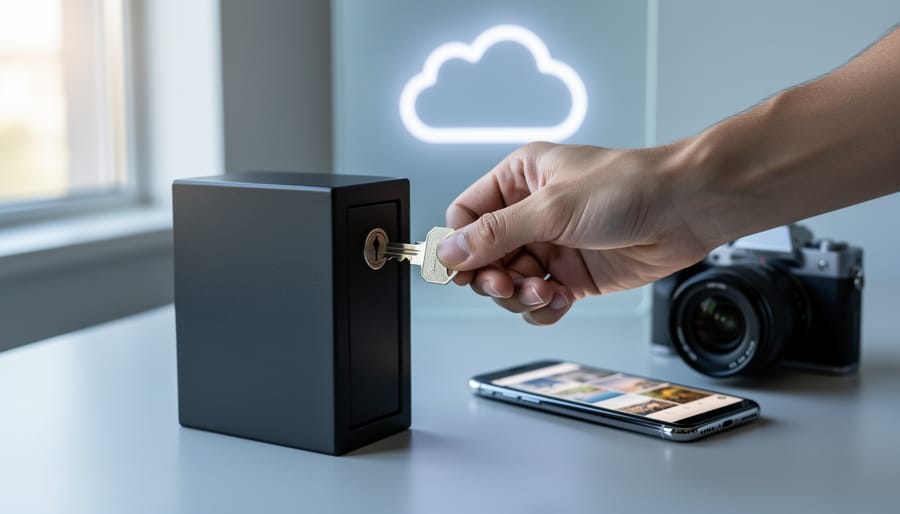
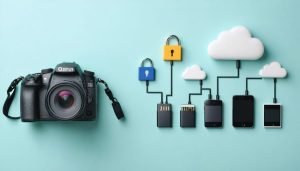
Your photo library contains more than just images—it holds memories, client work, location data, and potentially sensitive metadata that could expose where you live, work, or travel. Zero-access encryption ensures that even the company hosting your photos cannot view, scan, or decrypt your files. Unlike standard cloud storage where providers hold the keys to your data, zero-access encryption puts you in complete control: your photos are encrypted on your device before upload, and only you possess the decryption key.
This matters because data breaches at major tech companies have exposed millions of users’ private files, and automated scanning algorithms routinely analyze your content for various purposes. When you choose zero-access encryption, you’re accepting a trade-off: enhanced privacy and security in exchange for certain conveniences. You’ll lose automatic face recognition, server-side search capabilities, and easy account recovery if you forget your password.
For photographers, the decision hinges on what you’re storing. Wedding photographers handling client galleries, photojournalists documenting sensitive subjects, or anyone storing personal family photos alongside embedded GPS coordinates should seriously consider this protection. Hobbyists sharing landscape work publicly may prioritize convenience over maximum security.
The good news: implementing zero-access encryption doesn’t require technical expertise. Several photo management solutions now offer this protection with user-friendly interfaces, balancing security with the workflow features photographers depend on daily.
What Zero-Access Encryption Actually Means (Without the Tech Speak)
The Lockbox Analogy: You Hold the Only Key
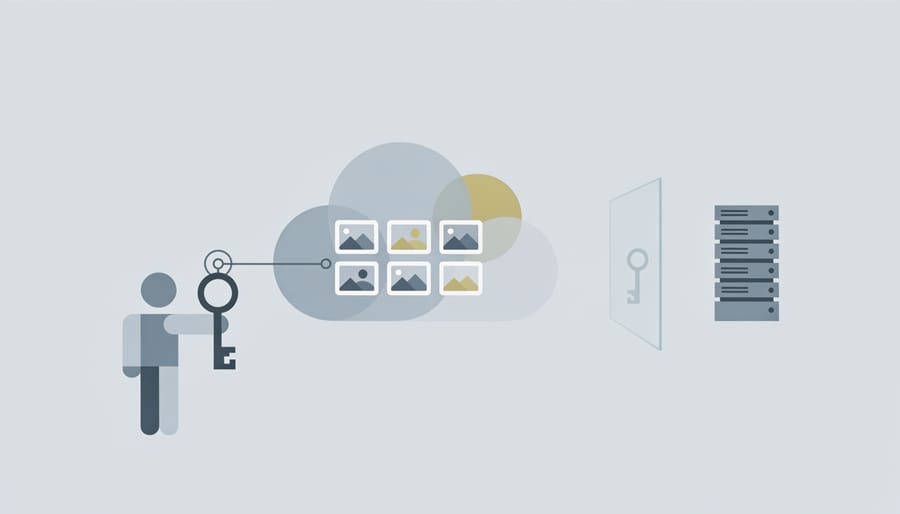
Think of zero-access encryption like a secure lockbox at a bank. You place your valuables inside, lock it with your personal key, and store it in the bank’s vault. The bank keeps your lockbox safe from theft, fire, and natural disasters, but here’s the crucial part: they have absolutely no way to open it. Even if a bank manager wanted to peek inside, they couldn’t. Only your key works, and you’re the only person who has it.
This is exactly how zero-access encryption protects your photo library. When you upload images to a service using this technology, your photos are encrypted on your device before they ever leave your computer. The encryption key exists only with you, never touching the service provider’s servers. The provider stores your encrypted files (your locked box) and keeps them secure from hackers and server breaches, but they’re essentially holding scrambled data they cannot decrypt.
For photographers, this means your client portraits, unreleased work, and personal images remain genuinely private. If someone breaches the cloud service’s servers or a government requests access to your account, they’ll find only encrypted files that are mathematically impossible to unlock without your key. The trade-off? If you lose your encryption key, not even the service provider can help you recover your photos.
How It’s Different from Regular Cloud Storage
When you upload photos to popular services like Google Photos, iCloud, or Dropbox, they encrypt your images during transfer and while stored on their servers. That sounds secure, and it is—to a point. Here’s the crucial difference: these companies hold the encryption keys. Think of it like storing valuables in a bank vault where the bank keeps a master key. They can access your files if needed for features like facial recognition, automatic album creation, or compliance with legal requests.
With standard digital photo storage, Google can scan your vacation photos to suggest edits or create animations. Apple can identify faces across thousands of images to build People albums. Dropbox can generate thumbnail previews instantly. These conveniences require the service to decrypt and analyze your files on their servers.
Zero-access encryption flips this model entirely. You hold the only key—the service provider literally cannot decrypt your files, even if they wanted to. Using the bank vault analogy, you’re renting space in a vault where only you have the key, and the bank has no master copy. Your encrypted photos exist as unintelligible data blocks on their servers.
This means services like Cryptee or Ente Photos cannot search your image metadata, can’t scan faces, and can’t comply with data requests because they genuinely cannot see your content. The trade-off? All processing happens on your device, which can slow things down and limits certain automated features that photographers have grown to love.
Why Photographers Should Care About Zero-Access Security
Real Stories: When Photo Access Goes Wrong
In 2014, a high-profile breach exposed private photos of numerous celebrities when hackers accessed iCloud accounts through phishing and password guessing. While Apple’s infrastructure wasn’t directly compromised, the incident revealed how vulnerable cloud-stored images can be when security relies solely on password protection. For the photographers and individuals affected, the damage was irreversible—once those images circulated online, no amount of legal action could truly restore their privacy.
More recently, everyday photographers have faced their own struggles. In 2019, a popular photo storage service experienced a data breach that exposed millions of users’ images due to improperly configured cloud storage. Wedding photographers lost client trust, travel photographers saw their unpublished work leaked, and families discovered their private memories accessible to strangers. The company’s encryption protected data in transit but not at rest, leaving files readable to anyone who gained system access.
Even without breaches, legitimate access can go wrong. Multiple photographers have reported instances where cloud service employees allegedly accessed their photos during routine maintenance or investigations. While companies have policies against this, the technical capability exists whenever a third party holds your encryption keys. These incidents, combined with emerging future security threats, underscore why some photographers are reconsidering who controls access to their work—and exploring solutions where only they hold the keys.
Who Else Can See Your Photos Right Now?
When you upload photos to popular cloud services like Google Photos, iCloud, Dropbox, or Amazon Photos, you might assume they’re private. After all, you need a password to access them, right? The reality is more complicated than that.
First, the company storing your photos can technically view them. While major providers have policies limiting employee access, staff members with the right permissions can see your images. Think about it: when Google Photos automatically identifies faces or suggests albums, those AI systems are actively analyzing your pictures. Someone had to build and maintain those systems with access to the actual photo data.
Legal requests create another access point. Law enforcement agencies regularly submit warrants and subpoenas for cloud-stored data. According to transparency reports from major tech companies, they receive thousands of these requests annually, and they comply with a significant portion of them. Your vacation photos sitting on a standard cloud service can be handed over without your knowledge if legally compelled.
Then there are security breaches. Even tech giants experience data breaches where hackers gain unauthorized access to user accounts. Remember the 2014 celebrity photo leak? That incident exposed how vulnerable cloud-stored images can be when security measures fail or credentials are compromised.
This isn’t meant to sound alarmist, but it’s important to understand the trade-off you’re making with conventional cloud storage. You’re essentially trusting the service provider, their employees, their security measures, and their legal obligations with your visual library. For many everyday snapshots, that might be perfectly acceptable. But what about sensitive client work, personal family moments, or proprietary creative projects?
The Trade-Offs Nobody Talks About
Features You’ll Miss (And Why It Matters)
Zero-access encryption comes with a significant trade-off: the intelligent features that make modern photo management so convenient simply can’t work when your provider can’t see your images. Let’s be clear about what you’re giving up.
Smart search is perhaps the biggest loss. You know how you can type “beach sunset” or “red car” into Google Photos or iCloud and instantly find those exact images? That requires artificial intelligence to analyze your photos, identifying objects, scenes, and colors. When your provider can’t decrypt your images, this magic disappears. You’re back to manual tagging or relying solely on basic metadata like dates and filenames.
Automatic people recognition falls into the same category. Services like Amazon Photos can scan faces across thousands of images, grouping all photos of your kids or spouse automatically. It’s incredibly useful for quickly finding every shot from your daughter’s childhood or sharing all images featuring a specific friend. Zero-access encryption makes this impossible at the provider level, though some services offer local facial recognition that runs on your device instead.
Those “memories” and “rediscovery” features? Gone. These rely on algorithms analyzing your entire library to surface forgotten gems from years past or create automatic compilations. Shared album intelligence, like automatically adding related photos to collaborative albums, also requires provider access to understand image content.
The key question is whether you value convenience or privacy more. For photographers managing client work with sensitive subjects, the trade-off makes perfect sense. For casual users organizing family snapshots, it might feel like throwing away genuinely helpful tools.
The Password Problem: Lose It and Lose Everything
Here’s the reality that makes some photographers nervous about zero-access encryption: if you forget your password or lose your encryption key, your photos are gone forever. Not “call customer support” gone or “wait three business days” gone, but genuinely, permanently inaccessible.
This isn’t a bug in the system—it’s the fundamental trade-off. Remember, zero-access encryption means the service provider cannot decrypt your files. They don’t have a master key tucked away for emergencies. When you lose your credentials, there’s no password reset option that magically restores access to your encrypted library.
Think of it like this: your password is the only key to a vault containing years of wedding shoots, family portraits, or travel photography. Lose that key, and the vault stays sealed forever.
This makes password management absolutely critical. You’ll need a reliable system—whether that’s a reputable password manager, a secure physical backup of your credentials, or both. Some photographers even use recovery keys stored in safe deposit boxes for their most precious archives.
The consequence is simple but severe: with zero-access encryption, the responsibility for access sits entirely on your shoulders. There’s no safety net, which means your password strategy needs to be bulletproof from day one.
Services That Actually Offer Zero-Access Photo Storage
Dedicated Photo Services with Zero-Access Encryption
When it comes to storing your photographic work with true zero-access encryption, a handful of dedicated services stand out from the crowd. Let’s explore what they offer and whether they’re worth the investment for your needs.
Ente Photos has emerged as a photographer-friendly option that genuinely delivers on the zero-access promise. Their service encrypts everything on your device before upload, meaning not even their team can view your images. The interface feels familiar to anyone who’s used Google Photos, with automatic organization, facial recognition that happens locally on your device, and shared albums that maintain encryption. Pricing starts at $2.99 monthly for 100GB, scaling to $9.99 for 1TB, which is competitive considering the security features. The catch? Processing happens on your device, so initial setup can drain your battery and take time with large libraries.
Stingle Photos offers similar zero-knowledge architecture with a focus on simplicity. Their free tier provides 1GB storage, with paid plans starting at $2 monthly for 20GB. While more limited in features compared to Ente, it’s straightforward and reliable for photographers who prioritize security over bells and whistles.
Cryptee takes a different approach, positioning itself as an encrypted documents and photos service combined. At $3 monthly for 100GB, it’s affordable, though the photo management features are more basic than dedicated solutions.
For professional photographers handling client work, these services solve a real problem. Imagine storing a wedding shoot knowing that even if the service is breached, your clients’ intimate moments remain protected. The trade-off is convenience—syncing takes longer, sharing requires recipients to have accounts, and some automated features you’re used to simply won’t work. But for photographers handling sensitive content or operating under strict privacy regulations, that’s a worthwhile exchange for genuine security.
General Cloud Storage with Photo Management
If you’re looking for smart storage solutions that prioritize privacy without specialized photo features, general zero-access cloud services like Sync.com, Tresorit, and pCloud offer compelling options. These platforms encrypt your files before they leave your device, meaning even the service provider cannot access your content. For photographers, this represents a significant privacy advantage, but it comes with important workflow considerations.
The main appeal here is straightforward: you get robust security with generous storage capacity at competitive prices. Sync.com, for instance, offers plans up to 6TB, which can accommodate substantial photo libraries. You can organize your RAW files, JPEGs, and project folders just as you would on your local drive, with the peace of mind that your work remains truly private.
However, these services function essentially as encrypted hard drives in the cloud. You won’t find thumbnail previews, metadata searching, or automated organization features that dedicated photo platforms provide. Want to find all images from a specific shoot or tagged with certain keywords? You’ll need to rely on your own folder structure and naming conventions. There’s no facial recognition, no automatic date sorting, and certainly no AI-powered search capabilities.
For photographers who already maintain meticulous file organization systems, this limitation might feel minimal. If you’re someone who carefully structures projects into dated folders with descriptive names, these platforms simply extend your existing workflow into secure cloud territory. They work particularly well as backup repositories rather than active working libraries.
The trade-off is clear: maximum privacy in exchange for manual organization. Consider whether the enhanced security justifies losing the convenience features that make modern photo management effortless.
Setting Up Your Zero-Access Photo Library the Right Way
The Hybrid Approach: Best of Both Worlds
You don’t have to choose between ironclad security and everyday convenience. The smartest approach is actually using both types of cloud storage, each playing to its strengths.
Think of it this way: your commercial work, client RAW files, and personal archives deserve zero-access protection. Meanwhile, your casual snapshots from lunch or behind-the-scenes photos for social media can live in a standard cloud service like Google Photos or iCloud, where facial recognition and automatic organization make life easier.
Here’s how it works in practice. Professional photographer Sarah keeps her paid shoots and prize-winning portfolio images in a zero-access service like Tresorit. These are her irreplaceable, monetizable assets. But her everyday iPhone snapshots, workshop photos, and gear comparison images sync to Google Photos, where she can quickly search “camera bag” or “sunset” without jumping through decryption hoops.
This hybrid strategy fits naturally into a comprehensive backup workflow. Your local NAS or external drives hold everything, your zero-access cloud protects your most valuable work, and your convenience cloud handles daily sharing and quick access needs.
The beauty of this approach is that you’re not compromising security where it matters most, but you’re also not sacrificing modern conveniences for every single photo you take. It’s about being intentional with what deserves maximum protection versus what needs maximum accessibility.
Password Management for Photographers
When you’re protecting years of irreplaceable photography work with zero-access encryption, your password becomes the single point of failure. Lose it, and even the service provider can’t help you recover your files. This makes password management absolutely critical for photographers.
The most reliable solution is a dedicated password manager like 1Password, Bitwarden, or Dashlane. These applications generate and store complex passwords for all your accounts, including your encrypted photo storage. You only need to remember one master password. Think of it as a digital vault that holds the keys to everything else. Many password managers also offer secure storage for recovery codes and emergency contact features that let trusted family members access your accounts if something happens to you.
For photographers, I recommend a two-pronged approach. First, use a password manager for day-to-day access. Second, create a physical backup strategy for absolute emergencies. Write down your master password and any critical recovery codes, seal them in an envelope, and store them in a fireproof safe or bank safety deposit box. Some photographers give sealed copies to their spouse or business partner with clear instructions.
Never store your master password digitally in obvious places like notes apps or email drafts. If someone gains access to your computer, those are the first places they’ll look.
Consider this real-world scenario: A wedding photographer I know uses a password manager with biometric login on her phone and computer for convenience, but she updates her physical backup quarterly and keeps it with her business insurance documents. That way, she has both security and a failsafe if disaster strikes.
Is Zero-Access Encryption Right for Your Photo Library?
Zero-access encryption isn’t a one-size-fits-all solution, and honestly, many photographers don’t need it. The decision comes down to four key considerations that reflect your unique situation.
First, consider the type of photography you do. Wedding and portrait photographers working with sensitive client moments have compelling reasons to adopt zero-access encryption. When someone trusts you with images from their most intimate life events, that responsibility extends to how you store those files. Similarly, if you photograph medical procedures, legal documentation, or work with vulnerable populations, zero-access encryption becomes less optional and more essential. On the other hand, landscape photographers sharing publicly on social media probably don’t need this level of protection for most of their work.
Client requirements increasingly drive this decision. Some corporate clients, particularly in healthcare, legal, and financial sectors, now mandate specific security standards in their contracts. Before investing time in zero-access encryption, check whether your clients actually require it or if standard cloud security meets their needs.
Your personal privacy concerns matter too. Do you feel uncomfortable knowing cloud providers could theoretically access your files? Some photographers simply sleep better knowing their creative work remains completely private. There’s no wrong answer here, but the peace of mind should justify the trade-offs you’ll make.
Finally, assess your technical comfort level honestly. Zero-access encryption requires you to manage encryption keys and understand backup procedures. If you lose your master password, there’s no customer service number to call, no recovery option, no do-over. Your files become permanently inaccessible. This isn’t meant to scare you, but rather to emphasize that zero-access encryption demands responsibility and attention to detail.
A practical starting point: If you’re unsure, consider a hybrid approach. Use zero-access encryption for client work and sensitive personal projects while maintaining standard cloud storage for portfolio pieces and social media content. This balances security with convenience, letting you experience the system before committing fully.
Here’s the thing about zero-access encryption: it’s not about being paranoid or building an impenetrable fortress for your vacation snapshots. It’s about making informed choices that align with your actual needs and circumstances.
Think of it this way. A wedding photographer storing client galleries has different security requirements than someone backing up smartphone photos of their dog. A photojournalist documenting sensitive subjects faces different risks than a landscape photographer. There’s no universal “right answer” here, only the right answer for your situation.
Zero-access encryption offers genuine protection against specific threats, particularly unauthorized access to your cloud storage provider’s servers. But it comes with real trade-offs in convenience, sharing capabilities, and cost. The question isn’t whether it’s technically superior—it often is—but whether those benefits matter enough to you to justify the compromises.
Start by honestly assessing your risk tolerance. What would actually happen if your photos were exposed? For most of us, the answer is “not much.” For others, the consequences could be significant. Neither perspective is wrong.
If you’ve decided zero-access encryption makes sense for you, start small. Test a solution with a subset of your library before committing everything. Many photographers find a hybrid approach works best: zero-access encryption for sensitive work, standard encrypted cloud storage for everything else.
The goal isn’t perfect security—that doesn’t exist. The goal is appropriate security that lets you focus on what matters: making great photographs.



 By
By