By
By 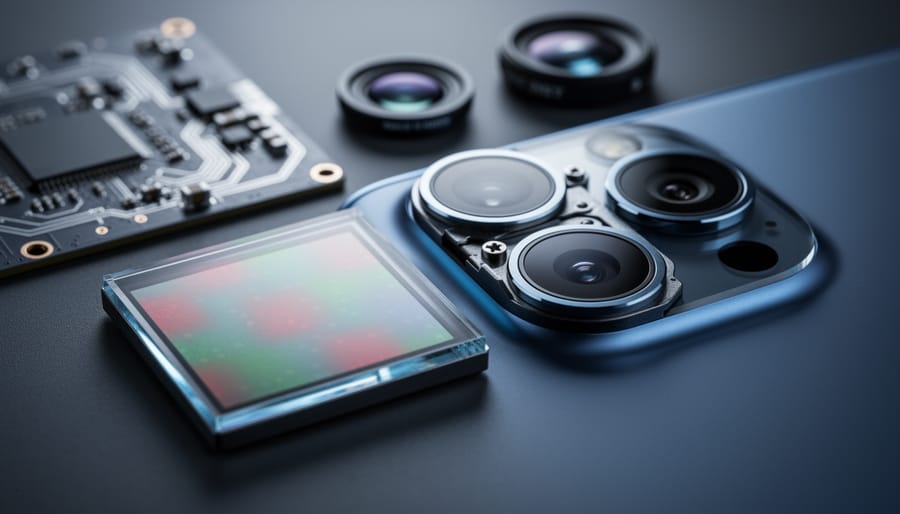
You just bought a 48-megapixel smartphone or mirrorless camera, but your photos are coming out at 12 megapixels. Before you assume something’s broken, understand this: your camera is likely using sensor binning, and it’s probably making your images better, not worse.
Sensor binning combines data from multiple adjacent pixels into one larger “super pixel.” Instead of recording information from four separate 1-micron pixels, your sensor merges them into a single 2-micron pixel equivalent. This process sacrifices resolution but delivers significant improvements in low-light performance, reduced noise, and faster processing speeds—benefits that matter far more than pixel count for most photography situations.
The technology addresses a fundamental physics problem: as manufacturers pack more megapixels onto sensors, individual pixels become smaller and capture less light. A 108-megapixel sensor with 0.8-micron pixels struggles in anything but bright sunlight. By binning those tiny pixels together, cameras achieve the light-gathering advantages of larger pixels while maintaining high-resolution capabilities when conditions allow.
Modern implementations like Quad Bayer (4-to-1 binning) and Nona Bayer (9-to-1 binning) have become standard features across smartphone and camera manufacturers. Understanding how binning works, when your camera applies it, and how to control this feature will help you maximize image quality in every shooting scenario. Whether you’re frustrated by unexpected file sizes or curious about the technology powering computational photography, sensor binning directly impacts how your camera performs.
What Is Sensor Binning?
The Basic Principle: Combining Light Data
At its core, sensor binning is beautifully simple: instead of each pixel working alone, neighboring pixels team up to share their light data. Picture a grid of tiny light-collecting buckets on your camera sensor. In traditional photography, each bucket reports its findings individually. With binning, groups of adjacent pixels—typically four arranged in a 2×2 pattern—combine their collected light into a single reading.
Think of it like neighbors pooling their harvest. If four adjacent garden plots each collect a small amount of rainwater, combining those amounts into one container gives you more to work with. The same principle applies here: four pixels working together create one “super pixel” with significantly more light information than any single pixel could gather alone.
This cooperation happens right on the sensor through hardware or immediately after capture through processing. The result? Your 48-megapixel sensor might output a 12-megapixel image, but those 12 million pixels are packed with roughly four times the light data. This trade-off between resolution and light-gathering ability becomes especially valuable when you’re shooting in challenging conditions where every photon counts.
Why Manufacturers Use This Technology
Manufacturers embrace sensor binning because it solves a fundamental challenge in digital photography: balancing resolution with real-world performance. When you combine multiple pixels into one, you’re essentially creating larger, more light-sensitive pixels without physically redesigning the sensor.
The trade-off is straightforward. By binning a 48-megapixel sensor down to 12 megapixels, you sacrifice some resolution but gain significantly improved low-light performance. Those combined pixels gather more light, resulting in cleaner images with less noise in dim conditions. Think of it like using a larger bucket to catch raindrops—you’ll capture more water even in a light drizzle.
Beyond low-light gains, binning dramatically speeds up processing. A 12-megapixel file processes faster than a 48-megapixel one, which means quicker burst shooting, reduced battery drain, and less storage space consumed. For smartphone manufacturers especially, this matters tremendously when users expect instant results.
The reality is most people rarely need full resolution. Social media, web sharing, and even large prints rarely require 50+ megapixels. By defaulting to binned mode, manufacturers deliver images that look better in typical shooting conditions while keeping the full-resolution option available when you genuinely need maximum detail for cropping or large-scale printing.
Quad Bayer Sensors: The Modern Standard
How Quad Bayer Differs from Traditional Bayer Sensors
To understand Quad Bayer, it helps to first picture how traditional Bayer sensors work. In a standard Bayer array, each individual pixel is covered by a single color filter—either red, green, or blue. These pixels are arranged in a specific mosaic pattern: one red, two greens (because our eyes are most sensitive to green light), and one blue in every 2×2 block. The camera’s processor then uses sophisticated algorithms to interpolate the missing color information at each pixel location, creating a full-color image.
Quad Bayer flips this approach on its head. Instead of having four different pixels with different color filters in a 2×2 block, Quad Bayer uses four pixels of the same color grouped together. Imagine looking at the sensor under magnification: you’d see a cluster of four red pixels next to a cluster of four green pixels, then four blue pixels, and so on. This 2×2 grouping of identical colors is the fundamental difference.
Why does this matter? When those four same-colored pixels work together through binning, they essentially act as one larger pixel with better light-gathering ability. Think of it like four friends pooling their money instead of each buying something separately—together, they have more purchasing power. Those four red pixels combine their signals to capture more light information than a single red pixel could alone.
This arrangement gives camera manufacturers incredible flexibility. In bright conditions, the sensor can read all pixels individually for maximum resolution. In low light, those 2×2 clusters merge into single, more light-sensitive pixels, dramatically improving image quality when it matters most.
The 4-to-1 Binning Process
Think of pixel binning as a neighborhood pooling resources. When your camera sensor bins pixels, it’s combining the data from adjacent photosites into a single, more powerful pixel unit. Let’s walk through how this actually works.
In the most common configuration, called 2×2 binning, the sensor takes a cluster of four pixels arranged in a two-by-two grid and merges them into one. Imagine four friends collecting rainwater in separate buckets during a storm. Individually, each bucket catches a modest amount. But if they pour all four buckets together, they’ve suddenly got a much fuller container. That’s essentially what happens with light-gathering during pixel binning.
Here’s the process: When light hits your sensor, each individual pixel in that 2×2 cluster captures photons and converts them into electrical signals. During binning, the camera’s processor combines these four signals together. The result? A single output with roughly four times the light-gathering capability of one pixel alone. This dramatically improves low-light performance and reduces noise, though you’re trading your 48-megapixel sensor output down to 12 megapixels.
Beyond 2×2 binning, some sensors support 3×3 binning, which combines nine pixels into one. This is less common but appears in specific scenarios where maximum light sensitivity matters more than resolution, like astrophotography or extreme low-light conditions.
The camera typically decides which binning mode to use based on your shooting conditions. In bright daylight, it might skip binning entirely and use the full resolution. As lighting dims, it switches to 2×2 binning automatically. Some cameras let you manually control this behavior through settings like “high resolution mode” versus standard shooting modes.
Real-World Performance: When Binning Helps (and When It Doesn’t)
Low Light and Night Photography
When the sun sets, sensor binning becomes your camera’s secret weapon. By combining multiple pixels into one, binned mode dramatically enhances light sensitivity, effectively creating larger virtual pixels that capture significantly more photons. This is why your 48-megapixel smartphone automatically switches to 12-megapixel mode in low light—it’s prioritizing image quality over resolution.
Take the iPhone 14 Pro as a real-world example. In daylight, it captures stunning 48-megapixel images with incredible detail. But photograph a dimly lit restaurant scene, and it intelligently bins down to 12 megapixels, quadrupling the light-gathering ability of each effective pixel. The result? Cleaner images with less noise and better color accuracy.
Mirrorless cameras like the Canon EOS R5 employ similar pixel-binning techniques in video mode, which explains why 8K footage often looks cleaner in challenging lighting than you’d expect from such high resolution. The technology essentially lets you borrow light-gathering power from neighboring pixels, turning what would be a noisy, unusable shot into something genuinely impressive without reaching for a tripod or cranking up the ISO to uncomfortable levels.

Video Recording Benefits
Sensor binning truly shines when it comes to video recording, offering several practical advantages that make it the go-to mode for most modern cameras. When you’re shooting 4K or even 1080p video, your camera doesn’t need all those megapixels—a 4K video file only requires about 8 megapixels. This is where binning becomes incredibly useful.
By combining pixels, binning dramatically speeds up how quickly your camera can read data from the sensor. Think of it like this: instead of processing information from 48 million individual pixels, your camera might only need to handle 12 million binned pixels. This faster readout directly translates to reduced rolling shutter—that annoying jello-like distortion you see when panning quickly or filming fast-moving subjects like cars or sports.
The benefits don’t stop there. Binned video also delivers improved low-light performance and cleaner footage with less noise, much like it does for still images. Real-world example: many flagship smartphones switch to binning mode when recording video in challenging lighting conditions, which is why your phone’s nighttime video often looks surprisingly good despite the small sensor. For hybrid shooters who need both photo and video capabilities, understanding how your camera leverages binning can help you maximize quality in both formats.
When Full Resolution Is Better
While sensor binning shines in challenging light, there are plenty of scenarios where shooting at full resolution makes more sense. Bright daylight conditions provide ideal circumstances to capture every pixel your sensor can deliver. With abundant light, there’s no need to sacrifice resolution for improved low-light performance, so you might as well take advantage of that 48MP or 108MP sensor.
Landscape photography particularly benefits from full resolution shooting. When you’re capturing sweeping vistas with intricate details—think distant mountain textures, individual leaves in a forest canopy, or architectural elements in a cityscape—those extra megapixels give you significantly more flexibility in post-processing. You can crop aggressively while maintaining print-worthy image quality, or create massive prints that showcase incredible detail.
Full resolution also matters when you’re shooting for clients who need maximum flexibility. Stock photography, commercial work, and editorial assignments often require the highest possible resolution. Similarly, if you’re capturing images for large-format printing or billboards, binned images simply won’t provide enough detail. The key is understanding your final output requirements and choosing the appropriate mode before pressing the shutter.
Common Sensor Binning Technologies Across Brands
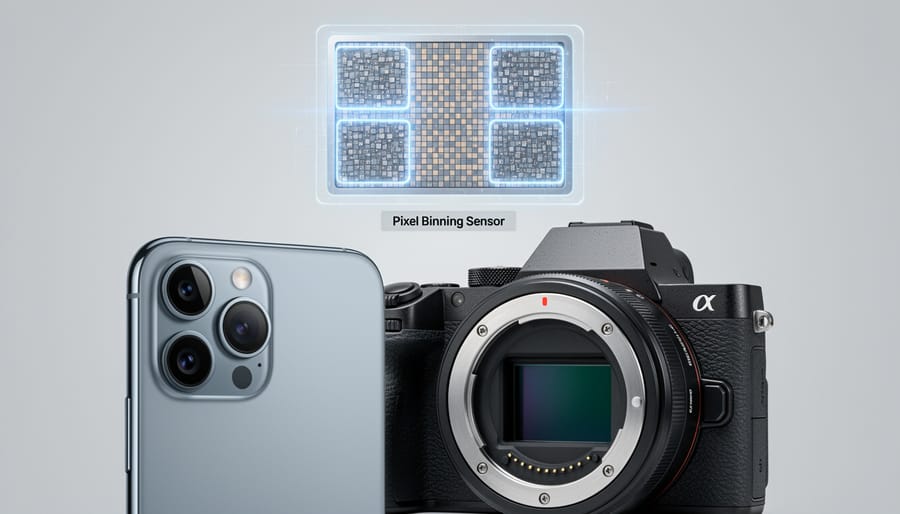
If you’ve been shopping for a new camera or smartphone lately, you’ve probably encountered a bewildering array of trademarked terms: Quad Bayer, Tetracell, ISOCELL Plus, 4-in-1 Super Pixel, and more. Here’s the truth that might surprise you—they’re all essentially the same technology, just wearing different brand labels.
Think of it like how different car manufacturers might call their four-wheel drive systems by proprietary names, but they’re all solving the same problem in fundamentally similar ways. Sensor binning works the same across different sensor formats and manufacturers, but each company wants their implementation to sound unique.
Sony pioneered consumer-level pixel binning with their Quad Bayer technology, which arranges pixels in groups of four with identical color filters. When you see a Sony sensor specification mentioning Quad Bayer, you know it’s capable of combining those four pixels into one for improved low-light performance or faster readout speeds.
Samsung markets similar technology under their Tetracell and ISOCELL branding. The principle remains identical—four adjacent pixels working together when needed—but Samsung has added their own refinements to color filter design and pixel isolation. Their ISOCELL technology includes physical barriers between pixels to reduce cross-contamination, which can improve color accuracy whether binning is active or not.
Other manufacturers have jumped aboard with their own names. You’ll find Omnivision’s PureCel, various implementations in smartphone cameras marketed as “4-in-1 Super Pixel” technology, and proprietary systems from companies like OmniVision and others.
The practical takeaway? Don’t get hung up on the marketing terminology. Whether it’s called Quad Bayer, Tetracell, or something else entirely, the fundamental benefits and trade-offs remain consistent. What matters more is how well the manufacturer has implemented the technology, how the camera’s processing algorithms handle binned data, and whether the approach suits your particular photography needs. Focus on real-world performance rather than getting distracted by branding differences.
The Image Quality Trade-Off: What You Actually Gain and Lose
Dynamic Range and Color Depth Improvements
When you combine multiple pixels through binning, something remarkable happens beyond just improved low-light performance. You’re essentially capturing a wider range of brightness information in a single shot, which translates to expanded dynamic range. Think of it this way: each pixel in a sensor can only hold so much light information before it maxes out (clipping highlights) or registers nothing at all (crushing shadows). By merging pixels together, you’re creating a larger bucket that can collect more subtle gradations of light.
This means you’ll see smoother transitions between bright skies and darker foregrounds, with less banding in gradients like sunsets. Color accuracy benefits too, since each color filter in a Bayer array gathers more photons, resulting in richer, more accurate color information with less noise interfering with the signal. In practical terms, you’ll notice this when editing photos with challenging lighting. That underexposed area you lift in post-processing will reveal cleaner detail, and those bright windows won’t blow out as easily. For photographers shooting high-contrast scenes like backlit portraits or landscape photography during golden hour, binned modes often deliver more usable files straight out of camera.
The Resolution Reality Check
Here’s a question worth considering: when was the last time you actually printed a massive photo or needed every single one of those 108 megapixels?
For most photographers, the honest answer is rarely or never. A 12-megapixel image prints beautifully at 16×20 inches. Even at gallery sizes like 24×36 inches, 24 megapixels provides excellent quality. Your Instagram feed? It displays images at roughly 1 megapixel. That 4K monitor you’re editing on? About 8 megapixels.
This is where sensor binning starts making tremendous practical sense. By combining pixels, you’re trading resolution you probably don’t need for image quality you’ll actually notice: better low-light performance, reduced noise, and faster shooting speeds.
Think about your actual workflow. If you’re shooting events, street photography, or wildlife, you’ll benefit far more from cleaner high-ISO images and snappier autofocus than from massive file sizes that slow down your camera and devour storage space. Wedding photographers working in dim reception halls will choose noise-free 12MP images over grainy 48MP files every single time.
Of course, there are legitimate uses for full resolution. Landscape photographers who create large prints, commercial shooters who need extreme cropping flexibility, or anyone doing detailed product work might prefer native resolution. But remember, sensor size matters more than pixel count for overall image quality.
The bottom line? Binning gives you options, and most photographers will find the binned mode delivers exactly what they need.
How to Know If Your Camera Uses Sensor Binning
Determining whether your camera employs sensor binning isn’t always straightforward, but there are several telltale signs to look for. Let’s walk through the detective work together.
Start with your camera’s specifications sheet. Look for terms like “Quad Bayer,” “Quad Pixel,” “Tetracell,” or “4-in-1 pixel binning” in the sensor description. Manufacturers sometimes highlight this feature, especially in smartphone cameras. For dedicated cameras, check if the sensor’s maximum resolution differs significantly from the default shooting resolution. A 48MP sensor that captures 12MP images by default is almost certainly using 4-to-1 binning.
Your camera’s menu settings often reveal binning capabilities. Navigate to the image quality or resolution settings. If you see options labeled “High Resolution,” “Full Pixel,” “48M,” or similar alongside a lower-resolution default mode, you’re looking at binning options. Some cameras make this more obvious with descriptions like “Standard (binned)” versus “High Resolution (unbinned).”
Examining your output files provides another clue. Shoot a test image at your camera’s default settings and check the file properties. If the resolution is exactly one-quarter of the advertised sensor resolution (like 12MP from a 48MP sensor), binning is likely at work. You might also notice that high-resolution mode produces noticeably larger file sizes and takes slightly longer to process.
To toggle between modes, most cameras place this setting in the image size or quality menu. Smartphones typically require you to select a specific “48MP” or “High Res” mode, as binning is the everyday default. Dedicated cameras might offer this as a drive mode or shooting option. Remember that switching to full-resolution mode often disables certain features like high-speed continuous shooting or specific autofocus modes, as the processor handles significantly more data.
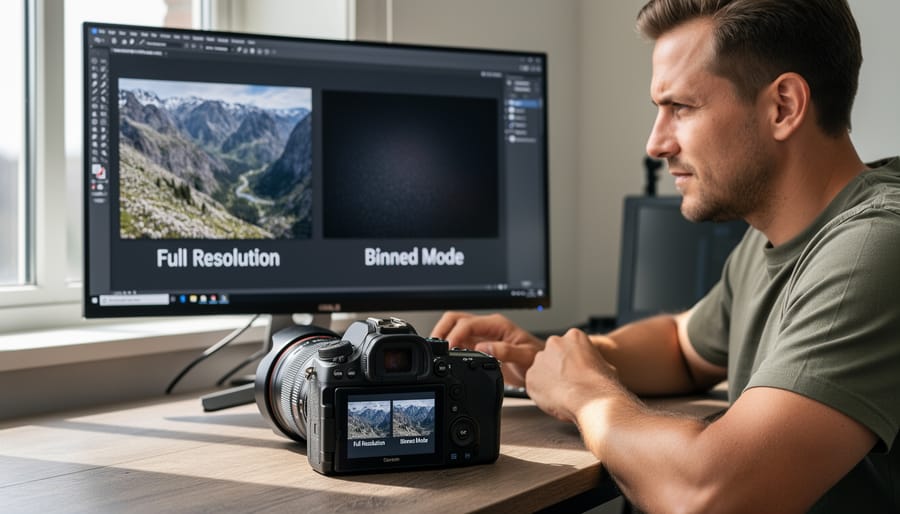
So, is sensor binning just a clever marketing trick, or does it actually deliver? The answer is clear: it’s a genuinely beneficial technology that gives you the best of both worlds. By combining pixels for better low-light performance and faster processing, binned mode makes your high-megapixel camera more versatile and practical for everyday shooting. Meanwhile, full-resolution mode is there when you need maximum detail for large prints or significant cropping.
The key is understanding when to use each mode. For most situations—social media sharing, casual photography, low-light environments, and action shots—binned mode will give you cleaner, faster results. Save full resolution for landscapes, studio work, and situations where you genuinely need those extra megapixels.
Here’s my advice: spend a week shooting the same subjects in both modes. Compare the results on your screen at actual viewing sizes, not zoomed to 100 percent. You’ll likely find that binned mode holds up remarkably well while offering tangible advantages in speed and image quality. Don’t let megapixel counts dictate your choices. Instead, let your specific shooting needs guide you. Sensor binning isn’t about compromise—it’s about giving you options to match your creative vision.





 By
By