By
By 
Your editing workstation represents thousands of dollars in equipment—but the power flowing through your walls right now could be silently degrading your gear’s lifespan or destroying files in an instant. A standard surge protector won’t save you, and even a basic UPS might not provide the protection your investment demands.
Power conditioning is the invisible shield between your equipment and the electrical chaos happening dozens of times per day: voltage sags from your neighbor’s AC unit kicking on, harmonic distortion from cheap LED lighting, or the microscopic surges that never trip a breaker but steadily wear down capacitors in your computer’s power supply. While a traditional UPS keeps your system running during outages, power conditioning actively scrubs and regulates electricity before it reaches your components.
The difference matters more than most photographers realize. A voltage fluctuation of just 10% can cause hard drives to miswrite data or graphics cards to artifact during rendering. Over months, these events compound into unexplained crashes, corrupted project files, or premature hardware failure that manufacturers won’t cover under warranty because there’s no visible damage.
Understanding what level of conditioning you actually need—versus what manufacturers want to sell you—requires cutting through marketing claims and matching protection technology to your specific workflow risks. Not every editing setup requires hospital-grade power regulation, but every professional deserves to know when their equipment is genuinely protected versus simply plugged into an expensive power strip.
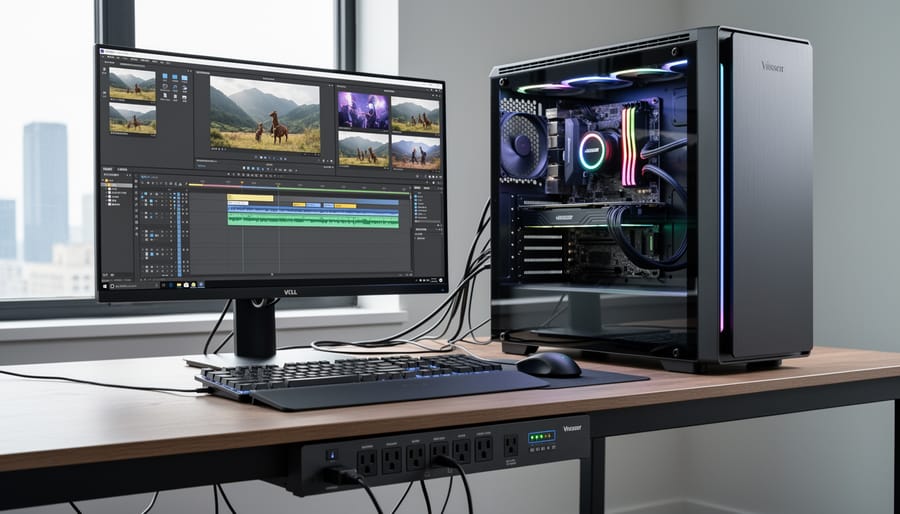
What Actually Happens to Your Workstation During Power Problems
The Silent Killers: Micro-Surges and Voltage Fluctuations
Think of micro-surges and voltage fluctuations as the silent assassins of your photography workstation. While dramatic power outages grab headlines, it’s these tiny, almost imperceptible voltage variations that actually pose the greatest long-term threat to your equipment.
Every time your HVAC system kicks on, when a neighbor runs their power tools, or even when appliances cycle throughout your home, small voltage spikes and sags ripple through your electrical system. Your editing monitor might not flicker, and your computer keeps humming along, but internally, these fluctuations are taking their toll. Capacitors gradually degrade, circuit boards experience microscopic stress, and hard drives work harder to maintain stability.
For photographers running high-end editing workstations with color-critical monitors and external RAID arrays, this cumulative damage is particularly concerning. A monitor calibrated to perfection today might drift faster than expected. That lightning-fast SSD could fail prematurely. Even worse, you might not connect the dots between these seemingly random failures and your building’s inconsistent power quality.
The insidious nature of micro-surges means you’re essentially running a slow-motion experiment in equipment degradation. Professional-grade UPS systems with power conditioning don’t just prevent catastrophic failures; they eliminate these daily micro-aggressions against your gear, potentially extending equipment lifespan by years and maintaining the consistent performance your workflow demands.
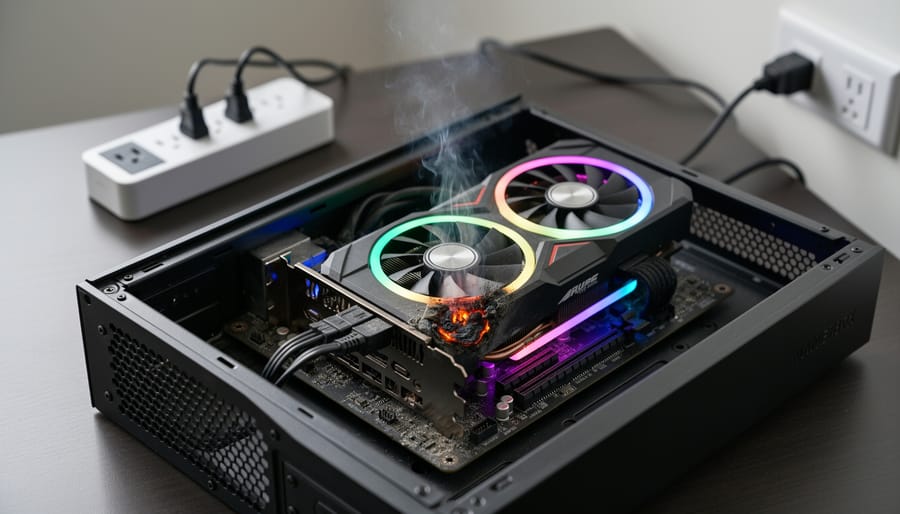
When a Split Second Costs You Hours of Work
Picture this: You’ve just spent six hours meticulously editing a client’s wedding photos, applying complex layer masks, and fine-tuning color grades. You’re rendering the final batch when the lights flicker for less than a second. Your screen goes black, and when your computer restarts, you discover that your project file won’t open. The dreaded “file corrupted” message appears, and those six hours of work have vanished.
This isn’t a hypothetical scenario. It happens more often than you’d think, and the culprit is often a power interruption so brief you barely notice it. Your computer’s power supply can typically handle momentary drops, but the hard drive spinning at 7,200 RPM and actively writing data? That’s where the real vulnerability lies.
When power cuts out during a file save operation, the file system doesn’t just lose the current save. The sudden interruption can corrupt the entire file structure, making previously saved work inaccessible. Solid-state drives are somewhat more resilient, but they’re not immune. A poorly timed power loss during a write operation can lead to data loss or, in worst-case scenarios, render entire storage blocks unusable.
The financial impact extends beyond lost time. If you’re working on client projects, you might miss deadlines or need to reshoot, damaging your professional reputation. For photographers who’ve just imported an entire day’s shoot, a power interruption during the transfer process can corrupt image files that can’t be recaptured.
Battery Backup vs. Power Conditioning: Understanding the Difference
What Your Basic UPS Does (And Doesn’t) Protect Against
Not all UPS units offer the same level of protection, and understanding these differences can save you from overspending on features you don’t need or, worse, under-protecting equipment worth thousands of dollars.
Let’s break down the three main types. Standby UPS units, sometimes called offline UPS, are the basic models you’ll find at big-box stores. These wait in the background and only kick in when power fails completely. Think of them as emergency backup generators. They’ll keep your computer running during an outage so you can save your work, but they don’t actively clean up the power quality issues we discussed earlier. For most editing workstations, this minimal protection leaves you vulnerable to voltage sags, surges, and electrical noise that can corrupt files or damage sensitive components over time.
Line-interactive UPS units step things up considerably. These actively monitor incoming voltage and use an automatic voltage regulator to correct minor fluctuations without switching to battery power. This is the sweet spot for most photography and video editing workstations. When your neighbor’s air conditioner kicks on and causes a voltage dip, a line-interactive UPS smooths it out instantly. You get protection against most power quality issues while keeping costs reasonable. For a workstation running calibrated monitors and processing RAW files worth hours of shooting time, this level of protection makes practical sense.
Online or double-conversion UPS units represent the premium tier. These constantly convert incoming AC power to DC, then back to perfectly clean AC power. Your equipment never touches utility power directly. Hospitals and data centers use these because they provide absolute power isolation, but they’re typically overkill for home editing setups unless you’re dealing with exceptionally dirty power or running mission-critical commercial operations where even microsecond disruptions matter.
How Power Conditioning Cleans Your Electricity
Think of power conditioning as applying multiple correction layers to your electricity, much like how you’d clean up a high-ISO image in your editing software. Just as digital noise, color casts, and exposure inconsistencies can degrade your photos, electrical disturbances can compromise your equipment’s performance and longevity.
Voltage regulation works like an automatic exposure adjustment for your power supply. When your wall outlet delivers 125 volts instead of the standard 120, or drops to 110 during peak usage times, the conditioning circuit automatically corrects it. This prevents your computer’s power supply from working overtime, which generates excess heat and shortens component life. For photographers running rendering tasks or exporting large video files, stable voltage means your system maintains consistent performance without thermal throttling.
Noise filtering tackles electrical interference, similar to how you’d reduce luminance and color noise in a dark photo. Your power line carries high-frequency noise from appliances, HVAC systems, and other electronics sharing your circuit. This electromagnetic interference can cause display flickering, hard drive read errors, or data corruption during file transfers. Quality power conditioning filters out these frequencies before they reach your sensitive electronics.
Waveform correction ensures the alternating current maintains its smooth sine wave pattern, comparable to ensuring proper color profiles in your workflow. Distorted waveforms, often caused by non-linear loads like dimmer switches or motor-driven devices, can cause power supplies to misread voltage levels and draw excessive current. This correction protects your equipment’s internal components from unnecessary stress.
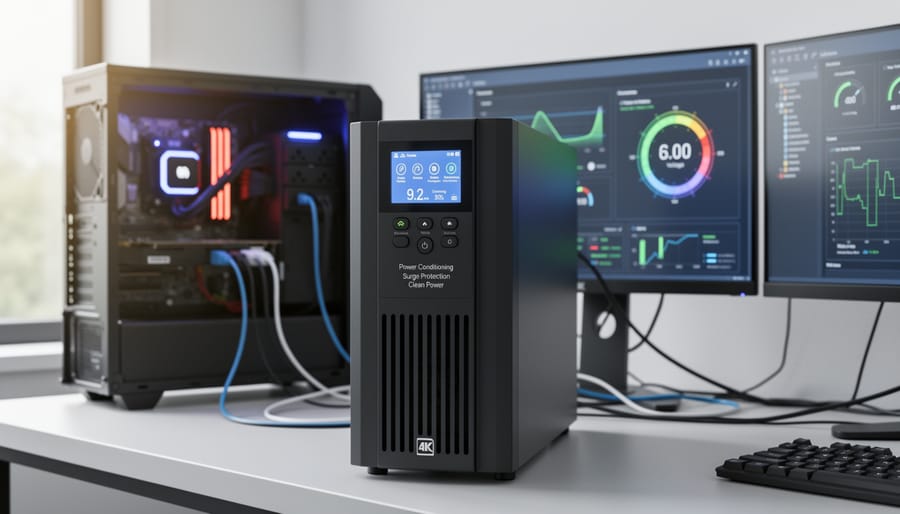
Why Photographers and Video Editors Should Care More Than Most
The Hidden Cost of ‘Dirty’ Power on Your Monitor’s Color Accuracy
Your high-end monitor might be lying to you, and “dirty” power could be the culprit. Power fluctuations create electrical noise that affects how your display’s backlight and processing circuitry operate, leading to subtle but measurable shifts in color accuracy over time.
Here’s what happens: voltage sags cause your monitor’s backlight to dim momentarily, while spikes stress the internal components that control color temperature and brightness uniformity. These fluctuations might be imperceptible in the moment, but they accumulate as wear on sensitive components. The result? Your carefully calibrated display gradually drifts from its baseline, meaning the edits you made last month might look different today, even if you haven’t recalibrated.
I’ve seen this firsthand in studio environments where photographers noticed their monitor’s color temperature shifting warmer after brownouts during summer months. The backlight LEDs were degrading unevenly due to inconsistent power delivery. Even high-quality displays aren’t immune because their sophisticated electronics demand stable, clean power to maintain precision.
The fix is straightforward: power conditioning through a quality UPS filters out electrical noise and regulates voltage, ensuring your monitor receives the consistent power it needs to maintain accurate color representation throughout its lifespan.
Storage Systems: Your Most Vulnerable Investment
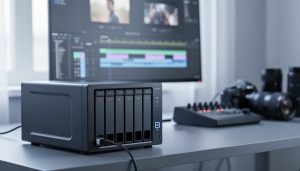
If you’re running a multi-drive storage system like a RAID array, NAS, or DAS setup, you’re sitting on the most power-sensitive component in your entire workflow. Here’s why: these systems write data across multiple drives simultaneously, and when power hiccups during a write operation, the consequences can be catastrophic.
Think of it this way. When you save that 200GB photo project to a RAID array, data is being striped across several drives at once. If power fluctuates mid-write, you’re not just risking corruption on one drive but potentially on multiple drives simultaneously. In RAID configurations, losing multiple drives means losing everything. I’ve heard from photographers who lost entire wedding seasons because a brief power surge during a backup operation corrupted their RAID parity data.
NAS systems are particularly vulnerable because they’re essentially small computers running 24/7. They maintain file systems, manage network connections, and constantly update metadata. An unexpected shutdown from dirty power can corrupt the file system itself, making everything stored there inaccessible even if the drives themselves are fine.
The worst part? These failures often happen silently. You might not know your RAID array has corrupted data until you actually need those files. By then, your backup might have already overwritten good data with corrupted versions. This is exactly why enterprise data centers never run storage systems without proper power conditioning. Your home studio deserves the same protection.

What to Look for in a UPS with Power Conditioning
Calculating Your Runtime Needs (Without the Math Headaches)
Here’s the good news: you don’t need to be an electrician to figure out what size UPS your workstation needs. The basic principle is straightforward – add up what your equipment uses, then give yourself breathing room.
Start by checking the power consumption of each device. Most computers, monitors, and external drives list their wattage on a label or in the specifications. If you only see amps listed, multiply that number by 120 (the standard voltage in North America) to get watts.
Let’s walk through a real example. Say you’re running a typical editing workstation with a desktop computer drawing 300 watts, two 27-inch monitors at 50 watts each, an external RAID array at 40 watts, and a few accessories like speakers and a desk lamp adding another 60 watts. That’s 500 watts total.
Now here’s the important part: UPS units are rated in VA (volt-amps), which is different from watts. To convert, divide your wattage by 0.6, which accounts for something called power factor. So 500 watts divided by 0.6 equals roughly 835 VA.
You’ll want a UPS rated at least 25 percent higher than your calculated need to avoid running it at full capacity, which shortens its lifespan. In this case, you’d look for a 1000 VA or 1500 VA unit. This overhead also gives you room to add equipment later without replacing your UPS.
Most manufacturers include load calculators on their websites if you want to double-check your math, but this simple formula gets you remarkably close to what you actually need.
Essential Features vs. Marketing Fluff
When shopping for a UPS to protect your editing workstation, you’ll encounter specifications that range from genuinely critical to pure marketing noise. Let’s cut through the confusion.
The non-negotiables are actually pretty straightforward. Automatic Voltage Regulation (AVR) is essential—this feature corrects minor power fluctuations without switching to battery, extending both battery life and protection. For editing workstations, pure sine wave output matters tremendously. Your power supply expects clean, smooth power, and cheaper “simulated” or “stepped” sine wave units can cause humming, reduced efficiency, or even damage sensitive components over time.
Response time is another real-world concern. Look for units that switch to battery power in under 4 milliseconds. Anything slower risks causing brief interruptions that modern power supplies might tolerate, but you don’t want to gamble with during a critical render.
Now for the fluff: ignore inflated joule ratings on surge protection—most quality UPS units provide adequate surge protection regardless. “Military-grade” components and “advanced circuitry” are marketing buzzwords without standardized meaning. Similarly, don’t get distracted by fancy LCD displays showing excessive detail; a simple battery status indicator is perfectly sufficient.
Connectivity features walk the line. USB monitoring is genuinely useful for automatic shutdowns, but smartphone apps and cloud monitoring are nice-to-haves, not essentials. Focus your budget on power capacity, true sine wave output, and AVR—these are the features that actually protect your equipment and prevent workflow disruptions when you’re deep into color grading at 2 AM.
When Online/Double-Conversion Makes Sense for Your Setup
Online or double-conversion UPS systems make the most financial sense when you’re running a mission-critical editing setup where even a millisecond of power interruption could corrupt hours of work. If you’re working with 4K or 8K RAW video files, managing a professional color grading suite, or running multiple high-end workstations simultaneously, the premium cost becomes justified insurance.
Consider this scenario: You’re a wedding photographer delivering multi-day edits on tight deadlines. A corrupted project file from a power hiccup could cost you days of rework and damage your professional reputation. In this case, spending $800-1500 on an online UPS protects not just your equipment but your livelihood.
Line-interactive models work perfectly well for most enthusiast photographers and single-workstation setups. They cost significantly less (typically $200-400 for comparable wattage) and handle 95% of power issues effectively. The switchover time is fast enough that modern power supplies bridge the gap without incident.
The tipping point comes down to three factors: the value of your time if work is lost, whether you’re running multiple connected systems that need perfectly synchronized power, and how frequently your local grid experiences power quality issues. If you experience weekly power fluctuations or your annual photography income exceeds $50,000, online UPS systems shift from luxury to sensible business investment.
Setting Up Your Power Protection System the Right Way
The Biggest Mistake Most People Make
Here’s the truth that catches many photographers off guard: the most common UPS failure isn’t a defective unit, it’s simple overloading. I’ve seen countless editing workstations go dark mid-render because someone plugged a laser printer into their UPS alongside their computer and monitors.
Laser printers are power vampires. While your high-end workstation might draw 300-400 watts during intensive editing, a laser printer can spike to 1,200-1,500 watts when warming up its fuser. That sudden surge overwhelms most consumer-grade UPS units, triggering an overload shutdown that defeats the entire purpose of having backup power.
The same goes for space heaters, coffee makers, and even some high-wattage studio lighting equipment. These devices shouldn’t share your UPS with critical equipment.
The solution is straightforward: calculate your actual power needs before purchasing. Add up the wattage of your computer, monitors, external drives, and any other essential gear. Then choose a UPS with at least 30% overhead capacity. For non-critical peripherals like printers, plug them into a separate surge protector instead. This approach ensures your editing workstation stays protected during power events while your printer simply waits until power returns, which is perfectly acceptable since you’re not printing during outages anyway.
Making Your UPS Smart: Automatic Shutdown Configuration
A UPS without monitoring is like having a smoke detector with no alarm. Most modern UPS units include USB or network connectivity that transforms them into intelligent guardians of your editing workstation.
Start by installing the manufacturer’s power management software, whether that’s APC’s PowerChute, CyberPower’s PowerPanel, or your unit’s equivalent. These applications communicate with your UPS in real-time, displaying battery charge, load percentage, and estimated runtime. Connect the USB cable from your UPS to your computer, and the software should detect it automatically.
The critical step is configuring automatic shutdown thresholds. I recommend setting your system to save open work and initiate a graceful shutdown when the UPS reaches 25% battery capacity or after 5 minutes of outage, whichever comes first. This gives your computer enough time to close applications properly, especially important when you’re working with large RAW file batches or complex layered edits that could corrupt if power cuts abruptly.
For photographers managing network-attached storage, configure your NAS to shut down before your workstation does. Most power management software allows you to schedule sequential shutdowns across multiple devices, ensuring your entire workflow remains protected without requiring you to be present during an outage.
Maintenance and When to Replace
Here’s something most people don’t realize until it’s too late: that UPS sitting under your desk isn’t a buy-it-and-forget-it device. Like the batteries in your camera gear, UPS batteries have a finite lifespan, typically between three to five years depending on usage and environmental conditions. Even more surprising, the entire unit itself has a limited service life, usually around ten years, after which the internal components can degrade and actually provide less protection than you think you’re getting.
The battery is your first maintenance concern. Most quality UPS units include self-testing features that run automatically, but you should manually test your system every few months. Simply unplug the UPS from the wall while your equipment is running. It should seamlessly switch to battery power without any interruption. Time how long it maintains power compared to the manufacturer’s specifications. If you’re getting significantly less runtime, or if the unit starts beeping more frequently during normal operation, it’s time for a battery replacement.
Watch for these warning signs: a persistent chemical smell, bulging battery compartments, or frequent false alarms. Many photographers learn this lesson the hard way during a critical export or backup operation. One colleague lost an entire day’s worth of culling work because his five-year-old UPS failed during what seemed like a minor power flicker. The battery had degraded so much it couldn’t handle even a brief switchover.
Temperature matters enormously. Keep your UPS in a cool, well-ventilated area. For every 15 degrees Fahrenheit above 77, you can cut battery life in half. That means keeping it away from heat-generating equipment or sunny windows.
Don’t wait for complete failure. Consider replacement batteries a scheduled expense every four years, and mark your calendar to evaluate the entire unit after eight years of service.
Your editing workstation represents more than just equipment—it’s the foundation of your creative livelihood. Every hour spent perfecting that landscape composite or meticulously color-grading a portrait series has value, and protecting that work shouldn’t be an afterthought. Power conditioning through a quality UPS isn’t simply insurance against the dramatic moment when the lights go out. It’s about safeguarding every project file, preserving the lifespan of your calibrated monitor, and ensuring that your expensive graphics card isn’t slowly degrading from voltage fluctuations you can’t even see.
Think of it this way: you wouldn’t shoot a paid wedding without backup memory cards, right? The same logic applies to your editing environment. Clean, consistent power means your hardware performs exactly as intended, your deadlines aren’t compromised by unexpected shutdowns, and that critical client delivery isn’t lost to a corrupted file.
So what’s your next move? Start by honestly assessing your current setup. Are you working from a basic power strip? Have you experienced any system crashes or unexplained restarts? Calculate the total wattage of your equipment—workstation, monitors, external drives, and peripherals. Research UPS models that offer true sine wave output and sufficient runtime for your needs, typically 10-15 minutes to save work and shut down properly. Read reviews from other creative professionals who share similar workflows. Your creative investment deserves protection that matches its value, and the peace of mind that comes with proper power conditioning is worth every penny.


 By
By