By
By 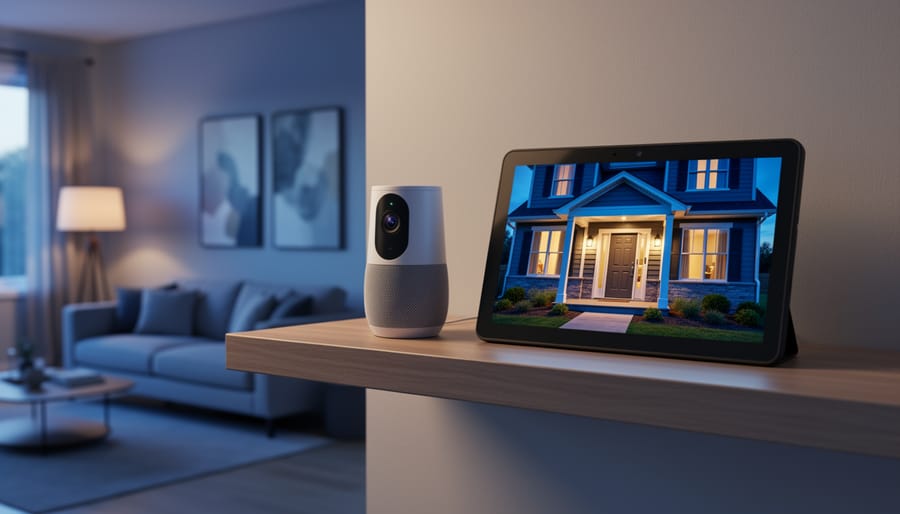
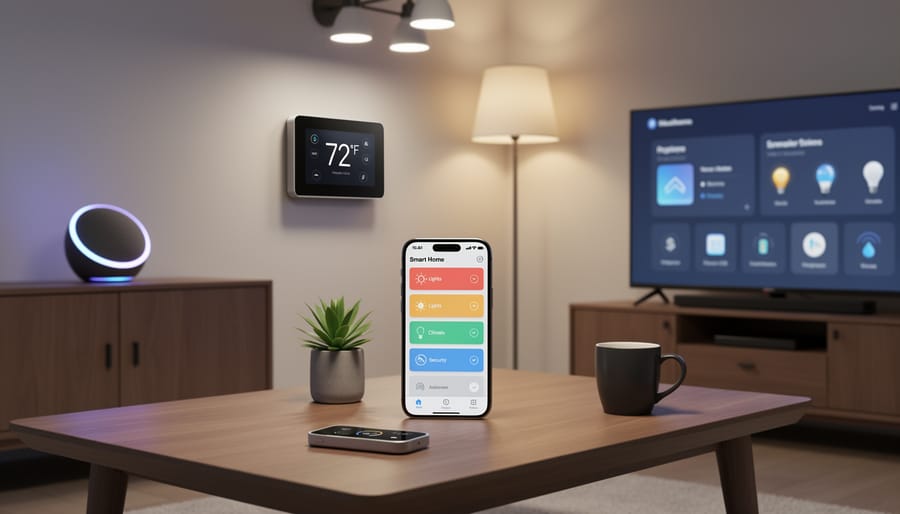
Connect your smart cameras to voice assistants like Amazon Alexa or Google Assistant first—this single integration unlocks hands-free control of live feeds on smart displays and lets you incorporate camera triggers into broader home routines. Most modern security cameras support this natively through their companion apps, requiring just a few minutes to link accounts and discover devices.
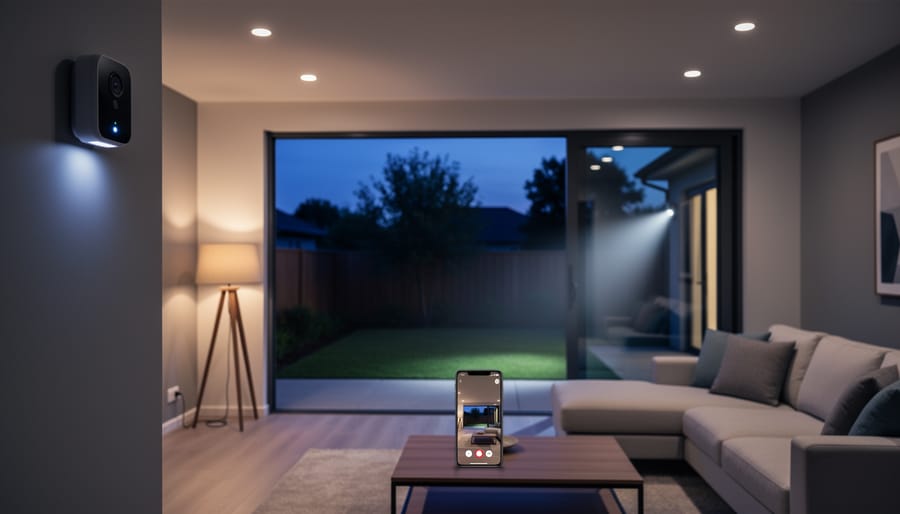
Build automation sequences that leverage your camera’s motion detection as a trigger for other smart devices. When your outdoor camera detects movement at night, automatically turn on porch lights, unlock specific doors for verified faces, or send snapshot notifications to your phone. These conditional workflows transform passive recording into an active security system that responds intelligently to real-world events.
Prioritize cameras with open API support or IFTTT compatibility when shopping for integration-friendly hardware. While proprietary ecosystems from Ring or Nest offer polished experiences, cameras supporting HomeKit, SmartThings, or Home Assistant provide greater flexibility for custom automations. Check compatibility matrices before purchasing—many photographers assume any “smart” camera integrates universally, but platform lock-in remains surprisingly common.
Test your integrated system’s image quality under automation scenarios, not just manual operation. Some cameras compress footage more aggressively when streaming to hubs or reduce resolution during voice-activated viewing. Run your automations at different times of day to verify night vision performance, motion sensitivity accuracy, and whether automated recording captures the detail you need for identifying faces or license plates—integration shouldn’t compromise the photographic capabilities that matter most.
Why Your Smart Camera Needs to Talk to Your Smart Home
Smart cameras are impressive on their own, but when they start communicating with the rest of your home automation ecosystem, they transform from simple recording devices into intelligent sentinels that actively respond to what they see. Think of it this way: a standalone camera is like having a security guard who can only observe and report, while an integrated smart camera is a guard who can also flip switches, lock doors, and orchestrate your entire home’s response to what’s happening.
The real magic happens in those everyday moments. Imagine you’re arriving home after dark with groceries in both hands. Your smart camera recognizes your car pulling into the driveway and automatically triggers your pathway lights, porch lights, and unlocks the front door as you approach. No fumbling for keys, no stumbling in the dark. This is integration working at its best, creating seamless experiences that feel almost anticipatory.
Motion detection becomes exponentially more powerful when it’s connected. Instead of simply recording every movement, your camera can distinguish between meaningful events and false alarms. When it detects motion at your front door during the day, it might just quietly capture footage. But that same motion at 2 AM? Your system could flood the area with light, send high-priority notifications to your phone, and even start recording on other cameras to capture multiple angles.
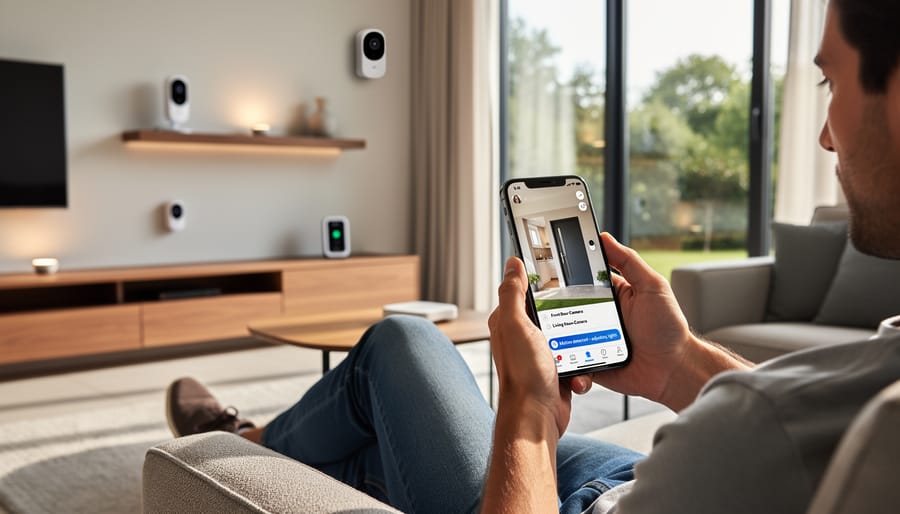
Integration also brings intelligent notification filtering, solving one of the biggest complaints about security cameras: alert fatigue. By connecting with other sensors and devices, your camera learns context. Motion detected while your smart lock shows someone just unlocked the door? Probably you or family members. Motion when everyone’s phone GPS shows you’re miles away? That’s worth an immediate alert. This contextual awareness reduces false alarms while ensuring you never miss what truly matters.
For photography enthusiasts, integration means capturing the perfect shot automatically. Your camera can trigger studio lighting when it detects movement in your home photography space, or adjust smart blinds to control natural light based on time of day.
Understanding the Integration Ecosystem
The Major Players: Platforms That Matter
When you’re ready to integrate your smart cameras into a home automation system, you’ll quickly discover that the landscape is dominated by a few major ecosystems. Each platform has its strengths, and understanding what they offer can help you make the right choice for your needs.
Google Home has become incredibly popular for camera integration, particularly because of its excellent voice control and visual display capabilities. If you own a Nest Hub or similar smart display, you can pull up camera feeds with a simple voice command. The platform works seamlessly with Nest cameras (naturally) but also supports numerous third-party options. The real strength here is Google’s AI-powered features like intelligent alerts that can distinguish between people, pets, and vehicles.
Amazon Alexa offers perhaps the widest compatibility among smart home integration companies and devices. Echo Show devices can display camera feeds, and Alexa’s routine capabilities let you create sophisticated automation scenarios. For instance, you might set your cameras to automatically start recording when your smart lock engages. Ring cameras integrate beautifully here, but Alexa plays well with dozens of other brands too.
Apple HomeKit takes a different approach, prioritizing privacy and security above all else. While the ecosystem is smaller, it offers end-to-end encryption and keeps your video data local when possible. HomeKit Secure Video is particularly impressive for privacy-conscious users. The catch? Fewer cameras support HomeKit compared to other platforms, though options from Logitech, Eufy, and others are available.
Samsung SmartThings rounds out the major players, offering robust automation capabilities and broad device compatibility. It’s especially strong if you’re already invested in Samsung products, though it lacks the voice assistant polish of its competitors. The platform excels at creating complex rules and triggers across multiple device types.
Behind the Scenes: Protocols and Standards
When you’re setting up cameras in your smart home ecosystem, understanding the underlying communication protocols can save you hours of frustration and ensure your equipment actually talks to each other. Think of these protocols as different languages your devices speak—and just like in real life, everyone needs to speak a common language to communicate.
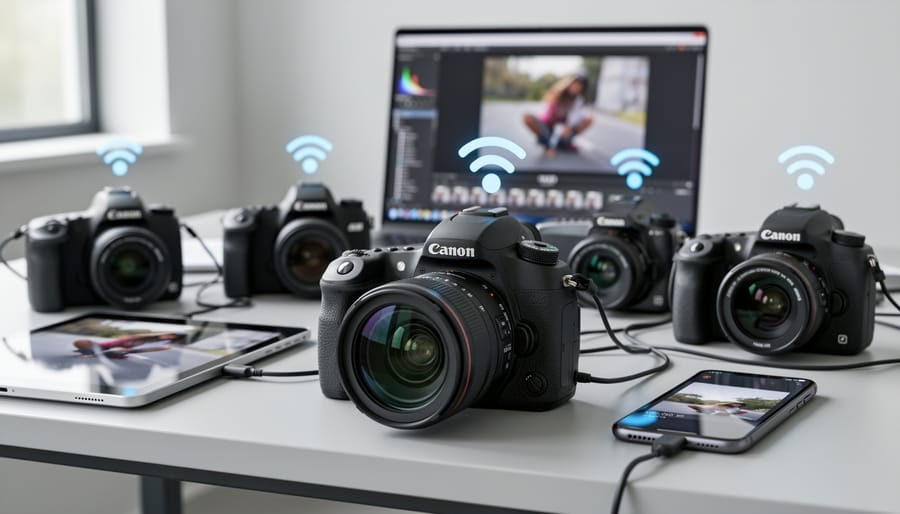
ONVIF, which stands for Open Network Video Interface Forum, is probably the most important standard for photographers to understand. It’s essentially a universal translator that allows cameras from different manufacturers to work with various recording and automation systems. If you see “ONVIF compliant” on a camera’s specifications, it means the device follows standardized rules for video streaming, device discovery, and control. In practical terms, this lets your Hikvision camera work seamlessly with your Synology NAS or Home Assistant setup, even though they’re from completely different companies.
RTSP, or Real-Time Streaming Protocol, is the actual method many cameras use to transmit video over your network. When you’re integrating a camera with your automation platform, you’ll often need to enter an RTSP URL—essentially the camera’s streaming address. For photographers, RTSP is valuable because it typically delivers higher quality streams with less compression than proprietary apps, preserving more of the image detail you care about.
Matter is the newest player on the field, designed to unify smart home devices across different ecosystems. While camera support is still emerging, Matter-certified devices promise plug-and-play compatibility between Apple HomeKit, Google Home, Amazon Alexa, and other platforms. This means less fiddling with settings and more time actually using your equipment.
When shopping for cameras, prioritize those supporting multiple protocols—particularly ONVIF and RTSP—as this flexibility ensures you won’t be locked into a single ecosystem and can adapt as your needs evolve.
What You Can Actually Do With Integrated Smart Cameras
Automated Lighting and Camera Coordination
Motion-activated lighting transforms your smart camera system from a passive recorder into an active security tool. When your camera’s motion detection triggers integrated smart lights, you create a powerful one-two punch: better-illuminated footage and a psychological deterrent that makes intruders think twice.
The key to effective automated lighting lies in understanding how your camera sees the scene. Position lights at 45-degree angles to your camera’s field of view rather than directly behind the camera. This creates dimensional lighting that reveals facial features and reduces harsh shadows that can obscure important details. Think of it like portrait photography—you want modeling light, not flat illumination.
Smart bulbs with adjustable color temperature offer surprising advantages. Set your outdoor lights to cool white (5000K-6000K) for security scenarios, which provides crisp detail and helps your camera’s sensor capture clearer images. Warmer temperatures might look pleasant but can introduce color casts that complicate post-event video analysis.
Timing matters too. Configure your system with a brief delay—maybe two seconds—between motion detection and light activation. This captures the intruder’s approach in existing light conditions, then floods the area, often catching their surprised reaction on camera. For wildlife photography enthusiasts using this setup around property borders, you’ll appreciate how this gradual lighting prevents completely startling your subjects while still providing adequate illumination for identification purposes.
Smart Notifications That Actually Matter
The real breakthrough in smart camera integration isn’t getting more notifications—it’s getting the right ones at the right time. Think about it: a notification that your driveway camera detected motion at 2 PM when you’re expecting a package delivery is useful. That same alert at 2 AM? That’s worth waking up for.
Context-aware filtering transforms your smart camera from an alert machine into an intelligent assistant. By connecting your camera to your home automation platform, you can create rules that consider multiple factors before sending notifications. For example, your front door camera might only alert you to motion when your smart lock shows the house is secured and your phone’s location indicates you’re away from home. Meanwhile, backyard motion during daytime hours when you’re home might trigger no alert at all, but the same activity after sunset could immediately notify you.
This approach dramatically reduces alert fatigue while ensuring you never miss what matters. You can set your garage camera to ignore your own car’s arrival based on your smartphone’s presence, but still notify you if motion occurs when nobody’s home. The system learns your routines and adapts accordingly, filtering the noise while amplifying genuine security concerns or important events you’ve specifically defined.
Creating Scenes and Modes
Scenes and modes transform your smart camera system from a collection of individual devices into a cohesive security solution. Think of them as one-click presets that adjust multiple cameras and connected devices simultaneously based on your daily routines.
A “home” mode might disable interior cameras for privacy while keeping outdoor cameras actively recording at standard resolution. Your doorbell camera could switch to immediate push notifications, while backyard cameras reduce sensitivity to avoid alerting you about the kids playing outside.
When you activate “away” mode, everything shifts into high alert. All cameras switch to maximum resolution and frame rates, motion detection sensitivity increases, and your system might trigger smart lights when movement is detected. Integration with door sensors ensures cameras start recording the moment a door opens, creating a comprehensive security timeline.
“Night” mode offers another practical setup. Exterior cameras can switch to high-sensitivity infrared recording, while indoor cameras monitoring sleeping children reduce their LED brightness to avoid disturbing sleep. Your system might also coordinate with smart lighting, keeping pathway lights dim enough for navigation but not bright enough to interfere with night vision recording.
Most platforms let you automate these modes using geofencing, triggering “away” mode when your phone leaves home, or schedule-based activation for predictable routines. The beauty lies in customization—adjust each scene until it matches your lifestyle perfectly.
Voice Control and Visual Displays
Voice control transforms how you interact with security cameras, making them genuinely hands-free. Instead of fumbling with your phone, you can simply say “Alexa, show me the front door” or “Hey Google, display the backyard camera” to instantly view feeds on smart displays or compatible TVs. This becomes incredibly practical when you’re cooking dinner and hear the doorbell, or when you’re putting kids to bed and want to check the driveway.
The real power emerges when you combine voice commands with automation routines. For instance, you can create a “goodnight” routine that verbally confirms when all cameras are armed and recording. Or set up a “who’s there” command that automatically displays your doorbell camera feed while announcing recent motion events.
Smart displays like the Echo Show or Google Nest Hub excel at showing camera feeds because they’re always accessible. Position one in your kitchen, and checking who’s at the door becomes as natural as glancing at the microwave clock. For photographers concerned about image quality, remember that these displays compress video feeds, so they’re perfect for quick checks but not for scrutinizing fine detail. When you need to examine footage closely, perhaps to identify a package thief or wildlife visitor, switch to your phone or computer where you can review the full-resolution recording.
Choosing Cameras That Play Well With Others
Must-Have Features for Integration
When shopping for smart security cameras and other automation devices, certain features separate truly integrated systems from glorified gadgets. Think of these as your compatibility checklist before making any purchase.
Start with protocol support. The best devices speak multiple languages, like Zigbee, Z-Wave, or Wi-Fi. Zigbee and Z-Wave create mesh networks where devices relay signals to each other, extending range throughout your home. Wi-Fi devices connect directly to your router, which is simpler but can crowd your network. Many photographers already deal with bandwidth-heavy workflows, so consider how camera feeds might impact your existing setup.
Look for devices explicitly compatible with major platforms like Amazon Alexa, Google Home, Apple HomeKit, or Samsung SmartThings. Real-world example: a doorbell camera that works with Alexa lets you view visitors on your Echo Show while editing in your home office, without reaching for your phone.
Cloud versus local processing matters too. Cloud-based systems offer convenience and remote access but require subscriptions and stable internet. Local processing keeps your data private and works during outages, though setup can be trickier.
Finally, check API availability if you’re technically inclined. Open APIs let advanced users create custom automations through platforms like Home Assistant or IFTTT, essentially future-proofing your investment as your needs evolve. This flexibility becomes invaluable when integrating specialized photography equipment into your smart home ecosystem.
Image Quality Vs. Smart Features
Here’s the reality that many photographers face when exploring smart cameras: there’s often a frustrating trade-off between exceptional image quality and robust smart home features. The cameras that excel at home automation integration rarely match the sensor size, dynamic range, or low-light performance of dedicated security cameras, let alone proper photography equipment.
Take the popular smart doorbell cameras, for instance. While they seamlessly connect to your smart home ecosystem and send instant notifications to your phone, their image quality typically maxes out around 2K resolution with heavily compressed video. The tiny sensors struggle in challenging lighting conditions, producing grainy footage exactly when you need clarity most. Compare this to a dedicated outdoor security camera without smart features, and the difference becomes immediately apparent.
On the flip side, some manufacturers are starting to bridge this gap. Certain higher-end smart security cameras now incorporate larger sensors and better optics while maintaining full integration with platforms like Google Home or Amazon Alexa. These represent the game-changing photo gadgets in the smart home space, though they command premium prices.
The key is understanding your priorities. If you’re primarily monitoring package deliveries or checking who’s at the door, the convenience of smart features might outweigh image quality concerns. However, if you’re documenting wildlife in your backyard or capturing detailed footage for security purposes, you’ll want to invest in systems that prioritize optical performance alongside their automation capabilities.
Setting Up Your First Camera Automation
Let’s walk through creating your first camera automation—a simple yet genuinely useful setup that will demonstrate the power of integration while teaching you fundamental concepts.
We’ll create a classic automation: motion-detected recording with smart lighting. When your camera detects movement in a specific zone during evening hours, it triggers recording and turns on pathway lights. This addresses real security needs while showcasing how different devices communicate.
Start by defining your trigger clearly. Most camera systems let you create detection zones—virtual boundaries within the camera’s field of view. Draw your zone to exclude areas with frequent false triggers like swaying trees or busy streets. Think critically about what movement actually matters in that space. A common pitfall here is making zones too broad, which floods your system with unnecessary notifications and recordings.
Next, establish your conditions. These are the “if-then” qualifiers that refine when your automation runs. Set time parameters—perhaps only between sunset and sunrise, or specific hours like 8 PM to 6 AM. Many systems can reference actual sunset times rather than fixed hours, which automatically adjusts seasonally. This prevents your lights from triggering during afternoon deliveries when they’re unnecessary.
Now configure your actions. Beyond starting recording, consider what else should happen. Smart lights near the detected area can illuminate automatically, both deterring intruders and improving your camera’s image quality in low light. You might also send a notification to your phone, but be selective—notification fatigue is real.
Here’s a crucial concept: add delays strategically. If someone walks through your detection zone briefly, you don’t want lights shutting off immediately when they exit. Build in a five-minute delay before lights turn off, giving adequate coverage time.
Test extensively during setup. Walk through the zone yourself at different speeds and angles. Review the footage quality, notification timing, and light behavior. Adjust detection sensitivity if you’re getting false triggers from insects near the lens or headlights from passing cars.
Remember, effective automations solve specific problems without creating new annoyances through over-automation.
Common Integration Challenges (And How to Fix Them)
Even the most promising smart home setup hits a few speed bumps. Let’s walk through the challenges you’ll likely face when integrating cameras into your automation system, along with real solutions that actually work.
Connection dropouts plague many users, especially with Wi-Fi cameras placed far from routers. Your camera might work fine for days, then mysteriously go offline. The fix isn’t always sexy: start by checking your router’s 2.4GHz band settings, as many cameras can’t use 5GHz networks. If distance is the issue, a mesh Wi-Fi system or dedicated access point near your cameras often solves the problem completely. I’ve seen photographers install outdoor cameras for property monitoring, only to discover their metal-sided garage acts as a signal blocker. Sometimes the solution is as simple as repositioning your router or adding a single mesh node.
Lag between motion detection and recording frustrates everyone. You want to catch the delivery person, not just their shadow disappearing from frame. This usually traces back to insufficient bandwidth or processing delays in your hub. Prioritize camera traffic in your router’s Quality of Service settings, and consider whether your hub is overloaded with too many simultaneous automations. Cloud-dependent systems inherently lag more than local processing, which is worth considering during initial setup.
Incompatibility issues between brands remain surprisingly common despite industry standards. Your camera works perfectly standalone but refuses to trigger your smart lights. The workaround often involves using your hub’s native automations rather than each device’s individual app. IFTTT or similar services can bridge stubborn compatibility gaps, though they add another layer of complexity.
Privacy concerns deserve honest attention. Smart cameras connected to automation systems create more potential access points for security breaches. Use strong, unique passwords for every device, enable two-factor authentication wherever available, and regularly update firmware. Consider whether you truly need cloud storage or if local recording meets your needs. The convenience of integration shouldn’t come at the cost of your family’s privacy.
Home automation integration with smart cameras isn’t a necessity for everyone, and that’s perfectly okay. If you’re happy manually checking your camera feeds or simply want a dedicated security system without the bells and whistles, there’s nothing wrong with keeping things simple. But for those willing to experiment, the practical benefits are genuinely compelling. Imagine your camera detecting a package delivery and automatically sending you a photo, or your porch light triggering when motion is detected at dusk. These aren’t futuristic fantasies—they’re achievable today with relatively straightforward setups.
The beauty of home automation is that you don’t need to dive in headfirst. Start with a single camera and one automation rule. Maybe it’s turning on your hallway light when motion is detected at night, or receiving alerts only when you’re away from home. Test it, refine it, and expand when you’re comfortable. This incremental approach helps you learn what actually adds value to your daily routine versus what sounds cool but rarely gets used.
Real-world example: A photographer friend started with just his doorbell camera linked to smart notifications. Six months later, he’d expanded to automated workshop lighting triggered by camera motion, saving energy while ensuring he never walked into a dark studio with equipment in hand.
Looking ahead, the integration between cameras and smart home systems will only deepen. As artificial intelligence becomes more sophisticated and the future of photography unfolds, expect cameras that recognize specific people, understand context better, and integrate more seamlessly with your entire digital ecosystem. The foundation you build today positions you perfectly for tomorrow’s innovations.



 By
By