By
By 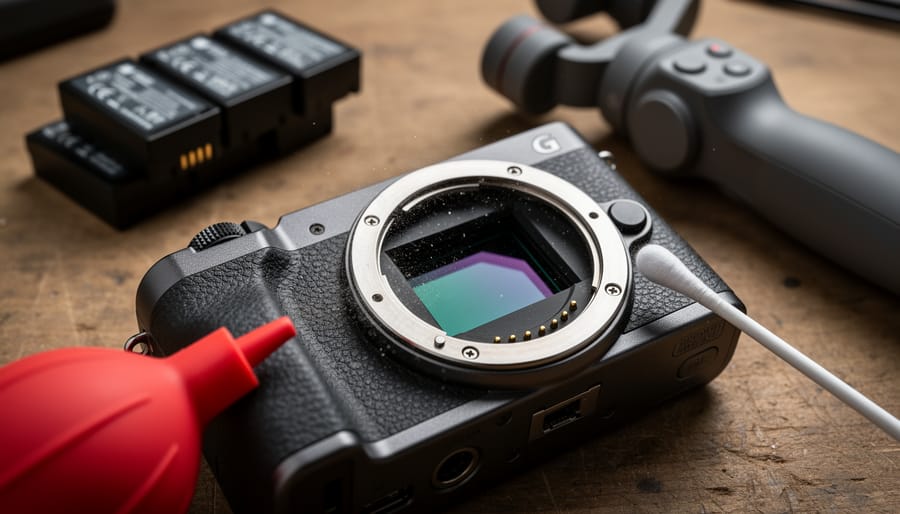
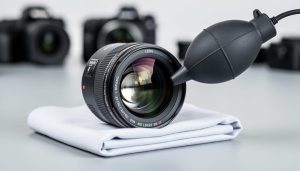
Inspect your camera’s sensor and heat vents after every extended recording session, especially when shooting 4K or higher resolutions. Unlike traditional photography where cameras cool between shots, continuous video recording generates sustained heat that accelerates dust accumulation in ventilation systems and can degrade sensor performance over time. Use a handheld blower to clear vents monthly and schedule professional sensor cleanings every six months if you’re a regular video shooter.
Clean lens contacts and focusing mechanisms weekly when using autofocus for video work. The constant micro-adjustments required during video recording place significantly more stress on lens motors than occasional photo bursts. A cotton swab lightly dampened with isopropyl alcohol removes the contact oxidation that causes erratic focusing behavior, while compressed air clears debris from zoom and focus rings before it damages internal gearing.
Cycle your batteries completely at least once monthly to maintain capacity. Video work drains batteries faster and more consistently than photography, creating memory effect issues in lithium-ion cells. Mark your batteries with purchase dates and rotation schedules to ensure even wear across your battery ecosystem, replacing any that show capacity drops below 80 percent of their original runtime.
Test gimbal motors and stabilizer bearings before critical shoots by running them through full range-of-motion exercises. The continuous operation required for smooth video footage wears down motorized components faster than occasional use. Listen for grinding sounds, check for resistance in movements, and apply manufacturer-recommended lubricants to pivot points quarterly. Your investment in professional video equipment deserves preventive care that matches its workload.
Why Video Equipment Needs Different Care Than Still Photography Gear
If you’ve ever noticed your camera getting noticeably warm during a long video shoot, you’ve already experienced the fundamental difference between still and video photography. While your camera might capture a still image in 1/250th of a second, video recording means that sensor is working continuously for minutes or even hours at a time. This sustained operation creates stress factors that simply don’t exist in traditional photography.
Think about heat buildup, for instance. When you’re shooting stills, even during a busy wedding or event, your camera sensor activates in brief bursts. Between shots, it cools down. Video work eliminates those recovery periods. The sensor generates constant heat, which can affect image quality, trigger thermal shutdowns, and potentially shorten the lifespan of internal components. This heat doesn’t just affect the sensor either—it radiates throughout the camera body, impacting processing chips and other electronics.
Power consumption follows a similar pattern. Recording 4K video for thirty minutes drains batteries at rates that would take hundreds of still images to match. Your batteries aren’t just depleting faster; they’re experiencing deeper discharge cycles and greater thermal stress, which affects their long-term capacity and reliability.
Then there’s the mechanical wear on autofocus motors. During video recording, these motors work continuously to maintain focus, especially if you’re tracking moving subjects. Compare this to still photography, where the motor engages briefly for each shot. It’s the difference between doing one push-up versus holding a plank position—both are exercise, but the sustained effort creates different demands.
Data writing presents another challenge. Your memory cards are constantly recording streams of information rather than writing individual files with breaks in between. This sustained write activity generates heat and accelerates wear on the card’s memory cells.
These unique stresses mean video equipment requires different maintenance approaches and, often, more comprehensive camera gear insurance coverage. Understanding these differences is the first step toward keeping your video equipment performing reliably for years to come.
Camera Bodies: Keeping Your Video Workhorse Running
Managing Heat and Ventilation
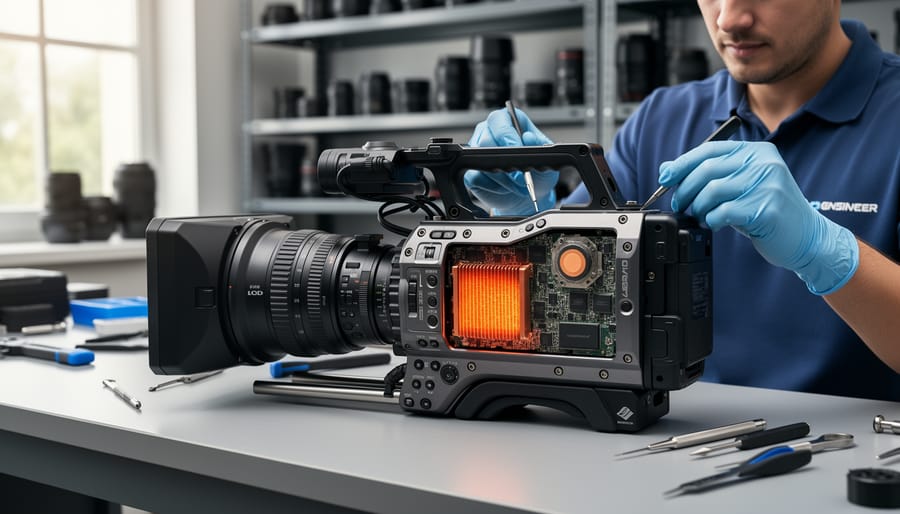
Video cameras generate significantly more heat than still photography cameras because the sensor and processor run continuously during recording. Understanding how to manage this heat is essential for maintaining your equipment’s longevity and preventing frustrating mid-shoot shutdowns.
First, recognize the warning signs of overheating. Most modern cameras display a temperature icon before automatically shutting down, but you might also notice decreased battery life, unexpected autofocus hunting, or reduced frame rates. If you’re shooting in 4K or higher resolutions, especially in warm environments, these symptoms can appear within 20-30 minutes.
Prevention starts with simple habits. Avoid leaving your camera in direct sunlight between takes, even for a few minutes. The black body absorbs heat rapidly, and that greenhouse effect inside your camera bag can push internal temperatures dangerously high. During breaks, remove the battery and open the battery door to allow heat to dissipate more effectively.
Air vents are your camera’s cooling system, yet they’re often overlooked during cleaning. Check the vents monthly, especially after outdoor shoots. Use a rocket blower to gently remove dust and debris, holding the camera with vents facing downward so particles fall away rather than deeper inside. Never use compressed air cans, as the propellant can leave moisture residue.
Storage practices matter tremendously. Store cameras in climate-controlled environments away from heating vents or windows. After shooting in cold conditions, place your gear in a sealed plastic bag before bringing it indoors. This prevents condensation from forming inside the camera body as it warms up, which can cause corrosion and sensor damage over time.
Sensor and Internal Component Care
Continuous video recording generates considerably more heat than still photography, which can accelerate dust accumulation on your sensor as internal air currents shift. You’ll likely notice this if you’re shooting long interviews or event coverage—those tiny spots that appear across your footage are often heat-driven dust migration rather than contamination from lens changes alone.
For most hybrid shooters, professional sensor cleaning every 6-12 months makes sense, especially if you’re regularly shooting video in dusty environments like outdoor events or construction sites. Between professional cleanings, you can use a rocket blower for visible dust, but avoid wet cleaning methods unless you’re trained—sensor coatings on modern cameras are delicate, and video work often means you’re relying on that same camera body for paid work where you can’t afford downtime from accidental damage.
During active shoots, protect your internals by adopting the “body down” rule: when changing lenses, point the camera mount downward so gravity works in your favor. Keep a body cap handy and make switches quickly but deliberately. If you’re on a multi-day production, designate specific lenses for each camera body to minimize how often you’re exposing the sensor. For run-and-gun documentary work where lens changes are frequent, consider investing in a second body—it’s not just about backup redundancy, but genuinely reducing the exposure risk to your primary camera’s internals.
Port and Connection Maintenance
Video work means constantly plugging and unplugging cables, and those ports take a beating. I’ve seen cameras with loose HDMI ports that interrupt recording at the worst moments, so prevention is key.
Start with the basics: never force connections. HDMI ports, especially the mini and micro varieties on cameras, are fragile. When connecting cables, support the port area with your other hand to prevent stress on the internal connection. Always grip the connector, not the cable itself, when disconnecting.
Consider using port savers for frequently used connections. These L-shaped adapters stay permanently attached to your camera, taking the wear instead of your camera’s actual port. They’re inexpensive insurance against costly repairs.
Keep ports clean using compressed air to remove dust before each shoot. Pocket lint and debris are common culprits behind intermittent connections. For microphone and headphone jacks, use a flashlight to inspect for buildup that might prevent proper contact.
Cable management matters too. Use cable clips or Velcro straps to secure cables to your rig, preventing tugs from reaching the ports directly. This simple step dramatically extends port life, especially on gimbals and shoulder rigs where cables move constantly.
Finally, designate specific cables for critical connections rather than swapping frequently. This reduces insertion cycles and helps you quickly identify a faulty cable versus a port issue when problems arise.
Lenses: Protecting Your Glass Investment
Autofocus Motor and Stabilization Systems
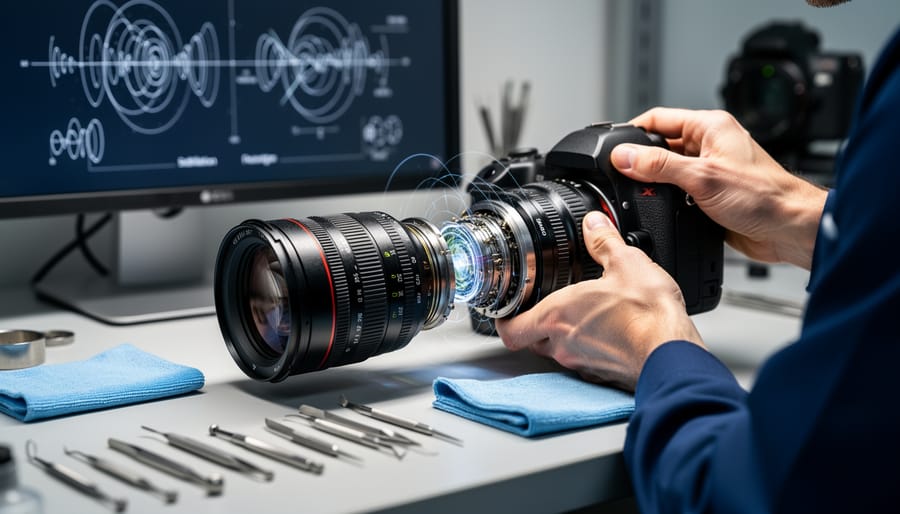
Video recording puts your camera’s autofocus motors through a serious workout. Unlike still photography where the motor engages momentarily for each shot, video demands continuous focus adjustments, sometimes for hours at a stretch. This constant activity can lead to premature motor wear, particularly in lenses not specifically designed for video work.
The telltale signs of motor degradation often appear gradually. You might notice your autofocus becoming slower to respond or hunting more frequently before locking focus. Some lenses develop a faint clicking or grinding sound during focus pulls, which is your early warning system signaling trouble ahead. If you hear these noises, it’s time to reduce the workload on that lens and consider a service check.
Image stabilization systems face similar challenges during extended video sessions. These gyroscopic systems were originally engineered for brief bursts of stabilization during still captures, not the prolonged activation required for long video takes. Running stabilization continuously can generate heat within the lens mechanism and drain batteries faster than you’d expect.
To extend the lifespan of these systems, consider using external stabilization solutions like gimbals or tripods for static shots, reserving in-lens stabilization for handheld work when you truly need it. When shooting on a tripod, disable your stabilization entirely since the system can actually introduce micro-movements while trying to compensate for motion that isn’t there.
Regular breaks during intensive shooting sessions give motors time to cool down and reset. Think of it like giving your equipment a breather between rounds. For professional work where equipment failure isn’t an option, rotating between multiple lenses during long shoots distributes the mechanical stress and reduces the likelihood of mid-project failures.
Cleaning Without Compromising Coatings
Video lenses often feature sophisticated multi-layer coatings that reduce flare, improve contrast, and protect against the elements. These delicate surfaces demand careful cleaning to maintain optical performance throughout long shooting days.
The golden rule is to clean only when necessary. During active shoots, resist the urge to wipe away every minor dust particle. Instead, keep a rocket blower handy for quick dust removal between takes. For fingerprints and smudges that actually affect your footage, use a two-step approach: first blow away loose particles, then gently use a clean microfiber cloth in a circular motion from the center outward. Pre-moistened lens wipes designed for coated optics work well for stubborn marks, but avoid generic cleaning solutions that might strip protective layers.
Here’s a practical tip from the field: designate one microfiber cloth exclusively for emergency cleaning during shoots, and keep it in a sealed bag to prevent contamination. Save thorough cleaning sessions for after you’ve wrapped.
Weather-sealed lenses require special attention around gasket areas. When wiping the rear element or mount, use minimal pressure near sealing rings to avoid displacing them. After shooting in challenging conditions like rain or dusty environments, inspect these areas closely. A cotton swab lightly dampened with distilled water can safely clean around weather sealing without compromising its integrity.
Never use compressed air cans, which can spray propellant onto coatings and potentially damage internal elements through excessive pressure. Stick with manual blowers for the safest results.
Memory Cards and Storage: Your Footage’s Lifeline
Preventing Write Failures and Data Loss
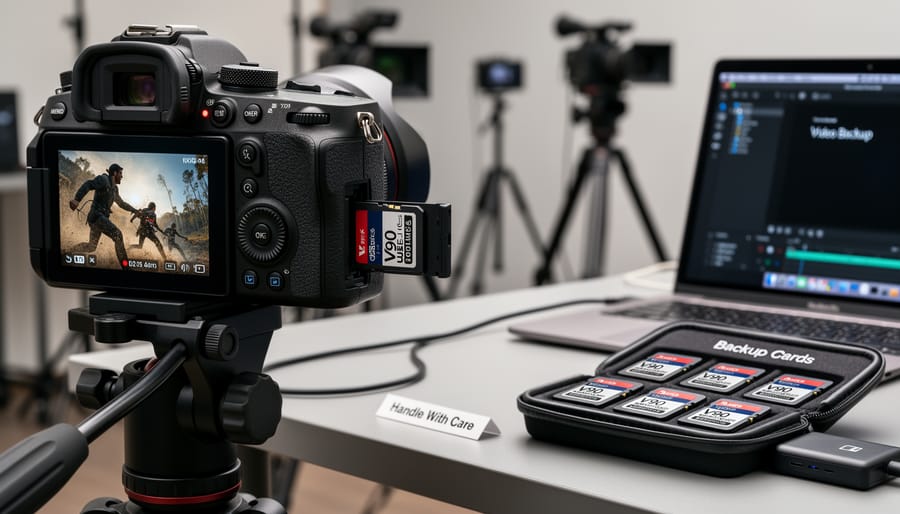
Video work puts extraordinary stress on memory cards, writing thousands of consecutive frames at high bitrates. Unlike photography where you might shoot bursts intermittently, video recording demands sustained performance that can quickly degrade cards and lead to catastrophic data loss.
Start fresh with proper formatting. Always format cards in-camera rather than on your computer, as this optimizes the file system for your specific camera’s architecture. Before important shoots, reformat cards even if they appear empty—this clears any corrupted file fragments that might cause write errors mid-recording.
Learn to recognize the warning signs of failing cards. If you notice longer-than-usual write times after stopping recording, files that won’t play back properly, or your camera displaying “card error” messages (even briefly), retire that card immediately. Don’t wait for complete failure. I learned this the hard way after losing an entire wedding ceremony because I ignored intermittent error messages the week before.
For heavy-use scenarios like multicam shoots or documentary work, implement a rotation schedule. Professional cards are typically rated for specific write cycles—often around 10,000 hours of recording. Track your usage and retire cards before reaching these limits. Many videographers mark cards with purchase dates and rotate them after 18-24 months of regular use.
Maintain optimal write speeds by avoiding extreme temperatures during recording. Heat degrades write performance noticeably, so if shooting in warm conditions, allow cards to cool between takes when possible. Keep cards in protective cases when not in use, and never remove cards while your camera is still processing—wait for all indicator lights to fully extinguish.
Physical Card Care and Storage
Memory cards may be small, but they’re workhorses that deserve proper care. The metal contacts on your SD or CFexpress cards are surprisingly delicate—oils from your fingers can create a barrier that interferes with data transfer speeds, which is particularly problematic during high-bitrate video recording. Make it a habit to handle cards by their edges, and if you notice any residue on the contacts, gently clean them with a microfiber cloth or isopropyl alcohol on a cotton swab.
Storage matters more than most people realize. Those plastic cases your cards came in aren’t just packaging—they protect against static discharge and physical damage. Between shoots, keep cards in their cases and store them in a cool, dry location. Extreme temperatures are memory cards’ worst enemy. I learned this the hard way when a card left in my car during summer became corrupted. Ideally, maintain storage temperatures between 32-85°F and relative humidity below 85%.
Static electricity can silently corrupt data, especially in dry winter conditions. Before inserting a card, touch a grounded metal surface to discharge any static buildup. When traveling, consider a dedicated card wallet with anti-static properties rather than loose cards rattling around in your camera bag.
Batteries and Power Systems Under Video’s Demands
Battery Conditioning and Cycle Management
Video work puts batteries through their paces differently than stills photography. Those extended recording sessions mean deeper discharge cycles and more heat buildup, which accelerates wear if you’re not managing your battery health proactively.
For optimal longevity, avoid completely draining lithium-ion batteries whenever possible. The sweet spot is keeping them between 20-80% charge during regular use. When you’re done shooting, charge batteries to about 60% for storage rather than topping them off to 100%. This storage voltage minimizes chemical stress inside the cells and can literally double their lifespan. I learned this the hard way after storing fully charged batteries for three months between projects and watching their capacity drop noticeably.
Pay attention to performance degradation signals. If a battery that once powered 90 minutes of 4K recording now barely manages 45 minutes, or if it feels unusually warm during normal use, it’s telling you something. Modern cameras often display cycle counts and battery health status in their menus, which provides concrete data rather than guesswork.
Temperature matters significantly. Cold weather reduces capacity temporarily, while heat causes permanent damage. Never charge hot batteries immediately after intensive use. Let them cool to room temperature first.
As a practical rule, retire batteries when they reach 60-70% of their original capacity. Using degraded batteries during critical shoots is penny-wise but pound-foolish. Keep retired batteries as emergency backups, clearly labeled to avoid confusion. Professional videographers typically replace batteries every 300-500 charge cycles, though actual lifespan depends heavily on how well you’ve conditioned them throughout their working life.
External Power Solutions Care
Video shoots demand reliable power, often for extended periods, making external power solutions essential—but also vulnerable to wear. V-mount batteries, those workhorses of professional video production, need regular contact cleaning to maintain optimal performance. Use a soft, dry cloth to wipe the battery contacts monthly, and inspect for any signs of corrosion or damage. Store V-mount batteries at around 50-60% charge when not in use for more than a few weeks, and always in a cool, dry environment away from direct sunlight.
Dummy battery adapters, which allow you to power cameras from external sources, deserve special attention at their connection points. These adapters experience constant stress from cable weight and movement during shoots. Check the DC barrel connector and camera battery terminal regularly for looseness or wear. A failing connection can cause voltage drops that corrupt footage or damage your camera’s power regulation circuitry.
For portable power stations, keep ventilation ports clear of dust using compressed air, and verify that all output ports are functioning correctly before critical shoots. Cable management isn’t just about aesthetics—it protects your investment. Use velcro straps rather than zip ties to secure power cables, allowing flexibility without creating stress points. Coil cables loosely when storing, never wrapping them tightly around adapters or battery plates, which can damage internal wiring over time. Inspect cables monthly for any fraying near connectors, replacing them immediately if compromised.
Gimbals, Stabilizers, and Motorized Equipment
Motor and Bearing Maintenance
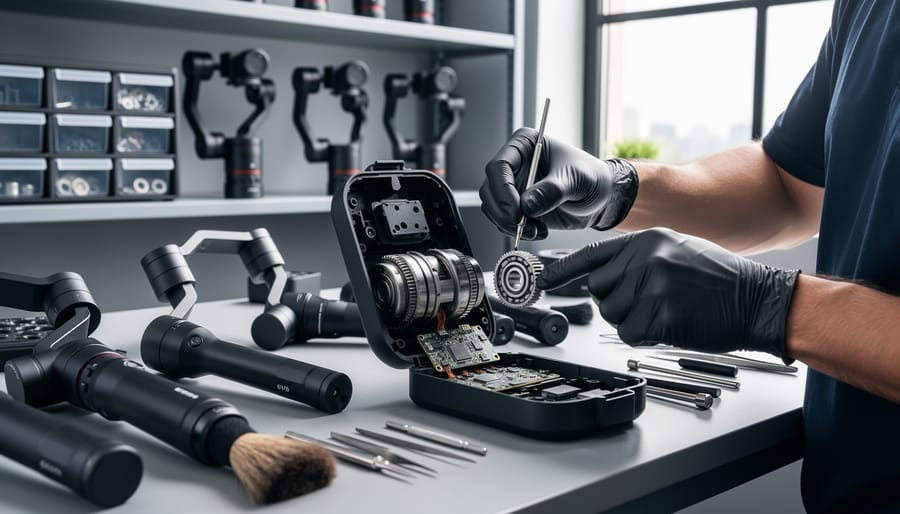
Gimbal motors and bearings are the unsung heroes of smooth video footage, but they’re surprisingly vulnerable to performance degradation without proper care. Think of them like the engine in your car—regular maintenance prevents expensive repairs down the road.
Start by inspecting motor housings after each significant shoot, especially if you’ve been working in dusty or humid conditions. Use compressed air to gently remove debris from motor vents and bearing assemblies, keeping the can upright and using short bursts to avoid moisture buildup. Never spray directly into motor openings at close range, as this can force particles deeper into sensitive components.
For bearing maintenance, apply a tiny amount of synthetic lubricant designed specifically for precision instruments every 3-6 months, depending on usage frequency. We’re talking about a droplet the size of a pinhead—over-lubrication attracts dust and creates more problems than it solves. Always consult your gimbal’s manual for approved lubricant types, as some manufacturers void warranties if incompatible products are used.
Balance calibration deserves attention too. Even if your gimbal features auto-calibration, perform a manual check monthly. Environmental factors like temperature changes and normal wear can throw off these settings incrementally. Most gimbals include calibration routines in their companion apps—spending five minutes on this simple task prevents the motors from working overtime to compensate for imbalance, which extends their operational lifespan considerably.
Electronic Component Protection
Video gear contains sophisticated electronics that need extra attention beyond basic cleaning. Moisture is your biggest enemy here—even small amounts of condensation can wreak havoc on circuit boards and sensors. When moving equipment between temperature extremes, like from an air-conditioned room to humid outdoor locations, seal your gear in airtight bags and let it acclimate gradually for at least 30 minutes. I learned this the hard way after condensation formed inside my viewfinder during a beach shoot.
Storage position matters more than most people realize. Always store cameras with battery grips or external recorders disconnected to prevent phantom drain that can corrode contacts. Keep cameras upright on shelves rather than stacked horizontally—this reduces pressure on internal components and allows any residual moisture to escape through ventilation points.
Don’t overlook firmware updates. Manufacturers regularly release updates that fix bugs, improve autofocus performance during video recording, and enhance thermal management. Set a quarterly reminder to check for updates across all your video bodies, lenses with electronic components, and external monitors. These updates often include critical fixes for known issues discovered after release, and staying current can prevent frustrating failures during paid shoots.
Audio Equipment: The Forgotten Half of Video
Microphone Care and Storage
Condenser microphones are particularly sensitive to environmental conditions, making proper care essential for consistent performance. Moisture is their biggest enemy—it can damage the delicate diaphragm and internal electronics. Always store your microphones in a dry, climate-controlled environment, and if you’ve been shooting in humid conditions or cold weather (where condensation can form when bringing gear indoors), let them acclimate in a sealed container with silica gel packets before storing them away.
Shock mounts require regular inspection since the elastic bands or suspension cables deteriorate over time. Check for visible wear before each shoot—loose or stretched bands won’t effectively isolate vibrations. Replace them annually if you’re using your gear regularly, or sooner if you notice reduced isolation performance.
Windscreens and dead cats accumulate dirt, dust, and moisture that can affect sound quality. Hand wash foam windscreens monthly with mild soap and lukewarm water, squeezing gently rather than wringing. Let them air dry completely before reattaching. Furry windscreens need gentle brushing to remove debris and occasional washing following manufacturer guidelines.
Cable management extends microphone longevity significantly. Never wrap cables tightly around the microphone body or coil them in small loops—this stresses the internal wiring at connection points. Use the over-under coiling technique, and store cables loosely to prevent permanent kinks that create intermittent connections.
Recorder and Preamp Maintenance
Audio recorders might not generate heat like cameras, but they face their own maintenance challenges. The input jacks take the most abuse during rushed productions when you’re constantly plugging and unplugging lavalier mics or shotgun cables. Make it a habit to inspect these jacks monthly for bent pins or debris, and always insert cables straight rather than at an angle to prevent wear. A blast of compressed air keeps dust from accumulating inside the ports.
Phantom power circuits require special attention since they’re constantly energized when powering condenser microphones. Always turn phantom power off before connecting or disconnecting microphones to prevent damaging pops that can harm both the mic and the preamp circuit. If you notice crackling or intermittent audio, this often indicates dirty potentiometers or failing capacitors in the phantom power supply, which typically requires professional service.
Clean your recorder’s exterior with a slightly damp microfiber cloth, avoiding moisture near any openings. Store recorders in protective cases with silica gel packets, especially in humid environments where moisture can corrode internal circuitry. Finally, run periodic test recordings at various gain levels to catch performance degradation early, before it compromises an important shoot.
Creating a Video Gear Maintenance Schedule
Creating a sustainable maintenance schedule is easier than you might think—it’s really about building habits that become second nature. The key is breaking tasks into manageable chunks rather than facing an overwhelming annual deep-clean that you’ll keep postponing.
Start with your daily routine, which should take just five minutes after each shoot. Wipe down your camera body and lenses with a microfiber cloth, paying special attention to the LCD screen and viewfinder. Check your battery contacts for dust or debris, and format your memory cards once you’ve backed up your footage. These small actions prevent the accumulation of grime that can lead to costly repairs down the line.
Your weekly schedule should include a 15-minute inspection session. Test all your cables for wear, especially those frequently coiled and uncoiled like HDMI and audio cables. Check your tripod or gimbal for loose screws and apply a drop of lubricant to any moving parts that feel sticky. Inspect your camera’s sensor using the built-in cleaning function, and examine lens mounts for any signs of wear or misalignment.
Monthly maintenance requires about 30 minutes and involves deeper care. Fully discharge and recharge all your batteries to maintain their health. Clean sensor spots using a proper wet-cleaning method if necessary, or have it professionally serviced. Organize your gear bag, checking for forgotten items that might have become damaged. Update firmware on all your devices—cameras, gimbals, and audio recorders—to ensure optimal performance and compatibility.
For those just starting out, whether renting professional video gear, buying pre-owned equipment, or exploring equipment exchange platforms, establishing these routines early protects your investment from day one. Set calendar reminders until these checks become automatic—your future self will thank you when your gear performs flawlessly during that critical client shoot.
Your video photography equipment represents a significant investment, and how you care for it today directly impacts its performance tomorrow. The reality is that maintenance isn’t just about keeping your gear looking pristine—it’s about preventing those heart-stopping moments when a camera overheats mid-interview or a gimbal motor fails during a wedding ceremony. These aren’t hypothetical scenarios; they’re expensive lessons learned by videographers who put off routine care.
The good news? You don’t need to become a certified technician or dedicate hours each week to equipment maintenance. Even basic practices—cleaning your sensor quarterly, checking battery health monthly, or simply storing gear properly after each shoot—create a protective barrier against the accelerated wear that video work demands. Think of it like changing your car’s oil: small, consistent actions that prevent catastrophic failures.
Beyond reliability, there’s a compelling financial argument. Well-maintained equipment retains significantly higher resale value, sometimes 20-30% more than neglected gear showing the same amount of use. When you’re ready to upgrade, that difference can fund a substantial portion of your next purchase.
Start today with whatever maintenance you’ve been postponing. Clean that dusty lens, update your camera firmware, or simply reorganize your storage system. Your future self—and your clients—will thank you when your equipment performs flawlessly when it matters most.




 By
By