By
By 
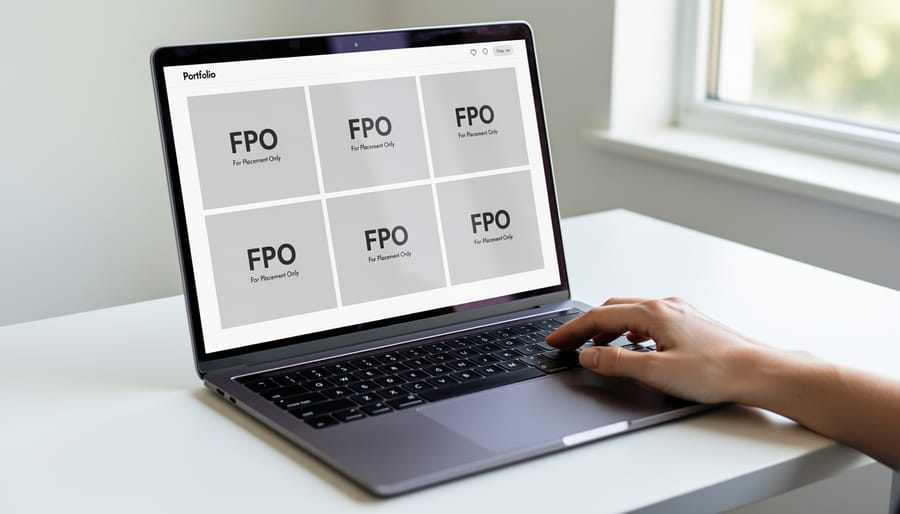
You’ve just launched your photography portfolio website, proud to showcase your best work to potential clients. But instead of your stunning landscape shots or carefully composed portraits, you’re staring at gray boxes labeled “FPO” scattered across your galleries. Your heart sinks as you realize visitors are seeing the same thing.
FPO stands for “For Position Only,” a placeholder term borrowed from the printing and publishing industry. These temporary images were originally used in magazine layouts and print proofs to indicate where final photographs would eventually appear. In the digital age, FPO images serve the same purpose on websites during development, marking spots reserved for actual content before the real photographs are uploaded or properly processed.
For photographers specifically, FPO placeholders appearing on a live portfolio site signal a critical problem. Your website builder or content management system is failing to display your actual images, showing these stand-ins instead. This happens for several reasons: incomplete image uploads, broken file paths, server processing delays, or incompatible file formats that your platform cannot render properly.
The professional consequences are immediate and severe. Potential clients visiting your portfolio cannot evaluate your photographic skills, art directors scroll past your site in frustration, and search engines may penalize your pages for missing visual content. Your carefully curated portfolio essentially becomes invisible, undermining months or years of work building your photographic brand.
Understanding what FPO images mean is the first step toward fixing them and ensuring your actual photography reaches your audience. Let’s explore why these placeholders appear and how to replace them with your stunning work.
What Does FPO Actually Mean?
FPO stands for “For Placement Only,” a term with deep roots in the graphic design and publishing industries. Before the digital age, when designers created layouts for magazines, brochures, or advertisements, they needed a way to visualize where images would eventually appear without having the final, high-resolution versions on hand. They’d use low-quality placeholder images marked “FPO” to indicate that these were temporary stand-ins, not meant for final production.
Think of it like sketching out a room arrangement before buying furniture. You might use cardboard boxes to represent where the sofa and chairs will go, just to get a sense of the space. FPO images serve the same purpose in design workflows.
In today’s digital landscape, FPO images remain a standard part of website development. When designers or developers build a photography portfolio site, they’ll often populate pages with FPO placeholders to test layouts, navigation, and overall visual flow. These temporary images help them see how the final site will look and function before the photographer uploads their actual work.
The problem arises when these placeholders accidentally make it to the live website. This happens more often than you might think, especially with portfolio platforms and website builders that come pre-loaded with sample content. A photographer might launch their site without realizing they haven’t replaced every FPO image, or they might upload some galleries while leaving placeholder thumbnails in navigation menus.
Sometimes you’ll see “FPO” text watermarked across gray boxes, generic stock photos, or even lorem ipsum-style abstract patterns. Regardless of the visual style, discovering FPO images on your live photography portfolio is definitely something you’ll want to address immediately, as it signals an unfinished, unprofessional presentation to potential clients.
Why FPO Images Appear on Your Photography Portfolio
Incomplete Website Builds and Template Issues
One of the most common reasons photographers encounter FPO images on their websites is incomplete site customization. Many modern website builders and templates, including popular platforms like Squarespace, WordPress with photography themes, and Format, come pre-loaded with placeholder images to demonstrate how your portfolio will look once populated with real work.
Here’s what typically happens: You purchase a sleek template, start customizing your site, upload a few gallery images, adjust some text, and then life gets busy. Perhaps you launch the site thinking you’ll finish it later, or you simply don’t realize that certain sections still display template placeholders. Visitors browsing your portfolio might suddenly encounter generic stock photos or images labeled “FPO” nestled between your actual work, which immediately undermines your professional credibility.
This issue becomes particularly problematic when photographers don’t thoroughly review every page and section of their website before going live. Hidden portfolio grids, testimonial sections with placeholder headshots, or blog post previews with dummy images can all contain FPO markers. Some builders even nest these placeholders in less obvious locations like footer galleries or alternate homepage designs that activate on mobile devices. The solution is straightforward but requires diligence: systematically review every page of your site across different devices, replace all template imagery with your own photographs, and delete any unused sections rather than leaving them with default content.
Broken Image Paths and Upload Errors
Sometimes FPO images appear on your portfolio not because you forgot to replace them, but due to technical gremlins behind the scenes. Broken file paths are among the most common culprits—this happens when you move or rename image files after linking them to your website. Your site is still looking for “wedding-shoot-01.jpg” in the original folder, but you’ve reorganized your files, leaving the link broken and triggering an FPO placeholder.
Upload errors present another frustrating scenario. Perhaps your image file exceeded your hosting plan’s size limit, the upload timed out during a shaky Wi-Fi connection, or the file format wasn’t supported by your platform. In these cases, your website builder may display an FPO rather than showing a broken image icon or blank space.
Server connectivity problems can also trigger FPO displays, especially if you’re using external image hosting or content delivery networks. If the server hosting your actual images goes down temporarily or experiences high traffic, your portfolio might fall back to FPO placeholders until the connection stabilizes.
The practical fix starts with checking your file management system. Verify that images are uploaded completely, paths match your current folder structure, and file sizes meet your platform’s requirements. Most website builders include diagnostic tools that flag broken links or failed uploads, making troubleshooting considerably easier than manual detective work.
Lazy Loading and Optimization Gone Wrong
Modern website optimization techniques are designed to enhance user experience, but when they go sideways, they can actually create the very problem they’re meant to solve—leaving you staring at FPO images where your beautiful photography should be.
Lazy loading is one of the most common culprits. This technique delays loading images until they’re needed (typically when a user scrolls to them), which normally improves portfolio loading speed. However, when the JavaScript that triggers lazy loading fails or conflicts with other scripts, your high-resolution images never load. Instead, visitors see only the low-quality placeholder that was meant to vanish in milliseconds.
CDN (Content Delivery Network) misconfigurations present another headache. If your CDN cache hasn’t properly updated after you’ve replaced placeholder images with final versions, it keeps serving outdated FPO images to visitors. This is particularly frustrating because the problem might only affect certain geographic regions or specific devices, making it difficult to diagnose.
Progressive loading can also backfire. This technique loads a blurry, low-resolution version first, then swaps in the sharp image—except when bandwidth detection scripts incorrectly assume users have slow connections and stop at the FPO stage. Mobile users especially encounter this issue, even on fast networks.
The real-world impact? A potential client in Tokyo might see pixelated placeholders while someone in your hometown sees crisp images, all because of optimization gone wrong.
The Real Cost of FPO Images on Your Portfolio
Imagine this: you’ve spent hours perfecting your portfolio, carefully selecting your best shots, editing until every detail shines. A potential client lands on your website, ready to be impressed. Instead of your stunning landscape photography or compelling portraits, they’re greeted with gray boxes stamped “FPO” or generic placeholder graphics. What impression does that leave?
The impact is more damaging than most photographers realize. First impressions happen in milliseconds, and FPO images communicate one clear message: this site isn’t finished, or worse, the photographer doesn’t care enough to fix it. When someone is considering hiring you for a wedding, commercial shoot, or creative project, they’re evaluating your attention to detail and professionalism. Placeholder images suggest neither.
Let’s consider a real-world scenario. Sarah, a wedding photographer, launched her new portfolio site but didn’t realize her high-resolution images weren’t properly uploaded to her gallery section. For two weeks, couples visited her site through Instagram ads and saw FPO placeholders instead of her beautiful ceremony shots. She couldn’t understand why inquiries had dropped until a friend pointed out the issue. By then, she’d lost several thousand dollars in potential bookings to competitors with complete portfolios.
The credibility damage extends beyond lost sales. Other industry professionals, potential collaborators, and editorial clients may discover your portfolio through various channels. If they encounter placeholder images, they’re unlikely to return or recommend you. Your professional online presence becomes your calling card, and FPO images are the equivalent of showing up to a consultation without your camera.
Even if visitors stay long enough to find working images elsewhere on your site, you’ve created doubt. They’ll question whether you’re tech-savvy enough to handle digital deliverables, whether you’re currently active, or if your business is even operational. In a competitive market where dozens of talented photographers vie for the same clients, you simply cannot afford this self-inflicted disadvantage.

Finding and Replacing FPO Images on Your Site
Auditing Your Portfolio for Placeholders
Before you send that portfolio link to a potential client or share your website publicly, it’s worth doing a thorough audit to catch any lingering FPO images. Trust me, I’ve seen too many photographers miss obvious placeholders simply because they only checked their site once on their desktop computer.
Start with a systematic browser check. Open your portfolio in Chrome, Firefox, Safari, and Edge. FPO images sometimes render differently across browsers due to caching issues or script compatibility problems. What looks perfect in Chrome might reveal placeholder text in Safari.
Next, simulate slower internet connections. Most modern browsers have developer tools that let you throttle your connection speed. In Chrome, open DevTools, navigate to the Network tab, and switch from “Online” to “Fast 3G” or “Slow 3G.” This reveals which images fail to load properly on slower connections, a common scenario when clients browse portfolios on the go. If you see generic gray boxes or broken image icons appearing, those might be FPO images that never got replaced or didn’t upload correctly.
Mobile testing is absolutely critical since many people will first encounter your work on their phones. Don’t just resize your browser window – actually open your site on your smartphone and tablet. Scroll through every gallery, check every page. Mobile networks can be unpredictable, and responsive design sometimes serves different image files than desktop views.
Finally, enlist a fresh pair of eyes. Ask a colleague or friend to review your portfolio and specifically look for anything that seems off or unprofessional.
Replacing FPO Images Correctly
Once you’ve identified those pesky FPO placeholders in your portfolio, it’s time to swap them out for your actual images. The good news? This process is straightforward when you follow a few organizational best practices.
Start by preparing your high-resolution images before uploading. When showcasing your work online, you want images that are optimized for web viewing—typically saved as JPEGs at 72-96 DPI with dimensions around 2000-3000 pixels on the longest side. This strikes the perfect balance between quality and loading speed. Export your files with consistent color profiles (sRGB works best for web display) to ensure what you see on your screen matches what visitors see on theirs.
File naming conventions matter more than you might think. Instead of leaving your camera’s default names like “DSC_0001.jpg,” rename your files descriptively. Use clear, lowercase names with hyphens between words, such as “golden-hour-landscape-yosemite.jpg” or “couple-portrait-beach-sunset.jpg.” This approach helps you stay organized and has the added benefit of improving your portfolio’s search engine visibility.
When you’re ready to upload, navigate to your website builder’s media library or page editor. Most platforms let you click directly on the FPO image and select “Replace” or “Upload New Image.” This method preserves your existing layout and positioning. As you replace each placeholder, double-check that the new image displays correctly across different devices—what looks perfect on your desktop might need adjustment on mobile screens.
Finally, establish a consistent folder structure in your media library. Create albums or folders by project type, date, or client category. This organization will save you countless hours when updating your portfolio in the future.
Optimizing Image Delivery Without Creating FPO Fallbacks
Smart Compression Techniques for Portfolio Images
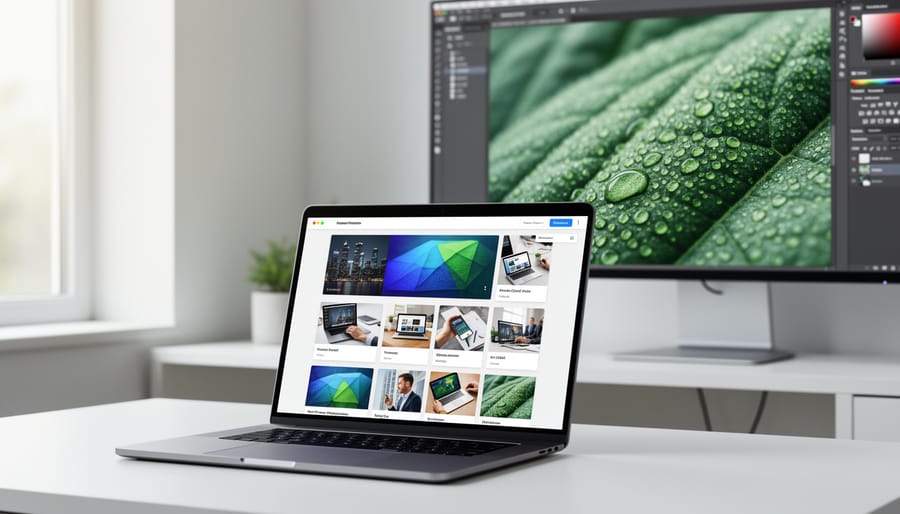
The secret to avoiding FPO placeholders is mastering compression before upload. Think of it like developing film—you want to preserve the essence while optimizing for the final medium. Modern compression tools let you reduce file sizes by 60-80% without sacrificing visible image quality.
For JPEG images, start with export settings between 80-90% quality in Lightroom or Photoshop. This sweet spot maintains detail while creating manageable file sizes. I’ve found that a 24-megapixel image exported at 85% quality typically weighs around 3-4MB—perfect for web galleries without triggering FPO fallbacks.
Free tools like TinyPNG and Squoosh offer excellent results for batch processing. TinyPNG uses smart lossy compression that preserves critical details your eye actually notices. Squoosh gives you side-by-side comparison views, letting you dial in exactly where quality meets file size. For photographers managing large portfolios, desktop applications like JPEGmini automate the process while maintaining professional standards.
Here’s a practical workflow: export images at full resolution with moderate JPEG compression, then run them through a dedicated compression tool before uploading. Always resize images to your portfolio’s maximum display dimensions first—there’s no reason to upload 6000-pixel-wide images when your gallery displays them at 2000 pixels maximum.
Consider WebP format for newer portfolio platforms. It delivers superior compression with better quality retention than JPEG, though you’ll want JPEG fallbacks for older browsers. The investment in proper compression workflows pays dividends in faster load times and zero FPO embarrassments.
Implementing Lazy Loading the Right Way
Lazy loading is a powerful technique for optimizing your portfolio’s performance, but implementing it incorrectly can actually display FPO placeholders during load time—the exact opposite of what you want. The key is configuring your lazy loading solution to show something visually appealing while your high-resolution images load in the background.
The native HTML lazy loading attribute (loading=”lazy”) is simple to implement but offers limited control over what displays during the loading phase. Without proper configuration, visitors might see generic gray boxes or broken image icons, which looks unprofessional on a photography portfolio.
A better approach uses Low-Quality Image Placeholders (LQIP), which are tiny, highly compressed versions of your actual images—typically under 1KB each. These load instantly and give visitors a blurred preview of what’s coming, creating a smooth, progressive loading experience. Think of it like looking through a frosted window that gradually becomes clear.
To implement LQIP, you’ll need to generate these tiny preview versions during your image upload process. Many modern portfolio platforms and content management systems offer this functionality built-in, or you can use plugins specifically designed for photographers. The placeholder appears immediately, then gracefully transitions to your full-resolution image once it’s loaded, eliminating any jarring FPO moments while still benefiting from lazy loading’s performance advantages.
Testing Your Image Delivery System
Before launching your portfolio, run thorough tests to ensure your high-resolution images display correctly for every visitor. Start by checking your site on different devices—desktop, tablet, and smartphone—to confirm images load properly across screen sizes. Use browser developer tools to simulate various connection speeds, including slower 3G networks that many mobile users still experience. If FPO placeholders appear during these tests, your images likely aren’t optimized correctly.
Real-world testing is invaluable. Ask friends or colleagues in different locations to visit your portfolio and report what they see. Consider using online tools like Google’s PageSpeed Insights or GTmetrix, which analyze image delivery performance and flag potential issues. Pay special attention to your homepage and gallery pages where first impressions matter most. Clear your browser cache between tests to simulate a genuine first-time visitor’s experience. If you notice persistent FPO placeholders, revisit your image compression settings or consult your website platform’s support documentation for specific image requirements.
Your portfolio is your professional handshake in the digital world, and FPO images are the equivalent of showing up with placeholder business cards. While these “For Placement Only” images serve an important purpose during the development phase, letting them appear on your live site undermines the very work you’re trying to showcase. The good news is that fixing this issue is entirely within your control.
Make it a habit to audit your portfolio site monthly, especially after uploading new images or making updates. Check your site on different devices and internet speeds to catch any loading issues that might trigger FPO placeholders. Keep a checklist that includes verifying image file sizes, confirming proper uploads to your hosting platform, and testing all gallery pages. If you’re using a website builder, familiarize yourself with their image delivery system and optimization tools.
Remember, every visitor to your portfolio is a potential client, collaborator, or opportunity. They’re taking time to evaluate your work, and you want to make that evaluation as compelling as possible. Professional photographers understand that technical excellence extends beyond the camera to every aspect of their business presentation. A clean, fully-loaded portfolio demonstrates attention to detail and respect for your craft. Take fifteen minutes this week to review your site thoroughly, and you’ll ensure your best work is always on display.



 By
By