 By
By 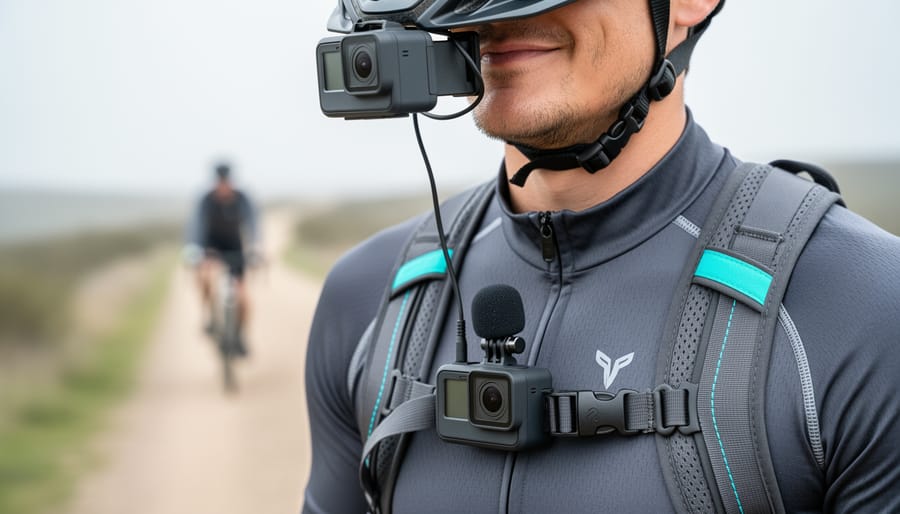
A wearable camera with audio is a hands-free recording device that captures both video footage and synchronized sound, typically mounted on your body for documentary work, law enforcement, outdoor adventures, or personal safety. The best options in 2026 combine reliable 1080p or 4K video resolution, clear audio capture that handles wind and ambient noise, all-day battery life, and secure mounting systems that keep the camera stable during movement.
The challenge isn’t just finding a camera that records. It’s choosing one that balances image quality with durable construction, captures intelligible audio in real-world conditions, and offers enough storage capacity for extended recording sessions without constant file management. Many buyers focus exclusively on video specs while ignoring microphone placement, battery endurance under continuous recording, or how quickly heat buildup degrades performance during long shoots.
Body cameras have evolved far beyond their origins in law enforcement. Journalists use them for immersive reporting, outdoor enthusiasts document trail conditions and wildlife encounters, and security professionals rely on them for verifiable incident records. The Z11 4K Body Camera with Audio and Video Recording represents the current standard for civilian and professional applications, offering features that were reserved for specialized tactical equipment just a few years ago.
This guide walks through the specific factors that separate functional wearable cameras from frustrating ones, compares the different form factors and mounting approaches you’ll encounter, and helps you match features to your actual recording needs rather than marketing promises.
What Makes a Great Wearable Camera with Audio
Video Quality and Resolution
Video quality determines whether your footage is usable when you need it most. For wearable cameras with audio, 4K resolution (3840×2160 pixels) has become the practical standard in 2026 because it captures details that 1080p simply misses, license plates at distance, facial features in crowds, or small text on documents. If you’re recording for security or evidence purposes, this clarity can prove crucial when reviewing footage later.
Frame rate matters equally. Most wearable cameras record at 30 frames per second, which works well for standard documentation. Higher frame rates like 60fps create smoother motion and perform better when you’re moving quickly or need to pause on specific moments without blur. For stationary security monitoring, 30fps suffices; for action-heavy content creation or active patrol work, 60fps prevents crucial details from becoming motion-smudged.
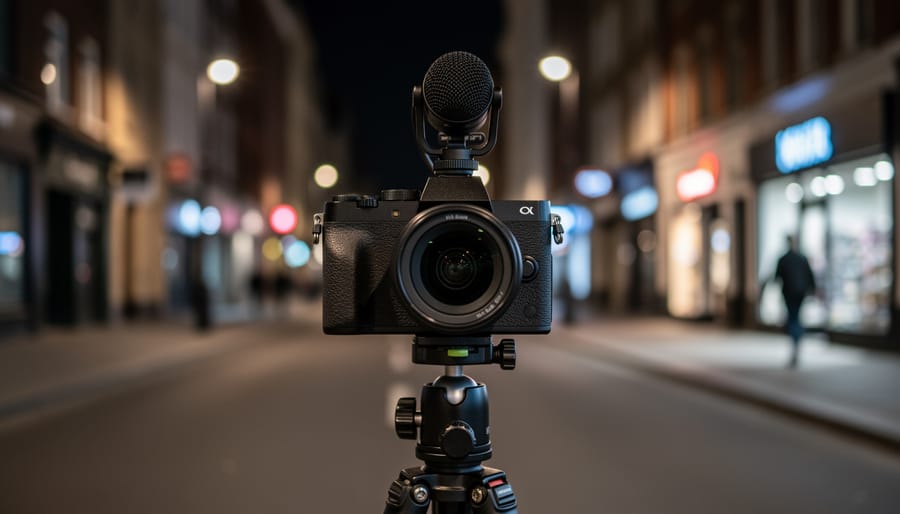
Night vision capability separates functional cameras from decorative ones. Look for infrared LEDs that illuminate at least 15 feet in complete darkness. The best models switch automatically between day and colour night modes, maintaining clear audio sync regardless of lighting conditions. This matters whether you’re recording in dimly-lit parking structures or outdoors after sunset.
Consider your primary use when weighing resolution against battery life. Higher resolution drains power faster, 4K recording typically consumes 30-40% more battery than 1080p. If you need all-day recording in cold weather or extended shifts, you might accept slightly lower resolution for longer runtime. For content creators prioritizing visual quality over duration, 4K justifies the trade-off.
Audio Recording Performance
Clear audio separates a useful recording from worthless footage. When someone challenges what was said during an incident, garbled or missing audio undermines the entire purpose of wearing the camera in the first place.
Microphone placement and quality determine whether your recording captures intelligible speech or just muffled noise. Look for cameras with front-facing microphones positioned to pick up conversations in front of you, not buried under a clip or pointed at your chest. Omnidirectional mics work well for general documentation, while directional options help in windy outdoor environments or crowded settings where you need to focus on specific voices.
Wind noise reduction matters more than most buyers realize. A camera without proper wind filtering will produce unusable audio outdoors, every gust creates a roaring sound that drowns out speech. Some models use foam windscreens, others employ digital filtering. Test footage from outdoor scenarios before committing, especially if you’ll work in open environments.
For legal and professional contexts, audio quality isn’t negotiable. Research on the impact of body-worn audio shows how crucial clear recordings become for accountability. Courts can’t rely on video that lacks comprehensible audio. The same applies to workplace documentation, insurance claims, and any situation where “he said, she said” disputes arise. Budget cameras often excel at video while delivering tinny, distorted audio, verify both before buying.
Battery Life and Recording Time
Battery life separates a practical wearable camera from a desk ornament. Most quality body cameras deliver between four and eight hours of continuous recording, enough for a full work shift or extended event coverage. The Z11, for instance, provides six hours of uninterrupted 4K recording, which handles most professional applications without needing a mid-day recharge.
Your actual runtime depends heavily on how you use the device. Continuous recording drains batteries faster than motion-activated modes, which can extend operational time by 30-50% if you’re monitoring rather than documenting everything. Night vision consumes more power than daylight recording due to infrared LEDs, typically reducing runtime by an hour or more. Screen-on time matters too, reviewing footage or adjusting settings on the device itself eats into recording capacity.
Temperature affects performance significantly. Cold environments can cut battery life by 20-30%, a real concern for outdoor security work or winter sports documentation. Some users carry a spare external battery pack, though this adds bulk to what should be a lightweight solution.
Calculate your needs realistically. If you need eight hours but your camera delivers six, you’ll either need standby modes or a charging break. A camera rated for five hours of 4K will give you seven or eight at 1080p, offering a practical workaround when longevity matters more than maximum resolution.
Storage Capacity and Memory Options
Storage capacity directly determines how much footage you can capture before offloading files. Most wearable cameras offer either fixed internal storage or expandable slots for microSD cards.
Built-in storage is convenient but limits your maximum capacity. Cameras with 32GB or 64GB built-in storage work fine for short sessions but fill up quickly with 4K footage. Expandable storage via microSD slots offers flexibility, you can swap cards in the field and choose capacity based on your needs.
Here’s what to expect for file sizes: 4K video with audio typically consumes 8-12GB per hour of recording, depending on compression and bitrate. At that rate, a 64GB card holds roughly 5-7 hours of footage, while 128GB provides 10-14 hours. If you’re recording all day for security work, 256GB or larger makes sense.
Consider your workflow too. If you can transfer files daily, 64-128GB handles most situations. For extended shifts without computer access, or when you need to preserve footage as evidence before review, larger capacities prevent the dreaded “storage full” interruption mid-recording.
Check the maximum supported card size before buying, some cameras cap at 128GB or 256GB regardless of what larger cards exist. Reading and writing speed matters too; look for cards rated Class 10 or UHS-I minimum to prevent dropped frames during 4K recording.
Mounting and Wearability Features
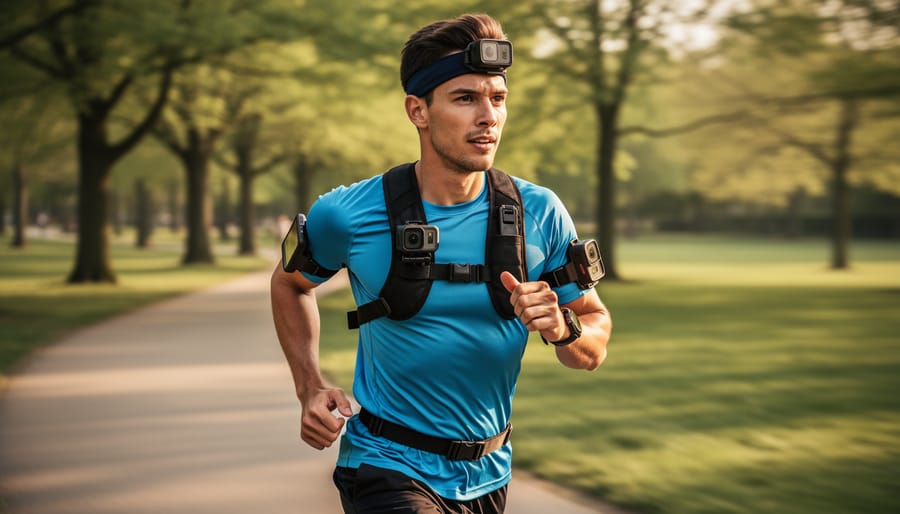
The way a camera attaches to your body directly impacts whether you’ll actually wear it consistently or leave it in a drawer after the first week.
Most wearable cameras use a rotatable clip that secures to shirt pockets, belts, or shoulder straps. The clip needs to grip firmly without damaging fabric, and it should stay put during movement. Cheap clips loosen over time, causing the camera to sag or rotate away from your intended recording angle. Look for metal or reinforced plastic clips rather than flimsy spring-loaded designs.
A rotating lens matters more than many buyers realize. Without it, you’re locked into whatever angle the clip dictates, often pointing too high or too low. A 180-degree rotating lens lets you adjust the recording angle after mounting the camera, so you can clip it to a chest pocket but still capture what’s directly in front of you at eye level. This single feature dramatically increases where you can wear the device.
Weight and size affect comfort during extended use. A camera exceeding 150 grams becomes noticeable after a few hours, especially on lighter clothing. Bulky designs catch on doorways and objects, while compact units (think smartphone-sized or smaller) disappear under a jacket.
Consider whether you need multiple mounting options. Some cameras include additional brackets for helmets, backpack straps, or vehicle dashboards. This versatility extends usefulness beyond body-worn scenarios, letting one device serve multiple recording situations without buying separate equipment.
Different Types of Wearable Cameras Compared
Not all wearable cameras serve the same purpose, and understanding the differences helps you avoid buying the wrong tool for your needs. The three main categories, body cameras, action cameras with wearable mounts, and dedicated security cameras, overlap in some features but diverge significantly in design priorities and real-world performance.
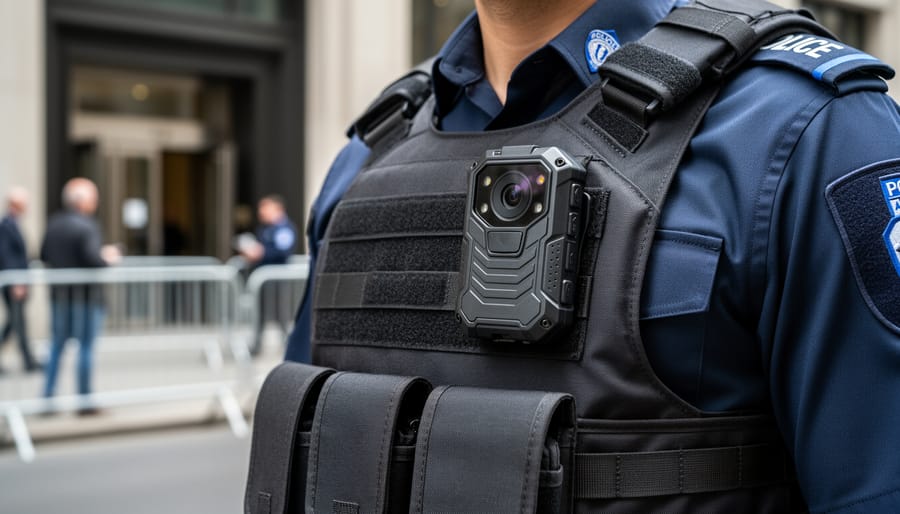
Body cameras are purpose-built for hands-free documentation. They’re designed for continuous recording during work shifts or activities where you need reliable audio capture alongside video. Most feature compact, sealed housings with simple clip-on mounts, pre-record buffering to catch events that happen suddenly, and tamper-evident features for legal contexts. Battery life typically ranges from 4 to 10 hours, which matters if you’re recording an entire workday.
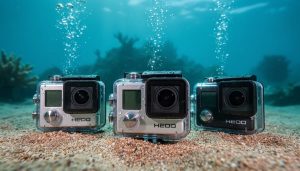
Action cameras like GoPros can be worn using chest harnesses or head straps, but they’re optimized for short, high-intensity recording sessions rather than all-day wear. They excel at wide-angle sports footage and extreme durability, but audio quality often suffers from wind noise and muffled microphones. Battery life usually tops out around 2 hours of continuous recording, and the mounting systems add bulk that becomes uncomfortable during extended use.
| Camera Type | Best Use | Typical Battery Life | Mounting Style |
|---|---|---|---|
| Body Camera | Security, law enforcement, continuous documentation | 4-10 hours | Clip-on, lightweight |
| Action Camera | Sports, adventure content, short sessions | 1.5-2.5 hours | Harness, helmet mount |
| Security Camera | Fixed-location monitoring, property surveillance | Plug-in power | Wall/ceiling mount |
Dedicated security cameras require fixed installation and continuous power, which eliminates portability entirely. They’re excellent for monitoring specific locations but irrelevant if you need to move around while recording.
Choose a dedicated body camera when your priority is extended recording time, clear audio for documentation, and comfortable all-day wear. Action cameras make sense if you need rugged durability for short, intense activities where audio is secondary. If your recording location never changes, a traditional security camera offers better value than any wearable option.
Z11 4K Body Camera with Audio and Video Recording

The Z11 4K body camera delivers a compelling package for users who need reliable hands-free recording with clear audio. Its 4K video resolution captures sharp detail whether you’re documenting a security incident, recording a work shift, or monitoring activity around your home. The included 128GB of storage gives you roughly 10 to 12 hours of 4K footage before you need to offload files, which means multi-day recording capacity if you’re not running it continuously.
What sets this model apart is the 180° rotating lens. You can clip the camera to a shirt pocket, chest strap, or belt and swivel the lens to frame exactly what you need without awkward body positioning. This matters during long shifts when comfort counts, and it’s especially useful if you’re switching between standing desk work and field patrol. The lens rotates smoothly and locks into place, so it won’t drift mid-recording.
Battery life hits around six hours of continuous recording, which covers most work shifts or day-long events without a recharge. For security personnel or delivery drivers who need all-day coverage, a portable battery pack extends that runtime significantly. The camera charges via USB, so you can top it up in a vehicle or at a desk between recording sessions.
Night vision kicks in automatically when light drops, shifting to infrared LEDs that illuminate subjects up to about 15 feet. This works well for evening pet monitoring or late-night security patrols, though the infrared glow is visible if someone looks directly at the camera, unlike fully covert spy cameras that record without any telltale indicators.
The audio capture is clear and picks up conversation within about 10 feet without excessive ambient noise. Wind can muffle outdoor recordings, but indoors or in sheltered areas the microphone performs reliably. Law enforcement users appreciate the tamper-evident features and timestamping, while pet owners find it useful for checking what happens when they’re away. With 4.1 stars from over 340 customer ratings, the Z11 balances features, usability, and durability for buyers who want straightforward, dependable body-worn recording.
Common Mistakes to Avoid When Buying
When you’re comparing wearable cameras alongside other photo gadgets it’s easy to fixate on video specs and miss critical features that determine real-world usability. Many buyers regret their purchase because they ignored factors that matter during actual use.
Audio quality often gets treated as an afterthought. You’ll find dozens of cameras with excellent 4K video but terrible microphones that pick up muffled speech or constant wind noise. If you need clear audio for documentation or professional use, test samples or read reviews specifically about audio performance before committing.
Storage miscalculations create frustration fast. A 32GB card might sound adequate until you realize 4K footage eats through it in under two hours. Calculate how long your typical recording sessions run, factor in some buffer, and buy enough storage upfront rather than discovering mid-event that you’re out of space.
Battery life gets assessed based on manufacturer claims instead of your actual usage pattern. Continuous recording drains batteries much faster than intermittent clips. If you need six hours of recording for a work shift, a camera rated for four hours won’t cut it regardless of how good its other features are.
Mounting systems vary wildly in versatility and comfort. A rigid clip might work fine for security uniforms but prove unusable on casual clothing or backpack straps. Check whether the camera offers multiple mounting options and whether the lens can rotate to frame shots properly from different positions.
Understanding these common pitfalls helps you focus on what actually matters for your specific needs rather than getting distracted by impressive-sounding specs that won’t deliver in practice.
Getting the Most from Your Wearable Camera
Getting the most from your wearable camera starts with understanding how your settings affect performance. Lowering your resolution from 4K to 1080p when you don’t need maximum detail can double your battery life and recording time, perfect for all-day events where runtime matters more than pixel count. Most cameras also have motion-activated recording modes that conserve power by capturing only when activity occurs, which works well for security applications but may miss spontaneous moments in content creation.
Storage management becomes crucial when recording high-quality video with audio. A single hour of 4K footage with audio typically consumes 10-15GB, so develop a routine of transferring files to a computer or cloud storage after each significant use. Formatting your memory card in the camera itself rather than on a computer prevents compatibility issues and maintains optimal write speeds.
To maintain consistent quality, be aware of hidden power drains like Wi-Fi and GPS features that many users leave enabled unnecessarily. Here are essential practices for peak performance:
- Clean the lens and microphone ports monthly with a soft, dry cloth to prevent muffled audio and blurry footage
- Position the camera at chest height with the lens facing slightly downward for natural perspective and clearer audio capture
- Avoid extreme temperatures, never leave your camera in a hot car or expose it to freezing conditions when possible
- Charge the battery fully before storage if you won’t use the camera for weeks
Proper positioning makes a substantial difference in results. Mount your camera where it won’t shift during movement, and ensure nothing blocks the microphone. For interview or documentation work, an off-center chest mount often captures better audio than a shoulder position, which can muffle sound from clothing friction.
Recommendations by Use Case
Choosing the right wearable camera depends on how you’ll actually use it. For security professionals and law enforcement, prioritize models with extended battery life (at least 6 hours continuous), robust night vision, and clear audio capture for documentation purposes. The Z11 body camera fits this need with its full-shift battery and 4K resolution.
Content creators filming active pursuits need a camera that survives the elements while delivering smooth 60fps video and wind-resistant audio. Look for models with multiple mounting options and image stabilization.
Pet owners monitoring animals or trainers documenting behavior should focus on wide-angle lenses (160° or more) and hands-free operation. Shorter recording sessions mean 3-4 hour batteries often suffice, letting you prioritize compact designs.
For legal documentation or workplace transparency, audio quality cannot be compromised. Verify your camera records clear voice at conversation distance and includes tamper-proof timestamps. Storage capacity matters here too, aim for 64GB minimum to avoid missing crucial moments while managing files.
Frequently Asked Questions
How long can wearable cameras record continuously?
Most quality models record for 4-8 hours on a single charge, though this varies based on resolution settings and whether features like night vision are active. High-end options like the Z11 offer around 6 hours of 4K recording, while budget models typically provide 2-4 hours.
What’s the effective audio recording range?
Built-in microphones typically capture clear audio within 10-15 feet in normal conditions. Wind and background noise reduce this range, which is why models with noise reduction technology perform better outdoors and in challenging environments.
Are wearable cameras weather-resistant?
Many body cameras offer IP65 or IP67 ratings, meaning they resist dust and can handle rain or splashes but shouldn’t be submerged. Check specifications carefully if you need protection beyond basic weather resistance.
How do I play back and transfer footage?
Most wearable cameras connect via USB to computers for file transfer, and many include companion apps for smartphone playback and wireless downloading. Some integrate with AI post-processing tools for enhanced footage quality.
Do these cameras work with all devices?
Standard models save files in common formats like MP4, making them compatible with Windows, Mac, iOS, and Android systems. Verify the camera supports your preferred operating system before purchasing, especially if you need specific software features.
When choosing a wearable camera, remember that the answers to these questions will vary significantly based on your budget and intended application. Security professionals need different capabilities than content creators, so prioritize the features that match your specific recording scenarios rather than chasing specifications that sound impressive but don’t serve your actual needs.
Choosing the right wearable camera with audio comes down to matching features to your specific needs. If you’re using it for security or legal documentation, prioritize audio clarity and battery endurance over chasing the highest resolution, 4K is excellent, but it’s meaningless if the microphone can’t capture usable sound or the battery dies mid-shift. For content creators, balance video quality with comfortable mounting and reliable storage.
Don’t overlook the fundamentals: a camera that records crisp audio, runs for your entire workday, and offers enough storage for uninterrupted recording will serve you better than one with flashy specs but poor real-world performance. Consider how you’ll actually wear and use the device, whether it complements your existing security cameras setup, and what accessories you’ll need.
The Z11 hits that sweet spot for most users, but your priorities, security, documentation, or creative work, should guide your final decision. Invest in a device that handles both video and audio well, and you’ll have a tool that actually delivers when it matters.
Full transparency: this article contains affiliate links. We may be paid a commission if you make a purchase. As an Amazon Associate I earn from qualifying purchases.
 By
By