 By
By 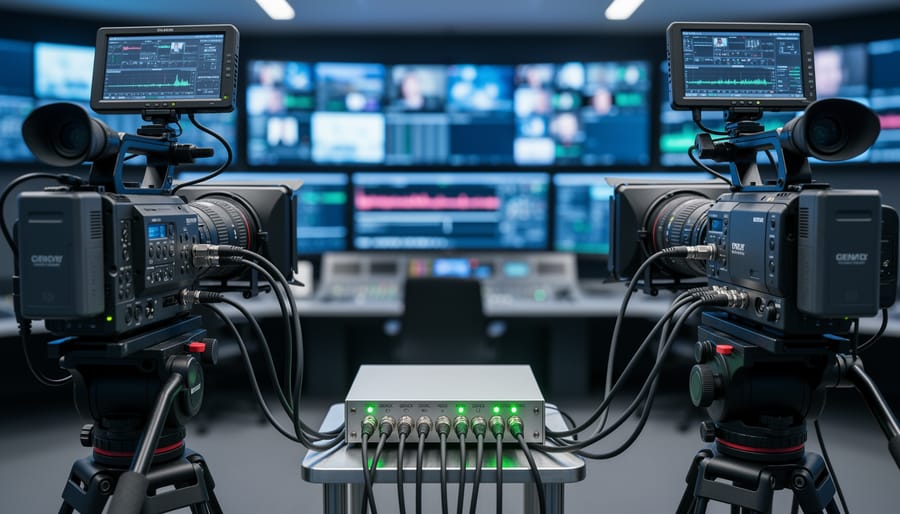
Genlock synchronization is a method of aligning the video signals from multiple cameras so they operate in perfect phase with one another, ensuring frame-accurate timing across all devices. Unlike timecode, which simply stamps each frame with a matching reference number, genlock actually controls the cameras’ internal clocks to sync their sensor readouts and frame generation at the hardware level.
If you’ve been shooting stills and recently moved into video production, especially multi-camera setups, you’ve probably heard genlock mentioned alongside timecode and wondered whether you actually need it. The short answer: it depends on your workflow. For photographers transitioning to video or hybrid shooters working with multiple cameras, understanding the distinction between these sync methods will save you both headaches and budget.
Genlock becomes critical when you’re switching between camera angles in real time, such as live event coverage or broadcast work, where even a single-frame mismatch can create visible glitches during cuts. It’s also essential for certain VFX and compositing workflows where precise pixel-level alignment matters. Timecode alone won’t prevent tearing or rolling bars when you punch between cameras live because it doesn’t force the cameras to generate frames at exactly the same moment.
For most narrative filmmaking or interview setups where you’re editing in post, timecode synchronization is usually sufficient. You’re not switching live, so slight timing variations between cameras don’t create visual artifacts. But as your projects scale up or you start working with broadcast standards, genlock moves from optional to necessary.
This article breaks down how genlock actually works at the signal level, the different types of sync signals you’ll encounter, and practical guidance on whether your current camera system supports it and when you should invest in the infrastructure to make it happen.
What Genlock Synchronization Means
Genlock synchronization is a method that forces multiple video devices to operate in perfect timing with each other by sharing a common reference signal. Think of it like a conductor keeping an orchestra in time, all your cameras, recorders, and monitors lock to the same beat, ensuring their video frames start and end at exactly the same moment.
When you shoot video with multiple cameras or feed signals into external recorders and switchers, each device naturally runs on its own internal clock. These clocks drift slightly from each other, even if they’re set to the same frame rate. Without synchronization, you’ll encounter frame tearing, sync issues when switching between cameras live, or problems combining signals for effects work. Genlock solves this by making one device the timing master while others become slaves that follow its rhythm.
Here are the essential terms you’ll encounter:
- Genlock
- A synchronization method that aligns the video signals of multiple devices to a single timing reference, ensuring frame-accurate coordination across all connected equipment.
- Master/Slave Devices
- The master device generates the timing reference signal, while slave devices lock their internal timing to match it. In some setups, a dedicated sync generator serves as master instead of a camera.
- Sync Signal
- The actual timing information transmitted between devices, which can take different formats depending on whether you’re working with standard definition, HD, or 4K equipment.
- Reference Clock
- The stable timing source that determines when each video frame begins and ends across all synchronized devices.
- Black Burst
- An analog sync signal format used primarily with standard-definition video equipment, consisting of a blank video signal with sync information.
- Tri-Level Sync
- The sync signal standard for HD and higher-resolution video, replacing black burst with a simpler waveform that requires less bandwidth.
This differs fundamentally from timecode, which simply labels each frame with a timestamp for editing purposes but doesn’t force devices to operate in lockstep. You can have perfectly synchronized timecode across cameras that aren’t genlocked, their frames will be numbered identically, but they won’t actually be happening at the same instant. For photographers expanding into multi-camera video work, this distinction matters when you’re switching between angles live or compositing footage that needs pixel-perfect alignment.
How Genlock Synchronization Works
The Master Reference Signal
The master reference signal is the heartbeat of a genlock system. Think of it as the conductor of an orchestra, every device in your setup follows its lead to stay perfectly in time.
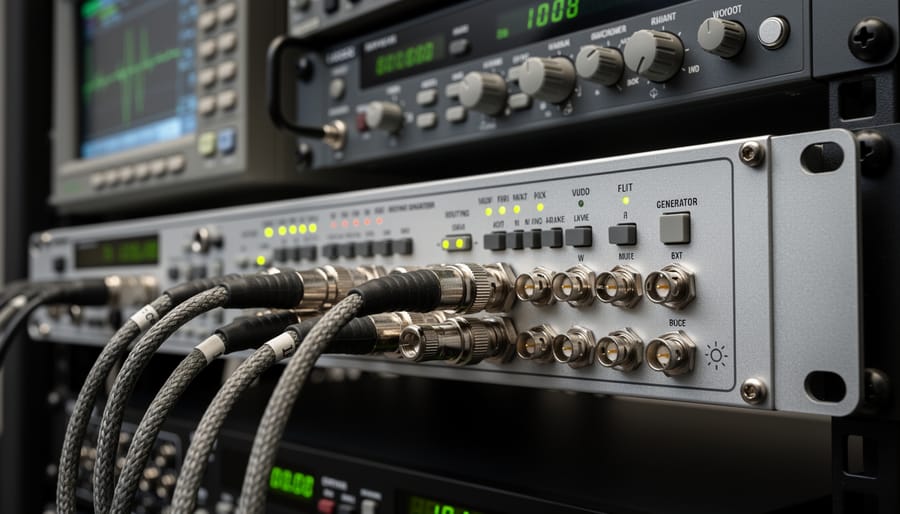
This signal comes from a dedicated sync generator, which is essentially a precision clock that continuously outputs timing pulses. These pulses define when each frame should start and end across all your connected equipment. The sync generator doesn’t contain any video content itself; it just transmits the timing pattern that tells cameras and recorders exactly when to capture or output each frame.
The signal travels through BNC cables to each device in your production chain. Once a camera or recorder receives this reference signal, it adjusts its internal timing to match. As long as the master generator keeps broadcasting, every connected device stays locked to the same frame boundaries.
In smaller setups, one camera can sometimes act as the master, generating the reference signal that others follow. In professional studios, dedicated rack-mounted generators handle this job, often supplying sync to dozens of devices simultaneously through a distribution amplifier that splits the signal without degrading it.
Device-Level Synchronization
When the master reference signal reaches your cameras and recording devices, each piece of equipment adjusts its internal timing to match. Think of it like a group of musicians listening to a conductor’s count-in, everyone adjusts their pace to stay perfectly aligned.
Inside each camera or recorder, a phase-locked loop circuit continuously compares the incoming reference signal against the device’s own clock. When it detects any drift or discrepancy, the device automatically makes tiny adjustments to its frame timing, ensuring its video output stays locked to the master signal. This happens thousands of times per second, maintaining frame-accurate sync even during long recording sessions.
The practical result is that every frame captured across all your synchronized devices starts and ends at precisely the same moment. Your camera sensors expose simultaneously, your recorders write frames at identical intervals, and when you bring everything into post-production, the footage lines up perfectly without needing to hunt for sync points or deal with drift over time.
Types of Genlock Signals and Standards
Genlock signals come in different flavors depending on what kind of video equipment you’re working with. The format you need depends on whether you’re syncing analog SD gear, modern HD cameras, or network-connected production systems. Understanding these differences helps you figure out what hardware will actually talk to each other.
Black and burst genlock is the original analog standard developed for standard-definition television. It sends a continuous sync signal at the same frequency as the video, typically 59.94Hz for NTSC or 50Hz for PAL systems. The signal itself is just a blank video frame (all black) with the timing information embedded in the sync pulses. If you’re working with older broadcast equipment, SD cameras, or vintage switchers, black burst is what you’ll encounter. It requires BNC connectors and coaxial cables to distribute the reference signal.
When high-definition video arrived, black burst couldn’t handle the increased timing precision required. Tri-level sync (also called HD sync or tri-level) became the standard for 720p and 1080i/p production. The signal uses three voltage levels instead of two, providing more accurate timing information for higher frame rates and resolutions. Most professional HD cameras, switchers, and recorders from the mid-2000s onward support tri-level sync. It still uses BNC connections, so the physical cabling looks identical to black burst setups.
Network-based synchronization through PTP (Precision Time Protocol) and its broadcast-specific variant PTPv2 represents the current direction for large-scale production. Instead of dedicated coaxial cables running from a central sync generator, timing information travels over Ethernet networks alongside video and control data. This approach scales better for complex facilities and remote production where dozens or hundreds of devices need synchronization. You’ll find PTP support in modern IP-based video systems, especially in broadcast and live event production environments.
Most hybrid cameras and mirrorless bodies don’t support genlock at all, but when they do, it’s usually tri-level sync through an accessory port or external adapter. If you’re building a multi-camera setup, check what format your specific cameras and recorders actually accept before buying sync generators or distribution gear.
Genlock vs. Timecode: Understanding the Difference

Genlock and timecode solve different synchronization problems, though they’re often confused because both deal with timing. Think of genlock as synchronizing the heartbeat of your video signals, it aligns the actual frames being captured or displayed across devices at the hardware level. Timecode, by contrast, labels those frames with a timestamp so you can identify and match them later during editing. One ensures your cameras are capturing in perfect lockstep; the other tells you which frame is which after the fact.
The practical difference matters when you’re shooting. Genlock prevents visual artifacts like tearing or rolling bars when switching between multiple camera feeds in real time, critical for live production or broadcast work. It keeps the video signals phase-aligned so switchers, recorders, and monitors all see the same frame at the same instant. Timecode doesn’t do this; it simply stamps each frame with metadata (hours:minutes:seconds:frames) so your editing software can align clips intelligently, much like how hardware acceleration speeds up processing by handling video data efficiently.
- Genlock synchronizes video signals at the hardware level for real-time switching and display without artifacts
- Timecode labels frames with timestamps for post-production alignment and multi-camera editing
- Genlock requires physical connections (BNC cables, sync generators) between devices during capture
- Timecode can be embedded in video files or recorded separately on audio tracks for later syncing
- Genlock is essential for live switching and broadcast workflows
- Timecode is sufficient for most post-production multi-camera shoots where you’re editing after capture
Professional workflows frequently use both systems together because they complement each other. A multi-camera studio shoot might use genlock to feed clean, synchronized signals to a live switcher while simultaneously recording timecode for backup editing and archival purposes. If you’re a photographer transitioning to video, you’ll likely encounter timecode first, it’s more accessible and doesn’t demand the specialized infrastructure that genlock requires. You might need genlock only when you move into live production, real-time compositing, or situations where you’re mixing signals through switchers and monitors during capture. Just as choosing the right lens mount adapter depends on your specific camera system and workflow, deciding between timecode alone and adding genlock depends on whether you’re editing later or switching live.
Timecode and Genlock Sync Compatibility Across Systems
Cross-Brand Compatibility Considerations
Mixing equipment from Sony, Canon, Blackmagic, and other manufacturers in a single genlock setup is technically possible but rarely straightforward. The core challenge isn’t the sync signal itself, tri-level sync and black burst are industry standards, but rather how each brand implements genlock inputs and outputs.
Sony’s professional cinema cameras typically use BNC connectors and accept standard tri-level sync without issue. Canon’s Cinema EOS line follows similar conventions, making Sony-Canon genlock combinations relatively painless. However, Canon’s mirrorless cameras with video capabilities often lack dedicated genlock ports entirely, requiring workarounds through HDMI if supported at all.
Blackmagic cameras present their own quirks. While they accept standard genlock signals, their internal processing sometimes introduces a frame or two of delay that differs from other brands. You’ll need to account for this offset in post-production or through manual delay adjustment on your sync generator if it offers that feature.
The real compatibility headaches emerge with timecode implementation. Even when cameras lock to the same video reference, their timecode handling varies. Some manufacturers tie timecode directly to the genlock signal; others treat it as independent. RED cameras, for instance, can genlock perfectly but require separate timecode cabling that follows their proprietary pin configurations.
Test your specific combination before any critical shoot. Frame-accurate preview in your switcher or recorder doesn’t guarantee your edit timeline will align perfectly.
Hybrid Camera Systems and Genlock
Most mirrorless and DSLR cameras aimed at photographers don’t support genlock directly. The technology remains largely confined to dedicated cinema cameras and broadcast equipment. Even high-end hybrid models like the Sony A1, Canon EOS R5, or Nikon Z9 lack the physical genlock input you’d find on cinema bodies.
That said, a few prosumer and cinema-focused hybrids bridge this gap. The Sony FX3 and FX6 offer genlock inputs despite their compact form factor, making them genuine crossover options for photographers expanding into professional video. Panasonic’s GH6 includes a timecode input that accepts genlock signals through BNC adapters, though implementation is less straightforward than dedicated cinema models.
For photographers working multi-camera shoots without genlock-capable bodies, timecode sync provides a workable alternative. External recorders like the Atomos Ninja V accept timecode and can align your footage in post, even if frame edges don’t perfectly match during capture. This approach works well for most hybrid productions where absolute frame synchronization isn’t critical.
If your workflow genuinely requires genlock, you’re looking at dedicated cinema cameras rather than hybrid stills bodies. That’s the practical reality for now.
How Genlock Is Used in Photography and Video Production
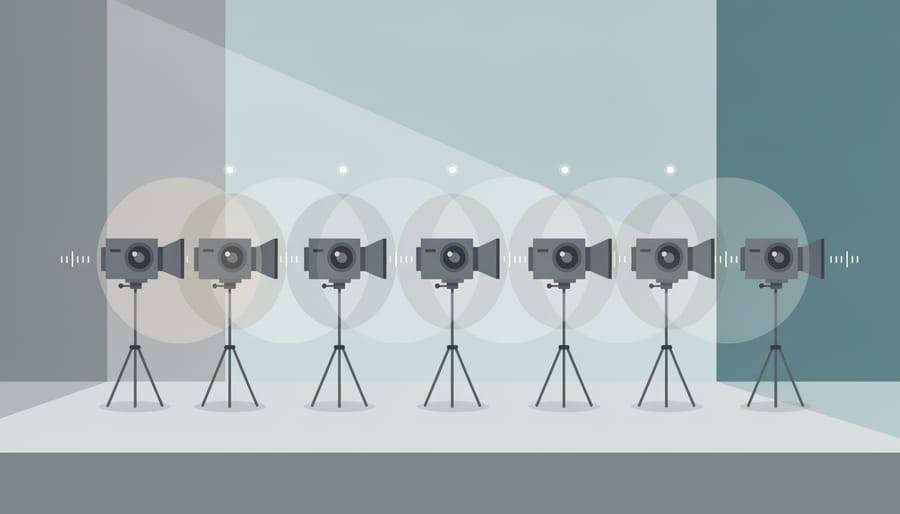
Multi-camera interviews and sit-down conversations are probably the most common scenario where photographers transitioning to video discover they need genlock. When you’re cutting between two or more cameras filming the same subject, even a single-frame discrepancy becomes obvious, subjects appear to jump slightly in position, and the edit feels jarring. Genlock eliminates this by ensuring all cameras capture the exact same frame at the exact same moment, making your cuts seamless.
Live event coverage presents another situation where genlock proves essential. Concerts, conferences, and stage productions often demand real-time switching between multiple camera angles feeding into a video switcher or streaming encoder. Without genlock, you’ll see momentary black frames, rolling bars, or visual glitches every time you switch cameras. The sync generator acts as the master clock that keeps everything aligned, allowing smooth transitions that viewers don’t notice.
Studio production environments rely heavily on genlock for consistent lighting and effects integration. If you’re shooting product photography with video elements, corporate interviews, or any controlled studio work with multiple cameras, genlock ensures your footage syncs perfectly with lighting cues and any overlay graphics or lower thirds added during production. This becomes critical when you start mixing camera angles with computer-generated elements.
Green screen and virtual production work demands frame-perfect synchronization between cameras and background displays or LED walls. A single frame of drift causes visible separation between foreground subjects and backgrounds, creating the kind of technical flaw that immediately breaks believability. Genlock keeps your subject cameras and background playback systems locked together.
Photographers often encounter genlock requirements in these production contexts:
– Multi-camera interview setups where seamless cuts between angles are non-negotiable
– Live streaming productions requiring real-time camera switching without visual glitches
– Virtual production stages where camera timing must match LED wall refresh rates
– Broadcast integration where your footage feeds into existing infrastructure with strict sync standards
Professional broadcast scenarios represent the most stringent genlock requirements. If you’re delivering content to television stations or contributing camera feeds to broadcast productions, genlock isn’t optional, it’s part of the technical specification. Broadcast facilities run on house sync, meaning every device in the building locks to a master reference. Your camera must match or you can’t integrate into their workflow.
Even smaller productions benefit when you’re combining cameras with external recorders or monitors. HDMI output compatibility issues often stem from sync mismatches between devices, and genlock provides the stable timing reference that resolves these problems.
Setting Up Genlock: What You Need to Know
Setting up genlock requires a few hardware pieces and some careful configuration, but it’s not as intimidating as it sounds once you understand the basics.
You’ll need a sync generator as your master reference source. This device creates and broadcasts the timing signal that all your other equipment will follow. Entry-level models start around $300, while broadcast-grade generators with advanced features run into the thousands. If you’re working with just a few cameras in a controlled studio environment, a basic unit handles most needs.
From the sync generator, the signal travels through BNC cables to your cameras and recording devices. BNC connectors are standard in professional video because they lock securely and maintain signal integrity. You’ll find genlock input ports on compatible cameras, usually labeled “sync in” or “genlock.” Make sure you’re using proper 75-ohm coaxial cables rated for video signals, regular audio cables won’t work reliably.
If you’re running genlock to more than three or four devices, a distribution amplifier becomes necessary. These boxes take the single output from your sync generator and split it into multiple identical signals without degradation. They compensate for signal loss over longer cable runs, which matters when you’re working in larger spaces.
Configuration starts at the sync generator. Set it to match your video format: 1080p60, 4K24, or whatever frame rate and resolution your production uses. Then power up your cameras and navigate to their sync settings menu. Look for options labeled “genlock,” “external sync,” or “reference signal.” Enable that setting, and the camera will begin listening for the reference signal.
You’ll know sync is working when you see a small indicator on the camera display, often a “gen” or “lock” icon. If it doesn’t appear, check your cable connections first, loose BNC connectors are the most common culprit. Verify that all devices are set to the exact same frame rate and resolution. Mixed formats prevent proper sync even with everything wired correctly.
Some cameras require you to disable internal frame rate converters or VFR modes before genlock will engage. Check your manual if the lock indicator refuses to appear despite proper connections. Temperature can also affect sync stability. When moving equipment from cold outdoor conditions into a warm studio, give everything 15 minutes to stabilize before expecting reliable lock.
Do You Actually Need Genlock?
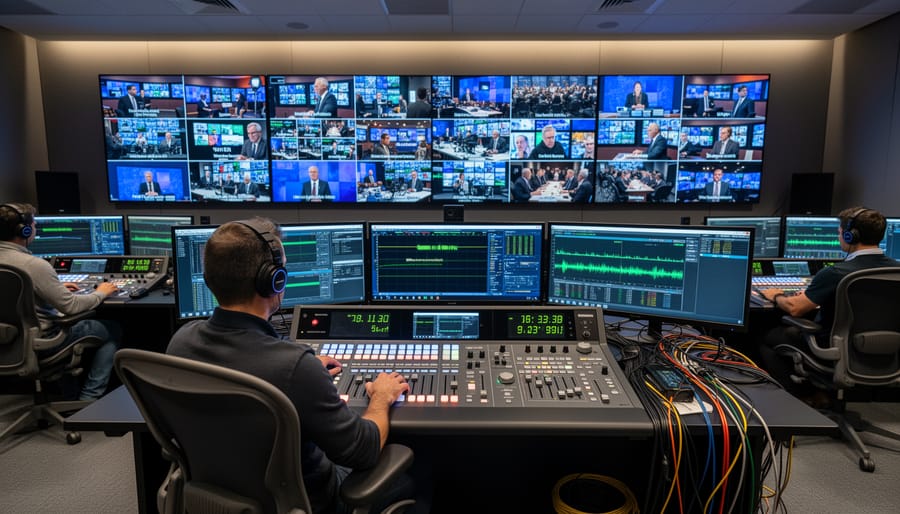
Most photographers moving into video won’t need genlock at all. If you’re shooting interviews, documentaries, weddings, or any project where you sync footage in post-production, timecode alone handles synchronization perfectly well. Even multi-camera shoots for events or music videos rarely require frame-accurate video signal sync, you’re matching clips on a timeline, not switching between live feeds.
Genlock matters when you’re working in broadcast television, live event production with instant replays, or professional studios doing real-time chromakey work where signals must align perfectly at the hardware level before they reach the recording stage. These workflows can’t tolerate even single-frame misalignment because the switching happens live or the composite is generated in real time.
If you’re considering genlock because you think it’ll make editing easier, it won’t, that’s what timecode does. The complexity and cost of sync generators, distribution amplifiers, and compatible equipment only makes sense when your production requires instantaneous signal switching. Most photographers expanding into video will find that wireless tethering for stills and proper timecode implementation for video serve their workflows far better than adding genlock infrastructure they’ll rarely use.
Similarly, investing time in understanding ACES color space will likely improve your video work more directly than adding sync hardware you don’t actually need. Assess your specific production requirements honestly before committing to genlock.
Frequently Asked Questions About Genlock
Can I sync cameras wirelessly without genlock cables?
True wireless genlock is rare and expensive, most professional systems still rely on physical BNC cables for rock-solid reliability. Some high-end broadcast cameras support network-based PTP (Precision Time Protocol) over Ethernet, which technically eliminates dedicated genlock cables, but you’re still physically connected via network infrastructure. For most photographers transitioning to video, wireless timecode (via devices like Tentacle Sync or Timecode Systems) handles frame labeling without the frame-accurate signal sync that genlock provides. If you need wireless coordination for multi-camera shoots but not broadcast-level frame accuracy, timecode is the practical path.
What’s the bare minimum equipment I need to implement genlock?
At minimum, you need a sync generator (the master reference source), BNC cables to distribute the signal, and cameras or recorders with genlock input ports. A basic black burst generator starts around $200-300, though professional tri-level sync generators run $500-2000+. If you’re syncing more than two or three devices, you’ll also want a distribution amplifier to split the signal without degradation, add another $150-400. The real cost barrier isn’t the sync generator itself; it’s that many prosumer and mirrorless cameras simply don’t have genlock ports, requiring you to step up to cinema cameras or high-end camcorders that do.
Do mirrorless cameras support genlock input?
Most mirrorless cameras, even professional models, don’t have dedicated genlock ports. Canon’s EOS C-series cinema cameras (C300, C500, C70) offer genlock, as do Sony’s FX and Venice lines, but standard mirrorless bodies like the Sony a7S III, Canon R5, or Panasonic S1H lack physical genlock connectivity. Some cinema cameras accept genlock through their expansion modules or proprietary accessories. If you’re shooting with mirrorless gear and need sync, you’re typically looking at timecode-only solutions or upgrading to purpose-built cinema cameras. The exception: certain high-end studio setups use external recorders with genlock that your mirrorless camera feeds into, though that adds complexity and cost.
Why do my cameras drift out of sync even with genlock connected?
Sync drift usually points to cable issues, incorrect termination, or mismatched signal standards. Check that all BNC cables are securely connected and undamaged, a loose connection breaks the reference chain. Verify that the last device in your signal path has its termination switch set to “75 ohms”; unterminated or double-terminated signals cause reflection and instability. Confirm every device expects the same sync standard (all black burst or all tri-level), mixing standards guarantees problems. If drift persists, test your sync generator’s output with another device to rule out a faulty master clock, and ensure firmware is current across all cameras since sync bugs occasionally surface in older versions.
Genlock synchronization might seem like technical overkill when you’re first exploring video, but understanding how it works gives you control over your production quality and opens doors to more ambitious projects. It’s not a replacement for timecode, they work together, with genlock handling the video signal alignment while timecode labels your frames for editing. The compatibility landscape across camera systems and manufacturers can get messy, but knowing what your gear supports helps you make informed equipment decisions rather than discovering limitations mid-shoot.
Take an honest look at what you’re actually shooting. Simple two-camera interviews? You probably don’t need genlock. Multi-camera live events with switching or complex green screen composites? That’s where frame-accurate sync earns its keep. The good news is you don’t need to master every technical detail to benefit from this knowledge, just enough to recognize when your projects have outgrown simpler sync methods and what questions to ask when upgrading your workflow.


 By
By