 By
By 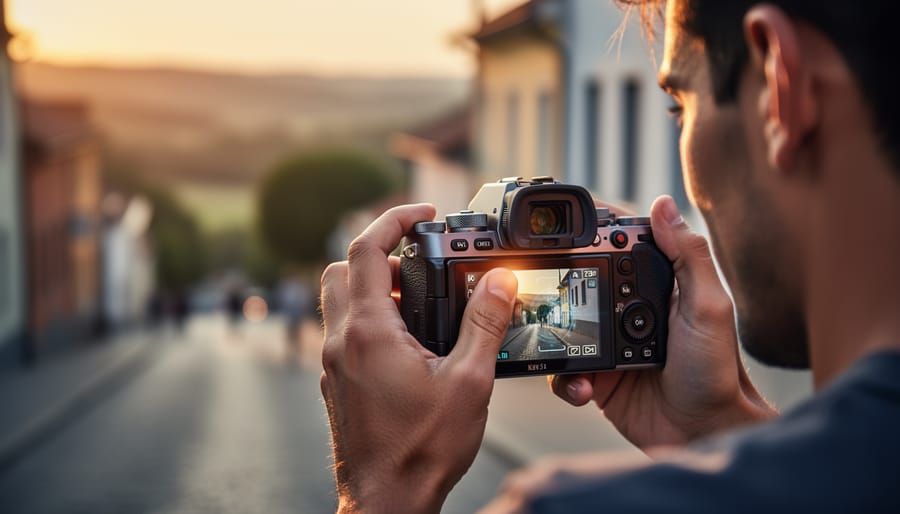
AI-powered composition tools analyze your frame in real time and offer instant feedback on balance, leading lines, rule of thirds placement, and dozens of other compositional principles. These assistants live inside modern cameras, smartphone apps, and editing software, quietly watching as you shoot and suggesting adjustments that can transform a snapshot into a compelling photograph. If you’ve ever wished for a mentor looking over your shoulder during a shoot, these tools deliver exactly that, translating centuries of visual theory into practical, on-the-spot guidance.
The technology behind these tools has matured dramatically over the past few years. What started as simple grid overlays has evolved into sophisticated systems that understand subject placement, visual weight, and even emotional impact. They’re not replacing your creative vision. Instead, they’re accelerating the learning curve and catching compositional weaknesses you might miss in the heat of the moment, especially when you’re focused on exposure, focus, or a fleeting expression.
Understanding what is AI photography helps contextualize these composition tools within the broader shift happening in the medium. This isn’t about automation for its own sake. It’s about making expert-level analysis accessible to everyone, from the enthusiast shooting weekend landscapes to the professional juggling tight deadlines and demanding clients. The seven tools covered here represent the current state of AI reshaping photography each bringing a distinct approach to compositional feedback.
Some tools prioritize speed and simplicity, offering quick visual cues you can absorb mid-shoot. Others dive deep into analytics, breaking down why a particular crop or subject placement works better than your original attempt. The right choice depends on your shooting style, experience level, and whether you want gentle nudges or comprehensive critiques. What they all share is the ability to make you a more intentional photographer, one frame at a time.
How We Chose These AI Composition Tools
Selecting seven standout tools from dozens of AI composition options required a rigorous evaluation process grounded in practical use rather than marketing claims. I tested each tool extensively across different shooting scenarios, studio portraits, street photography, landscapes, and product work, to understand how they perform under real conditions. The goal wasn’t to find a single “best” tool, but to identify a diverse range of solutions that serve different photographer needs, from enthusiast smartphone shooters to working professionals with tethered studio setups.
Each tool in this lineup had to meet specific standards across multiple dimensions:
- AI accuracy and relevance: Suggestions had to align with established composition principles while respecting creative intent, not just apply rigid rules
- Workflow integration: The tool needed to fit naturally into existing photography processes without creating friction or disrupting creative flow
- Platform compatibility: Support for different camera systems, operating systems, and software ecosystems was essential for broad applicability
- User experience across skill levels: Interfaces had to be intuitive enough for beginners while offering depth for advanced photographers
- Pricing and value: The cost had to justify the benefits, whether through time saved, learning acceleration, or improved results
The tools that made the cut represent different approaches to AI-assisted composition. Some work in real-time while you shoot, others analyze and improve images afterward. Some integrate into established software ecosystems, while others operate as standalone solutions. This variety ensures that regardless of your photography style, budget, or technical setup, you’ll find at least one tool here that fits your needs.
1. Adobe Sensei Composition Assistant, Seamless Integration for Lightroom Users
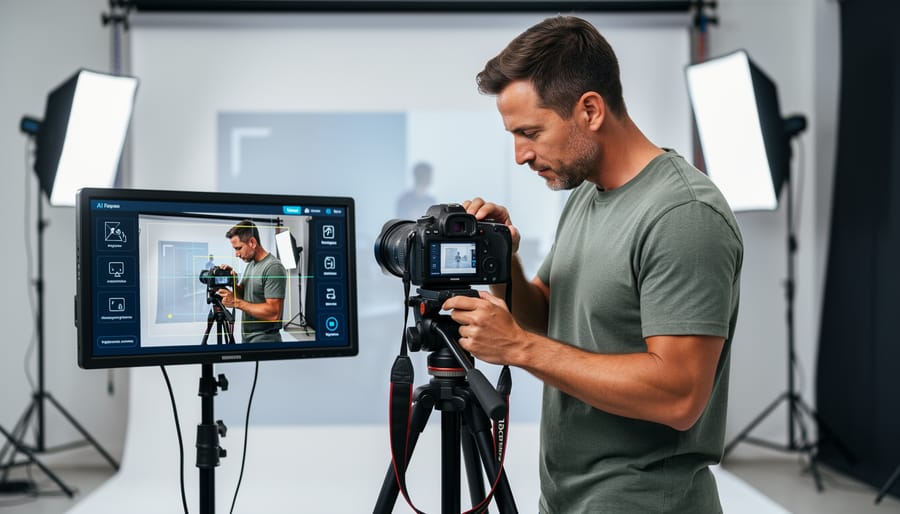
Adobe Sensei Composition Assistant lives directly inside Lightroom Classic and Lightroom CC, which means if you’re already in the Adobe ecosystem, there’s zero setup required. Open an image in the Develop module, and the AI analyzes your frame instantly, highlighting compositional elements through transparent overlays that don’t touch your original file.
The tool excels at catching obvious improvements you might miss in the moment. It detects when your subject sits awkwardly between grid intersections and suggests precise crop adjustments to align with the rule of thirds. More impressively, it identifies leading lines in your composition, roads, fences, architectural elements, and shows you alternative framings that strengthen their visual impact. I’ve watched it recommend a slight rotation that transformed a decent street photo into something genuinely compelling, simply by aligning an existing diagonal more intentionally.
What sets Sensei apart is its learning capability. The more you edit in Lightroom, the better it understands your preferences. If you consistently ignore suggestions to crop tighter, it adapts. If you favor certain aspect ratios or compositional styles, it begins prioritizing those patterns in future recommendations. This personalization means the tool becomes genuinely useful rather than annoying after a few weeks of regular use.
The real-time feedback works best for landscape and architectural photography, where geometric precision matters. Portrait photographers will find it less revolutionary, it understands facial positioning but doesn’t grasp emotional resonance or storytelling nuance.
Beginners benefit from the educational aspect since Sensei explains why it’s suggesting each change. Working professionals appreciate the speed, especially when culling hundreds of images and needing quick compositional assessments. If Lightroom is already your home, this tool integrates so naturally it feels like a native feature rather than an add-on.
2. Smart Compose Pro, Real-Time In-Camera Guidance
Smart Compose Pro bridges the gap between shooting and editing by bringing composition analysis directly into your field workflow. This wireless tool pairs with most modern mirrorless cameras from Sony, Canon, Nikon, and Fujifilm, turning your smartphone or tablet into an intelligent composition assistant while you’re actively shooting.
The app’s heads-up display overlays real-time guidance onto your camera’s live view feed, showing you exactly what needs adjustment before you press the shutter. Unlike reviewing images after the fact, Smart Compose Pro analyzes your frame as you compose it, checking for balance across the frame, evaluating subject placement against multiple composition principles, and flagging when your horizon isn’t level. The interface stays minimal, subtle visual cues that don’t obstruct your view, but becomes more insistent when it detects significant composition issues.
The subject placement system proves especially useful. Rather than just showing you rule-of-thirds lines, Smart Compose Pro identifies your main subject and suggests optimal positioning based on what else appears in your frame. If you’re photographing a person with strong leading lines behind them, it might recommend shifting left to align both the subject and the lines more effectively. The balance detection examines tonal distribution, helping you spot when one side of your frame feels too heavy.
During a recent coastal shoot, the real-time feedback transformed my workflow. While composing a sunrise over sea stacks, Smart Compose Pro caught that my horizon sat slightly tilted, something I’d missed while focusing on the dramatic light, and suggested lowering my camera angle slightly to better balance the foreground rocks against the sky. These instant corrections meant fewer throwaway shots and more keepers, saving significant editing time later. The wireless range extends about thirty feet, giving you flexibility to position your monitoring device wherever works best for your shooting setup.
3. Luminar Neo AI Structure, Intelligent Scene Analysis

Luminar Neo AI Structure takes composition assistance to a different level by understanding what’s actually in your photograph. Rather than simply overlaying grids or suggesting crops, this tool analyzes your image semantically, it recognizes your main subject, identifies the background elements, and understands the relationship between foreground and midground components. When you open an image in Luminar Neo, the AI Structure feature automatically segments your composition into distinct layers, much like a photographer would mentally break down a scene.
The practical power shows up immediately. If your subject sits too close to the edge of the frame, Luminar Neo doesn’t just tell you to crop differently, it suggests specific reframing options and shows you previews with alternative aspect ratios. The AI considers what makes sense for your particular image, whether that’s a square format for social media or a wider cinematic crop that emphasizes horizontal lines in a landscape. The perspective correction tools go beyond simple vertical line straightening; they understand compositional weight and will adjust distortion while maintaining the visual balance you intended.
The recomposition feature solves a common frustration: realizing after the fact that you needed more breathing room around your subject. Luminar Neo’s AI examines the existing scene and intelligently fills the extended canvas with content that matches the surrounding areas. This isn’t crude cloning, it understands context and compositional flow. A photographer working on an AI product shot workflow might use this to expand negative space around an item without reshooting.
Where Luminar Neo excels is helping you see reframing possibilities you’d miss manually. The instant visual previews let you explore compositional alternatives quickly, making it valuable for both correcting mistakes and discovering creative directions you hadn’t considered.
4. PhotoPilot AI, Your Mobile Composition Mentor
PhotoPilot AI transforms your smartphone into a composition classroom, making it ideal for photographers who want to improve their skills while shooting on the go. Unlike tools that require desktop software or camera connectivity, this mobile-first app works directly through your phone’s camera interface, providing real-time feedback as you frame each shot.
The standout feature is the augmented reality overlay system. When you activate PhotoPilot, translucent guides appear on your screen showing golden ratio spirals, rule-of-thirds intersections, and dynamic symmetry lines. These aren’t static grids, the AI adapts which guides to display based on what you’re photographing. Point at a portrait, and it emphasizes facial positioning guides. Frame a landscape, and it highlights horizon placement and leading lines.
What sets PhotoPilot apart is its instant scoring mechanism. Before you press the shutter, a small badge rates your current composition from 1 to 10 based on balance, subject placement, negative space, and visual flow. The score updates in real time as you adjust your framing, turning composition into an interactive learning experience rather than post-shot analysis.
The tutorial mode deserves special attention. When enabled, PhotoPilot doesn’t just suggest moving your subject left, it explains that positioning the main element on the right third creates space for the subject’s gaze direction. These micro-lessons accumulate into genuine compositional understanding over weeks of use.
The community learning feature connects you with other users shooting similar subjects. Browse examples of well-composed street photography or food shots, seeing the overlay analysis that made each image successful. For daily scenarios like capturing family moments or documenting your neighborhood, PhotoPilot provides immediate guidance that trains your eye to recognize strong compositions instinctively.
5. Capture One Composition Grid AI, Precision for Studio Work
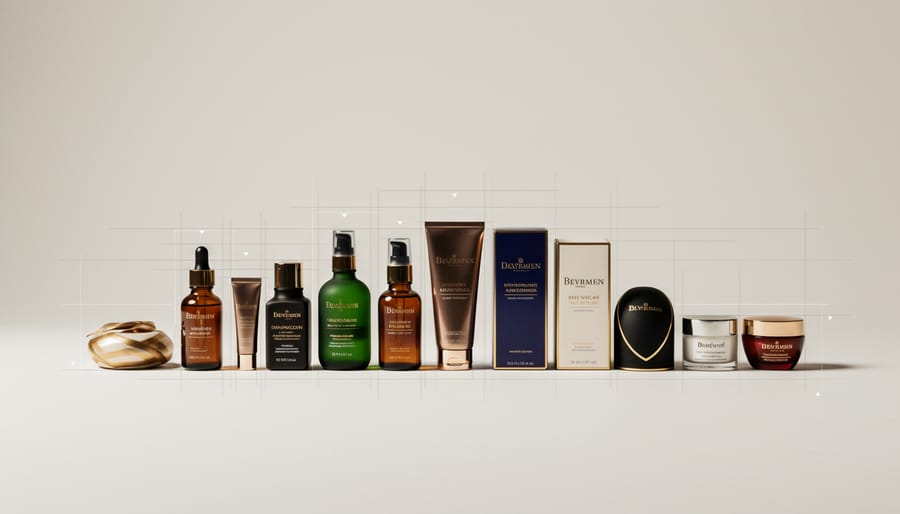
Capture One’s Composition Grid AI stands apart from consumer-focused tools by targeting the specific demands of controlled studio environments. When you’re shooting tethered with precise lighting setups and client approval workflows, composition consistency matters as much as creativity.
The intelligent grid system reads your subject and adjusts accordingly. Point your lens at a watch on a white sweep, and the AI recognizes product photography mode, emphasizing symmetry and central alignment. Switch to a headshot setup, and the grid shifts to portrait-optimized guidance, highlighting eye placement within the frame and shoulder angle relative to the image boundaries.
The symmetry analysis proves invaluable for product work. I tested it during a recent cosmetics shoot where ten lipstick tubes needed identical framing for an e-commerce catalog. The AI flagged even subtle positioning differences between shots, down to a two-degree rotation variance that would have created inconsistent hero images. That precision saves hours in post-production alignment.
Portrait-specific guidance goes beyond basic rule-of-thirds overlays. The system suggests optimal face placement based on your selected aspect ratio, accounts for negative space when the subject faces left or right, and flags potential cropping issues at common joints like wrists or ankles. It’s learned from thousands of professionally composed portraits, which shows in the nuanced suggestions.
The batch analysis feature transforms series shooting. After capturing fifty variations of a product at different angles, the AI compares them all and identifies which frames deviate from your established composition pattern. This consistency check catches the inevitable composition drift that happens during long sessions when fatigue sets in.
For studio photographers juggling technical precision with creative direction, this tool acts like a second set of eyes that never gets tired.
6. Frame Genius, AI Learning from Master Photographers
Frame Genius takes a fundamentally different approach than other composition tools by building its intelligence on a massive database of award-winning photography rather than just technical rules. The software has analyzed over 50,000 images from major photography competitions, editorial publications, and gallery exhibitions across landscape, portrait, street, wildlife, and architectural genres. When you load your photo, Frame Genius first identifies your subject matter and shooting style, then matches your image against successful compositional patterns it has learned from masters in that specific category.
The style-matching algorithm is where this tool truly distinguishes itself. Rather than applying universal principles like rule-of-thirds everywhere, it recognizes that street photography composition differs dramatically from formal portraiture or fine-art landscape work. If you’re shooting gritty urban scenes, Frame Genius will suggest tighter crops, off-center subjects, and dynamic tension based on what works in award-winning street photography. Switch to landscapes, and it adapts its recommendations toward expansive framing, layered depth, and carefully balanced horizons that characterize successful nature work.
The inspirational reference feature shows you three to five similar award-winning images alongside your photo, highlighting specific compositional elements they share or where yours diverges. This context helps you understand why the AI suggests moving your subject left or including more negative space, you see the successful precedent rather than just following blind instructions. It’s educational in a way that connects composition theory to real-world excellence.
For photographers developing their artistic vision, Frame Genius works like having a mentor who’s studied thousands of successful images in your chosen field. You still make the creative decisions, but you’re informed by patterns that actually resonate with audiences and judges. The tool becomes particularly valuable when you’re branching into new genres or refining your style, similar to how camera automation tips can accelerate technical growth without stunting creative development.
7. DxO ViewPoint AI Perspective, Correcting Composition in Post

DxO ViewPoint AI Perspective takes a different approach from real-time composition tools by focusing exclusively on fixing perspective and geometric issues during post-processing. This specialization makes it particularly valuable when you couldn’t get the framing perfect in-camera, whether due to physical constraints, fast-moving situations, or simply realizing afterward that your composition needs adjustment.
The tool’s automatic architectural alignment is remarkably intelligent. Point it at a building photographed from street level, and it instantly corrects converging verticals while maintaining natural proportions. Unlike basic perspective correction that can produce awkward stretching, ViewPoint’s AI understands compositional balance and adjusts multiple parameters simultaneously to keep your image looking natural. The horizon straightening feature goes beyond simple rotation by analyzing the entire scene to determine the true horizon line, even when it’s partially obscured.
Where ViewPoint truly shines is its distortion correction with composition awareness. It recognizes when wide-angle distortion has pushed important elements to frame edges or created unflattering proportions, then corrects these issues while preserving your intended composition. The AI-powered content-aware extension feature lets you expand your canvas intelligently, filling the new space with contextually appropriate pixels. This proves invaluable when straightening a tilted shot creates empty corners, or when you need slightly more breathing room around your subject.
Integrating this tool into your AI photo editing workflow raises an important question: when should you rely on post-processing fixes versus getting composition right in-camera? The honest answer is both have their place. In controlled situations like studio work or landscape photography with a tripod, nail your composition during capture. But for street photography, events, or architectural work where you can’t always position yourself ideally, ViewPoint becomes a legitimate compositional tool rather than just a correction utility.
Making AI Composition Tools Work for Your Style
The most effective way to use AI composition tools is to treat them as training wheels, not a permanent attachment. When you first start with any of these tools, enable every notification, overlay, and suggestion feature. Pay attention to why the AI recommends specific adjustments. If Smart Compose Pro suggests shifting your horizon line, understand the principle behind that guidance. After a few weeks, you’ll start recognizing patterns in what gets flagged and what doesn’t.
Your creative instincts deserve the final say, especially in situations where emotional impact trumps technical perfection. AI tools excel at identifying geometric balance and applying established rules, but they can’t read the mood you’re trying to create. If Frame Genius suggests repositioning your subject to achieve better balance, but the off-center placement creates the tension your image needs, ignore the suggestion. These tools analyze what typically works; they don’t understand your specific vision.
Different shooting scenarios call for different levels of AI assistance. Real-time tools like Smart Compose Pro shine during learning sessions or when shooting unfamiliar subjects, while post-processing options like DxO ViewPoint AI work better for salvaging shots or refining work you’ve already composed. Studio photographers might lean heavily on Capture One’s precision features during commercial work, then switch them off completely for personal projects where experimentation matters more than perfection.
- Start with learning mode to understand the ‘why’ behind suggestions
- Compare AI recommendations across multiple tools to spot patterns
- Periodically shoot without AI assistance to test your own growth
- Use AI analysis on your older work to identify composition habits
The goal is gradual independence. As you internalize the composition principles these tools highlight, you’ll find yourself naturally framing shots the way the AI would suggest, but with your own creative variations. That’s when AI composition tools have done their job properly.
Common Questions About AI Composition Tools
As you explore AI composition tools, you’ll naturally have questions about their impact on your photography. These concerns are valid, and understanding the realities helps you make informed decisions about incorporating AI into your workflow.
Do these tools make all photos look the same?
Not if you use them thoughtfully. AI tools suggest established principles, but your subject choice, timing, lighting decisions, and whether you accept or modify suggestions keep your work distinct.
Will using AI tools hurt my creative development?
Only if you blindly follow suggestions without understanding why they’re made. Treat AI as a composition tutor that explains principles through your own images, accelerating rather than replacing learning.
Are these tools replacing the need to learn composition rules?
Absolutely not. Understanding foundational principles lets you recognize when AI suggestions enhance your vision versus when breaking rules serves your creative intent better.
How accurate are AI composition suggestions?
Most tools achieve 80-85% relevance for technically sound compositions, but accuracy drops when artistic intent diverges from conventional approaches or in complex, ambiguous scenes.
The question of artistic intent versus technical correctness deserves deeper consideration. AI tools excel at identifying technical improvements like balanced exposure distribution, clear focal points, and adhering to established guidelines. However, they can’t fully grasp when you deliberately create tension through off-center framing, choose chaotic composition to convey emotion, or break rules for conceptual reasons. The algorithms recognize patterns from successful photographs but don’t understand the story you’re telling or the feeling you’re evoking.
This limitation actually clarifies AI’s proper role. These tools catch technical oversights and offer alternatives you might not have considered. Your job remains interpreting those suggestions through your creative vision, accepting what strengthens your intent and dismissing what doesn’t. The photographers who benefit most treat AI composition tools as collaborative partners in a conversation, not as authorities delivering final verdicts on what makes good photography.
AI composition tools have genuinely transformed how photographers approach their craft, but they work best when you remember what they are: assistants, not replacements. The seven tools we’ve explored each offer something different, whether it’s real-time guidance while you’re shooting or intelligent post-processing analysis that catches what you missed in the moment.
Start with one tool that fits naturally into how you already work. If you’re a Lightroom user, Adobe Sensei is waiting in your workflow. Shoot primarily on your phone? PhotoPilot AI speaks your language. The key is treating these tools as composition teachers who happen to be available 24/7. Pay attention to their suggestions, understand the reasoning behind them, then decide whether they serve your creative vision for that particular image.
What’s genuinely exciting about where we are in 2026 is accessibility. These tools put sophisticated composition analysis in everyone’s hands, not just those who’ve studied photography for decades. That doesn’t mean every photo will look the same. It means more photographers can express their unique vision with technical confidence, making fewer unintentional mistakes while taking all the intentional creative risks they want.
Your eye still matters most. Let AI sharpen it rather than replace it.




 By
By