 By
By 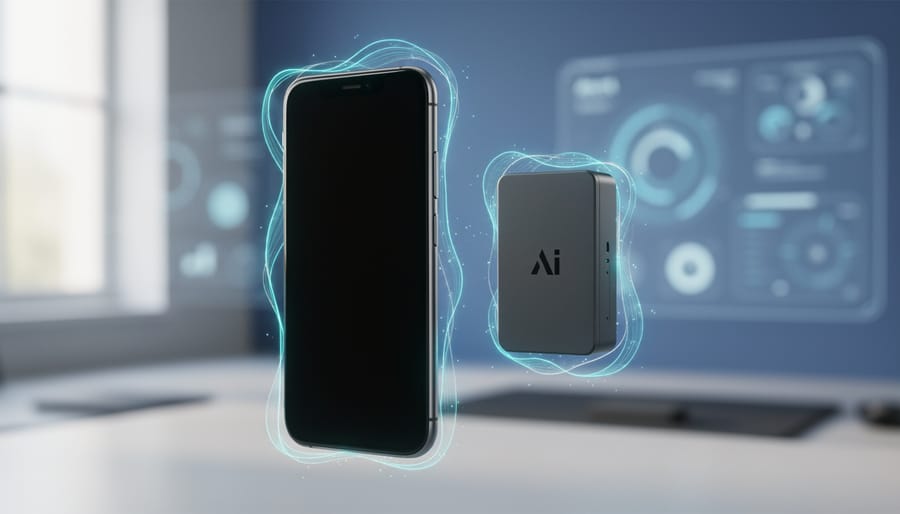
AI product photography uses artificial intelligence to generate, enhance, or modify product images without traditional studio setups, cameras, or even physical products in some cases. Instead of spending hours arranging lights and backdrops, businesses can now upload a single photo and let algorithms create multiple variations with different backgrounds, lighting conditions, and angles in minutes.
This technology has matured significantly since what is AI photography first emerged as a practical tool. What started as basic background removal has evolved into sophisticated systems that can generate photorealistic product shots, adjust shadows and reflections to match new environments, and even create entirely synthetic images from text descriptions or 3D models. The implications are substantial. A small online retailer can produce catalog-quality images without hiring a photographer or building a lightbox. A furniture company can show how a sofa looks in dozens of room settings without physically moving it. A fashion brand can test product concepts before manufacturing samples.
But understanding how this works and whether it fits your workflow requires cutting through the marketing claims. Some AI tools simply automate tedious editing tasks photographers already do manually. Others fundamentally change the production process by removing the camera entirely. The gap between these approaches is wide, and choosing the wrong one wastes time and money.
This article breaks down exactly how AI product photography functions under the hood, what types of tools exist and what they actually do, who benefits most from each approach, and how to start using these systems effectively. You’ll see AI transforming the lens in ways that complement traditional photography skills rather than replacing them entirely. By the end, you’ll know whether this technology solves a real problem for your business or if conventional methods still serve you better.
What AI-Driven Product Photography Really Means
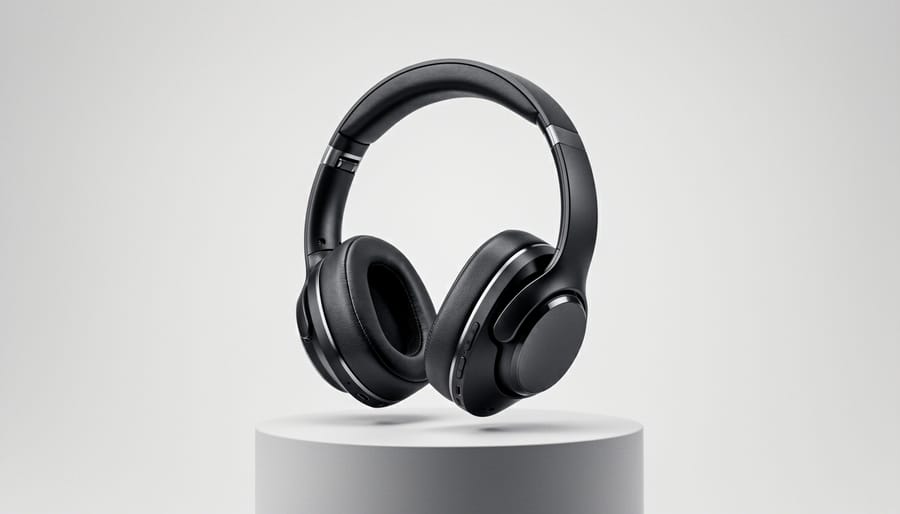
AI-driven product photography uses artificial intelligence to handle tasks that traditionally required manual camera work, extensive lighting setups, and hours of post-processing. Instead of a photographer spending an entire day shooting a product from multiple angles, adjusting lights between each shot, and then editing backgrounds in Photoshop, AI systems can automate much or all of that workflow, sometimes in minutes rather than hours.
The technology isn’t just one thing. It covers a wide range of approaches, from subtle assistance to complete automation. On one end, you’ve got AI that helps a human photographer by suggesting optimal camera settings based on what the lens sees. On the other, there are systems that generate entire product images from scratch without ever pointing a camera at the actual item.
What sets this apart from traditional photography is the decision-making. A conventional setup relies entirely on human judgment: you position the product, adjust the lights, choose your aperture, take the shot, then move to editing. AI-driven systems analyze the product, its shape, material, color, and make those decisions automatically or suggest specific adjustments. They recognize that a glass bottle needs different lighting than a fabric handbag, and they adapt accordingly.
It’s also different from generic AI photo editing. Tools like basic automated filters or one-click enhancement buttons have been around for years. AI product photography goes further by understanding commercial requirements: consistent white backgrounds, proper shadow placement, multiple angles that match exactly, and variants sized for different platforms. The AI knows what makes a product image work for e-commerce, not just what makes any photo look better.
- AI-assisted photography
- Technology that helps human photographers by automatically adjusting camera settings, suggesting compositions, or optimizing lighting based on the product being shot. The photographer still controls the process but gets intelligent recommendations.
- Generative product imaging
- AI systems that create entirely new product images from 3D models, existing photos, or text descriptions without traditional photography. These generate pixels rather than capturing them.
- Automated background removal
- AI that identifies product edges and separates the subject from its background, replacing it with white, transparent, or custom environments. This replaces manual selection and masking work.
- Smart lighting adjustment
- Intelligence that analyzes product materials and automatically modifies light intensity, color temperature, and direction to achieve professional results. It accounts for reflective, matte, or translucent surfaces.
- Synthetic rendering
- The process of using AI to generate photorealistic product images including shadows, reflections, and environmental context without capturing an actual photograph. The entire scene is computationally created.
The spectrum runs from minimal intervention, where AI just speeds up tasks you’d do anyway, to full automation that handles everything from capture through final delivery. Most photographers and businesses find their sweet spot somewhere in the middle, using AI to eliminate tedious work while keeping creative control over the final look.
How AI Product Photography Technology Works
The AI Camera Systems and Smart Hardware
AI-equipped cameras don’t just capture images, they actively analyze what they’re photographing and make real-time decisions about settings. Modern product photography hardware uses embedded computer vision algorithms that recognize product types, detect edges and textures, and identify which elements should be sharp versus blurred. The camera calculates optimal aperture, shutter speed, and ISO settings based on the specific characteristics of the item in front of the lens.
Smart turntables represent one of the most practical implementations of this technology. These motorized platforms sync with camera systems to automatically rotate products through predetermined angles while the camera fires at precise intervals. The AI coordinates rotation speed with shutter timing to eliminate motion blur, adjusts exposure as different product surfaces catch the light, and maintains consistent focus across the entire rotation sequence. Some systems can complete a 360-degree capture of multiple angles in under 30 seconds.
Robotic arms take automation further by repositioning cameras around stationary products or manipulating products under fixed cameras. The AI calculates optimal shooting angles based on the product’s dimensions and shape, then moves the arm to each position with millimeter precision. These systems often integrate with AI-controlled lighting rigs that adjust brightness and direction as the product or camera moves, maintaining consistent illumination across all shots.
The hardware runs specialized firmware that processes images immediately after capture, flagging technical issues like focus errors or inconsistent lighting before the photographer moves to the next setup.
The Software Side: Processing and Generation
Once the camera captures an image, or receives one you’ve uploaded, the software takes over. This is where AI shifts from helping you shoot to actively reshaping what the camera saw.
Most AI product photography platforms start with segmentation: the software identifies the product, separates it from the background, and maps its edges down to fine details like hair on a brush or transparent glass. Neural networks trained on millions of labeled images make these decisions in seconds, often more accurately than manual masking. From there, the AI can remove the original background entirely, replace it with a clean white or custom scene, and generate realistic shadows that match the new lighting context. Advanced systems handle reflections, adjust color temperature to match different environments, and even create multi-view generation from images showing your product from angles you never physically photographed.
The software also produces variants: cropped versions for social media, zoom-friendly high-resolution files for product pages, and lifestyle composites where your item appears on a kitchen counter or in a styled flat lay. You’re not manually creating fifteen versions; the AI generates them based on aspect ratios and context templates you select.
Where this processing happens matters. Cloud-based AI offers more power and sophisticated models but requires uploading your images and an internet connection. On-device processing, running locally on your computer or even a high-end smartphone, keeps your files private and works offline, though it’s generally slower and less capable with complex tasks like generating entirely new backgrounds. Many professionals use a hybrid approach: quick edits on-device, heavy transformations in the cloud.
Different Approaches to AI Product Photography
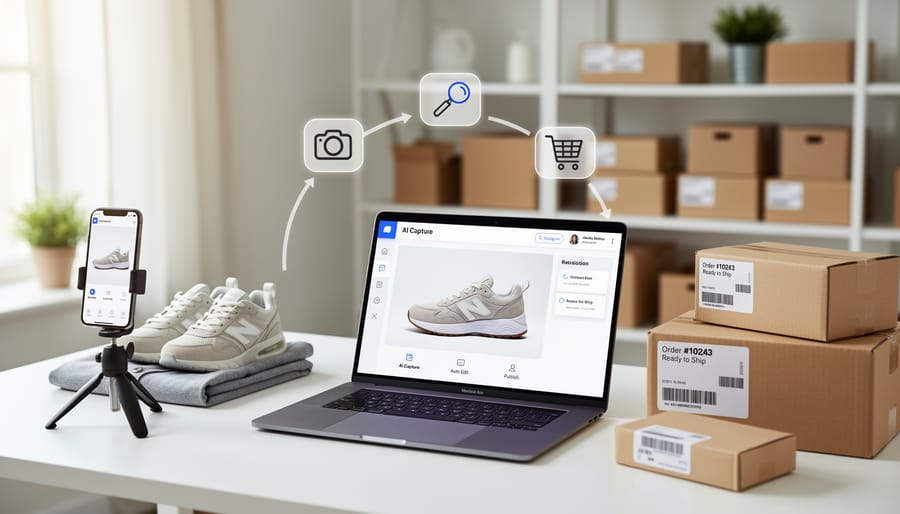
AI-Assisted Traditional Photography
AI-assisted traditional photography keeps you in control while the technology handles tedious technical decisions. These systems analyze your product in real-time and automatically adjust camera settings like ISO, shutter speed, and aperture to capture optimal exposure. Think of it as having an experienced photographer’s eye built into your equipment.
Modern smart cameras recognize what you’re photographing, whether it’s reflective jewelry, textured fabric, or transparent glass, and adapt accordingly. They’ll suggest compositions based on established product photography principles, helping you position items in the frame for maximum visual impact. Some systems even detect unwanted shadows or reflections and recommend lighting adjustments before you press the shutter.
The real advantage? You maintain creative control and shoot real products with actual cameras, but you eliminate the trial-and-error that usually eats up studio time. Professional photographers use these tools to work faster without sacrificing their artistic vision, while newcomers get guardrails that prevent common technical mistakes. The camera becomes a collaborative assistant rather than just a passive recording device.
Automated Photography Studios
Automated photography studios represent the most hands-off approach to AI product photography. These systems combine robotic hardware with intelligent software to handle nearly every step, from positioning your product to delivering finished images.
A typical setup includes a motorized turntable that rotates products through precise angles, adjustable robotic arms that reposition cameras and lights, and AI software that coordinates the entire sequence. You place the item on the platform, select a shooting profile, and the system takes over. The AI determines optimal lighting positions based on the product’s shape and material, shoots from pre-programmed angles (or dynamically adjusts based on what it detects), and processes the raw captures into polished final images.
These studios work best for businesses shooting consistent product categories, furniture retailers, consumer electronics brands, or fashion accessories companies that need hundreds of similar shots. The upfront investment runs high, from $15,000 for entry-level systems to well over $100,000 for enterprise installations, but they dramatically reduce per-image costs when you’re producing thousands of photos monthly. The tradeoff is creative flexibility: you’re working within the system’s parameters rather than experimenting with unique compositions.
AI Post-Processing and Enhancement
Most product photographers already have perfectly good photos, they just need faster, more flexible ways to prepare them for different uses. AI post-processing software tackles exactly that problem, turning a single base image into multiple platform-ready variations without starting from scratch.
The core advantage is speed. Tools like, Adobe’s Sensei, and specialized e-commerce platforms analyze your product photo and instantly isolate the subject, removing backgrounds with pixel-level precision that once required tedious manual masking. Beyond simple cutouts, modern AI photo editing systems generate realistic shadows and reflections that match new backgrounds, adjust color temperature and saturation to meet brand guidelines, and even create contextual lifestyle scenes by placing your product into generated environments.
This approach works especially well when you need the same product shown on white backgrounds for Amazon, lifestyle contexts for Instagram, and seasonal variations for email campaigns. You shoot once with good lighting and composition, then let AI handle the transformations. The quality depends heavily on your source image, sharp focus, even lighting, and clean edges give AI systems better material to work with, but the time savings are substantial, often reducing hours of Photoshop work to minutes of guided adjustments.
Generative AI and Synthetic Product Imagery
Generative AI represents the most radical departure from traditional photography: it creates product images without ever pointing a camera at the physical item. These systems work from 3D models, CAD files, or even a few reference photos to generate entirely new images, different angles, lighting scenarios, and background contexts that never existed in reality.
The technology leverages diffusion models and neural rendering to produce photorealistic results. You can take a single product shot and ask the AI to generate that same product on a kitchen counter, in outdoor light, or against a minimalist studio backdrop. Some platforms even transform flat to immersive 3D representations, creating depth and perspective shifts impossible with static photography.
This approach is particularly valuable for pre-visualization, testing how a product looks in various settings before manufacturing, or for brands that need hundreds of lifestyle images but lack the budget for extensive shoots. The catch? You need either high-quality source material or accurate 3D models, and the results still require human review to catch artifacts, proportional errors, or lighting inconsistencies that betray the synthetic origin.
How Photographers and Businesses Use AI Product Photography
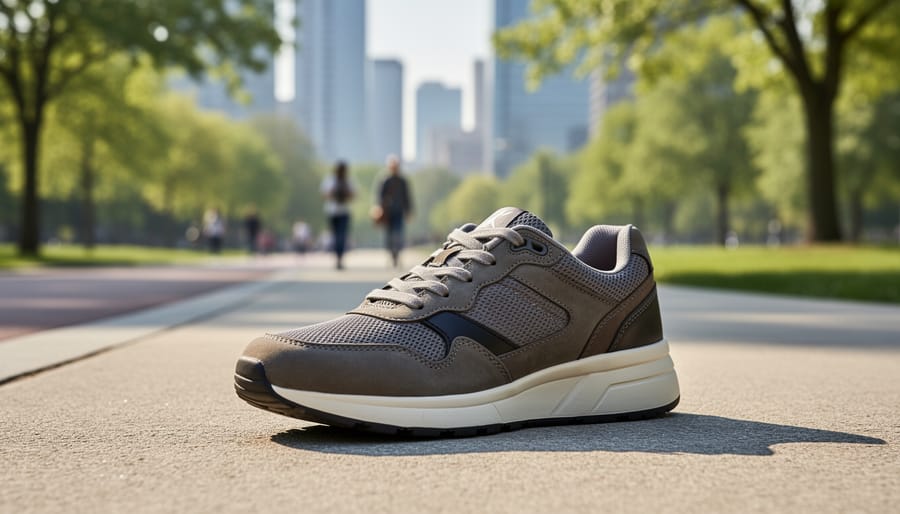
E-Commerce and Online Retail
E-commerce platforms demand visual consistency at scale, something traditional product photography struggles to deliver economically. Amazon sellers shooting hundreds of SKUs, Shopify stores launching seasonal collections, and marketplace vendors competing for click-through rates all face the same challenge: creating professional images that meet strict technical requirements without spending days in post-production.
AI solves this through standardization. Upload a batch of raw product shots, and AI software strips backgrounds to pure white, aligns products to identical positions, adjusts lighting to match across the catalog, and generates required image sizes for different platforms, all in minutes rather than hours. A skincare brand can photograph fifty bottles in varying conditions and export a perfectly uniform gallery where shadows fall identically and product fills the frame consistently.
Beyond cleanup, AI generates lifestyle contexts and environmental mockups from single product shots. That handbag photographed on a white sweep appears on a coffee shop table, a car passenger seat, or held by a model, without additional shoots. These contextual variations increase conversion by helping shoppers visualize ownership, while the seller invests in one capture session instead of five.
Studio Photography and Creative Professionals
Professional studio photographers are embracing AI not to replace their creative vision, but to eliminate the tedious parts of their workflow that don’t require artistic judgment. Background removal that once took fifteen minutes per image now happens in seconds. Shadow generation, which demands careful manual masking and gradient work, becomes a one-click operation. Color correction across an entire product catalog maintains consistency without the eye strain of matching hundreds of images by hand.
The real advantage shows up in client relationships. When a fashion brand requests the same product photographed against five different lifestyle backgrounds, AI lets you deliver all variations within hours instead of scheduling multiple shoots. You shoot once with proper lighting and composition, then generate contextual variants that look natural and professionally integrated. Turnaround time drops from days to same-day delivery, which justifies premium pricing despite spending less time on grunt work. The technology handles repetitive technical tasks while you focus on lighting, composition, and the creative decisions that actually differentiate your work from automated commodity photography.
Small Business and DIY Product Shots
Small businesses and solo entrepreneurs are using AI tools to bypass traditional photography costs entirely. Smartphone apps like PhotoRoom and Pebblely let anyone capture product shots without a studio transforming basic phone photos into polished marketplace images in minutes. These apps handle background removal, lighting correction, and shadow generation automatically, tasks that once required Photoshop expertise and hours of work.
The workflow is straightforward: shoot your product on any clean surface with decent natural light, upload to the app, and let AI clean up the image and generate professional backgrounds. Many platforms offer free tiers for low-volume sellers, with paid plans starting around $10-30 monthly for unlimited images. This accessibility means Etsy sellers, Shopify store owners, and Instagram-based businesses can maintain visual consistency across hundreds of products without outsourcing photography or learning complex editing software. The results won’t match high-end studio work, but they meet the quality standards of most online marketplaces and social platforms.
What You Actually Need to Get Started
The barrier to entry for AI product photography has dropped dramatically, and you can start experimenting with minimal investment before deciding whether to scale up. What you need depends entirely on your goals, creating a dozen polished images for your Etsy shop requires a different setup than shooting 500 products daily for a major retailer.
At the beginner level, you likely already own the most important tool: a smartphone. Modern iPhones and Android devices from the past three years pack enough processing power to run AI product photography apps that handle background removal, lighting adjustment, and basic enhancement. Pair your phone with simple props like white poster board for backgrounds and natural window light, then use apps like PhotoRoom, Pebblely, or to transform basic shots into marketplace-ready images. This approach costs nothing if you have the phone, or under $20 monthly for premium app subscriptions. The learning curve is gentle, most people create usable images within an hour of downloading their first app.
Here’s a realistic breakdown of what each tier requires:
Budget Tier (Under $100/month):
– Smartphone or basic digital camera you already own
– AI mobile apps or web-based tools with subscription plans ($10-30/month)
– Simple lighting setup using natural light or clip-on LED lamps ($20-50 one-time)
– DIY background materials like poster board or fabric
Intermediate Tier ($500-2,500 initial investment):
– Entry-level mirrorless camera or DSLR ($400-800)
– Basic three-point lighting kit with softboxes ($150-300)
– Tripod and product turntable ($100-200)
– Desktop AI software like Adobe Photoshop with AI features, Capture One, or specialized tools ($20-100/month)
– Simple backdrop stand and seamless paper ($100-200)
Professional Tier ($5,000-50,000+):
– High-resolution camera system with macro capabilities ($2,000-8,000)
– Automated photography rig or robotic turntable ($3,000-15,000)
– Professional lighting array with motorized control ($1,500-5,000)
– Enterprise AI software platforms or custom API integrations ($200-2,000/month)
– Dedicated shooting space with controlled environment
The skill requirements matter as much as the hardware budget. Free-tier AI tools require only basic composition awareness, center your product, ensure even lighting, shoot against a plain background. The software handles the rest. Moving to intermediate setups means learning fundamental photography principles: how different lighting angles affect texture and dimension, which aperture creates the right depth of field, how to position products for maximum appeal. Professional automated systems demand technical knowledge of studio equipment, color management, and workflow automation, though the AI itself reduces the need for advanced post-processing skills.
Most photographers find success starting with smartphone apps to prove the concept and understand their actual volume needs, then investing in dedicated equipment once they’ve outgrown the limitations. You’ll know you’re ready to upgrade when processing time becomes a bottleneck, image quality doesn’t meet client standards, or you’re shooting enough volume to justify automation.
Common Questions About AI Product Photography
One question comes up constantly: can AI-generated product photos really match the quality of traditional photography? The honest answer is “it depends.” For straightforward catalog shots on white backgrounds, the kind you see on marketplace listings, AI solutions consistently deliver professional results that most customers can’t distinguish from traditionally shot images. The technology excels at perfect lighting, clean backgrounds, and consistent composition. Where AI still struggles is with complex materials like translucent fabrics, intricate textures, or products with highly reflective surfaces. A skilled photographer with proper lighting can still capture subtleties that AI might smooth over or misinterpret.
Cost concerns make sense when you’re evaluating whether to invest in AI tools. Entry-level AI product photography apps start around $20-30 monthly for small businesses shooting a few dozen products. Mid-tier automated studio systems run $3,000-15,000 upfront, which sounds steep until you calculate what you’d spend on a traditional setup with lights, backdrops, and camera gear, plus the time cost of manual shooting and editing. High-end robotic photography systems can exceed $50,000, but they’re designed for operations photographing thousands of SKUs where the per-image cost drops dramatically. Most small sellers find the software-only approach delivers the best return, while established studios justify hardware investments based on volume.
Do I need photography experience to use AI product photography tools?
Basic smartphone apps require almost no experience, you point and shoot, and the AI handles the rest. More advanced systems benefit from understanding composition and lighting fundamentals, but you don’t need professional training.
Will AI-generated images look fake or hurt my brand’s credibility?
Well-executed AI product photos are indistinguishable from traditional shots for most viewers. The risk comes from over-reliance on obviously synthetic backgrounds or unrealistic contexts that don’t match your product’s actual appearance.
Is AI going to replace product photographers entirely?
No. AI handles repetitive, standardized work efficiently, but brands still need photographers for creative campaigns, lifestyle shots, and images requiring artistic direction. The technology shifts photographers toward higher-value creative work rather than eliminating the profession.
Can I use AI-generated product images legally on marketplaces like Amazon?
Yes, as long as the images accurately represent your actual product. Most marketplaces care about accuracy and quality, not whether you used AI, a camera, or hired a photographer.
The authenticity question deserves straight talk. AI product photography works best when it enhances or streamlines real photography, not when it fabricates product details that don’t exist. Using AI to remove a distracting background or create consistent lighting across your catalog is perfectly legitimate. Generating images that misrepresent colors, textures, or features crosses into dishonest territory that damages customer trust and increases returns. Think of AI as a powerful production tool that still requires your judgment about what’s accurate and appropriate for your brand.
AI product photography isn’t about choosing between human creativity and machine efficiency. It’s about finding the right balance for your specific situation. Whether you’re a professional photographer looking to speed up tedious tasks, an e-commerce seller managing hundreds of product listings, or a small business owner shooting your first catalog, these tools exist to solve real problems, not to replace the creative decisions that make compelling images work.
The technology has matured enough that you can start small and scale as needed. Try a background removal tool on your existing shots. Experiment with an automated lighting suggestion feature. Test a smartphone app that handles composition guidance. You don’t need to commit to a full robotic studio setup to see whether AI fits your workflow. Most photographers find they use AI for the repetitive, technical grunt work while keeping creative control over styling, composition, and the overall visual direction.
Photography has always evolved alongside its tools, from film to digital, from manual focus to autofocus, from desktop editing to cloud processing. AI is the latest step in that progression, powerful when used thoughtfully, but still dependent on someone understanding what makes a product image actually sell or tell a story. The cameras don’t know your brand, your customers, or what message you’re trying to convey. You do. AI just helps you execute faster and more consistently once you’ve made those decisions.
 By
By